
The Darkness virus falls within the ransomware type of infection. Harmful software of this type encrypts all the data on your computer (photos, text files, excel tables, audio files, videos, etc) and adds its specific extension to every file, leaving the INFO-DECRYPT.txt text files in each directory which contains the encrypted files.
What is Darkness virus?
The scheme of renaming is the following: .Darkness. As a part of encryption, a file named, for example, “report.docx” will be renamed to “report.docx.[1f34199].Darkness”.
In each directory with the encrypted files, a INFO-DECRYPT.txt text document will be found. It is a ransom money note. Therein you can find information about the ways of contacting the racketeers and some other remarks. The ransom note usually contains a description of how to buy the decryption tool from the tamperers. You can get this decrypting software after contacting [email protected], [email protected] via email. That is basically the scheme of the malefaction.
Darkness Summary:
| Name | Darkness Virus |
| Extension | .Darkness |
| Ransomware note | INFO-DECRYPT.txt |
| Contact | [email protected], [email protected] |
| Detection | Trojan:Win32/Tnega!MSR Removal, Win32:Adware-DNA [Adw] Virus Removal, Win32:Secat [Trj] Virus Removal |
| Symptoms | Your files (photos, videos, documents) have a .Darkness extension and you can’t open them. |
| Fix Tool | See If Your System Has Been Affected by Darkness virus |
The INFO-DECRYPT.txt file accompanying the Darkness malware provides the following frustrating information:
!!!Your files have been encrypted!!!
To recover them, please contact us via email
Write the ID in the email
Email:[email protected]
Second Email:[email protected]
To ensure decryption you can send 1-2 files (less than 1MB) we will decrypt it for free.
IF 48 HOURS PASS WITHOUT YOUR ATTENTION, BRACE YOURSELF FOR A DOUBLED PRICE.
WE DON\'T PLAY AROUND HERE, TAKE THE HOURS SERIOUSLY.
In the image below, you can see what a directory with files encrypted by the Darkness looks like. Each filename has the “.Darkness” extension added to it.
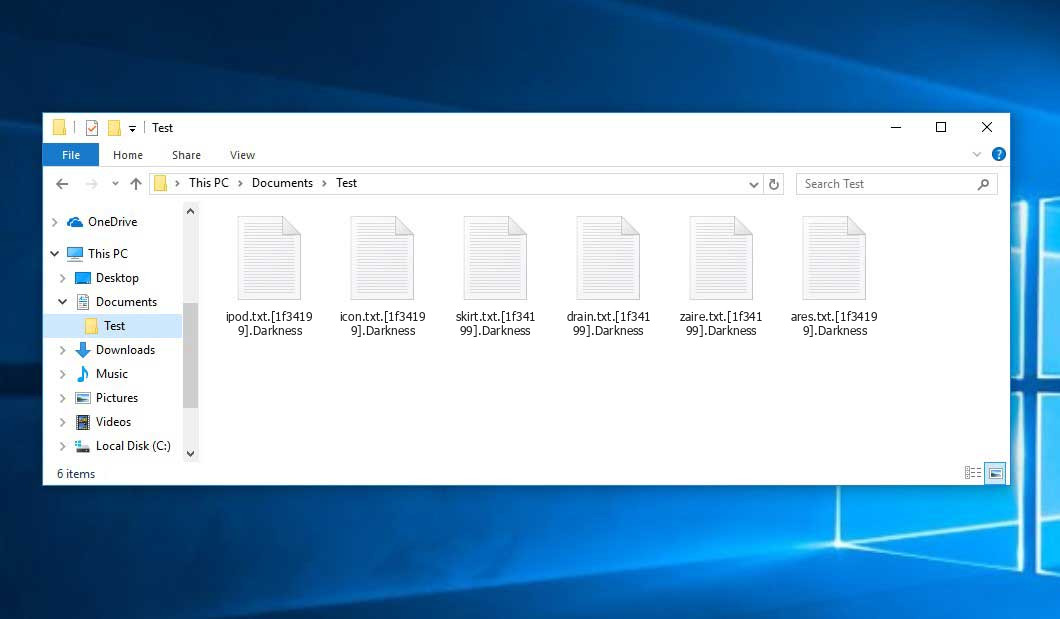
An example of encrypted .Darkness files.
How did my machine catch Darkness ransomware?
There are many possible ways of ransomware injection.
Nowadays, there are three most popular ways for hackers to have ransomware acting in your system. These are email spam, Trojan introduction and peer-to-peer networks.
- If you access your mailbox and see emails that look just like notifications from utility services companies, delivery agencies like FedEx, web-access providers, and whatnot, but whose sender is strange to you, beware of opening those letters. They are most likely to have a viral file attached to them. So it is even riskier to open any attachments that come with letters like these.
- Another option for ransom hunters is a Trojan horse model. A Trojan is a program that infiltrates into your computer pretending to be something else. For example, you download an installer of some program you want or an update for some service. But what is unboxed turns out to be a harmful program that encrypts your data. As the update package can have any name and any icon, you’d better be sure that you can trust the resource of the things you’re downloading. The best way is to trust the software companies’ official websites.
- As for the peer file transfer protocols like torrents or eMule, the threat is that they are even more trust-based than the rest of the Web. You can never know what you download until you get it. Our suggestion is that you use trustworthy resources. Also, it is reasonable to scan the folder containing the downloaded objects with the antivirus as soon as the downloading is done.
How do I get rid of ransomware?
It is important to note that besides encrypting your data, the Darkness virus will probably install Vidar Stealer on your computer to get access to credentials to various accounts (including cryptocurrency wallets). The mentioned program can derive your credentials from your browser’s auto-filling data.
Remove Darkness with Gridinsoft Anti-Malware
We have also been using this software on our systems ever since, and it has always been successful in detecting viruses. It has blocked the most common Ransomware as shown from our tests with the software, and we assure you that it can remove Darkness as well as other malware hiding on your computer.
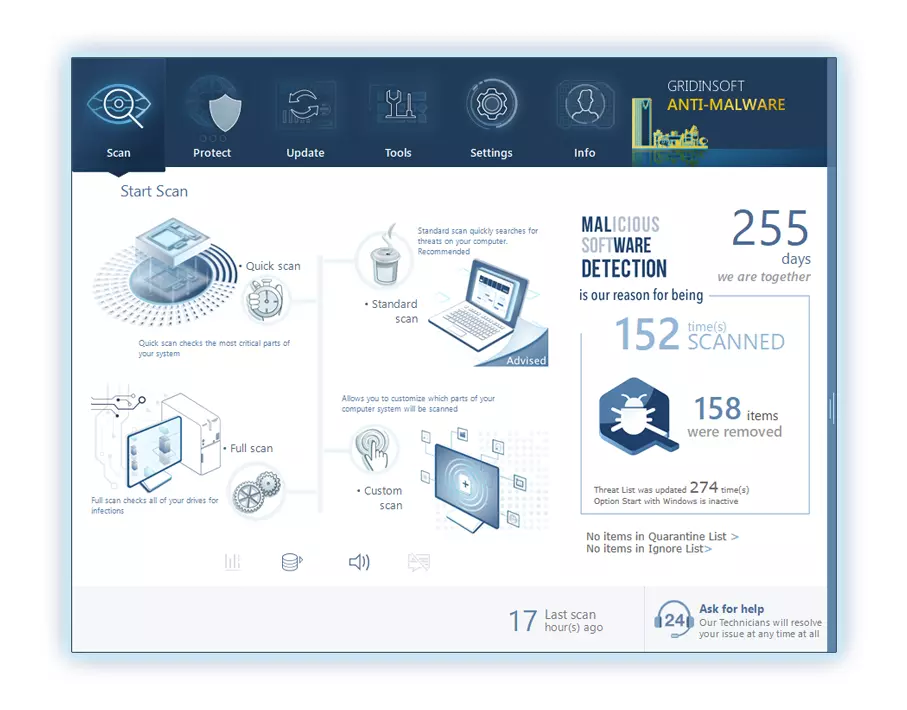
To use Gridinsoft for remove malicious threats, follow the steps below:
1. Begin by downloading Gridinsoft Anti-Malware, accessible via the blue button below or directly from the official website gridinsoft.com.
2.Once the Gridinsoft setup file (setup-gridinsoft-fix.exe) is downloaded, execute it by clicking on the file.
3.Follow the installation setup wizard's instructions diligently.
4. Access the "Scan Tab" on the application's start screen and launch a comprehensive "Full Scan" to examine your entire computer. This inclusive scan encompasses the memory, startup items, the registry, services, drivers, and all files, ensuring that it detects malware hidden in all possible locations.
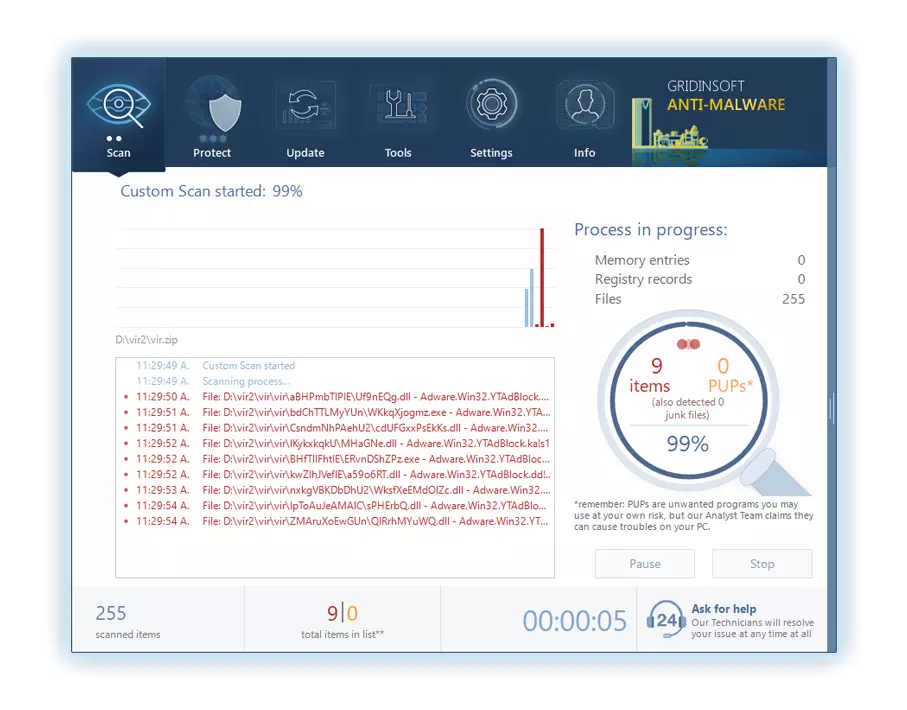
Be patient, as the scan duration depends on the number of files and your computer's hardware capabilities. Use this time to relax or attend to other tasks.
5. Upon completion, Anti-Malware will present a detailed report containing all the detected malicious items and threats on your PC.
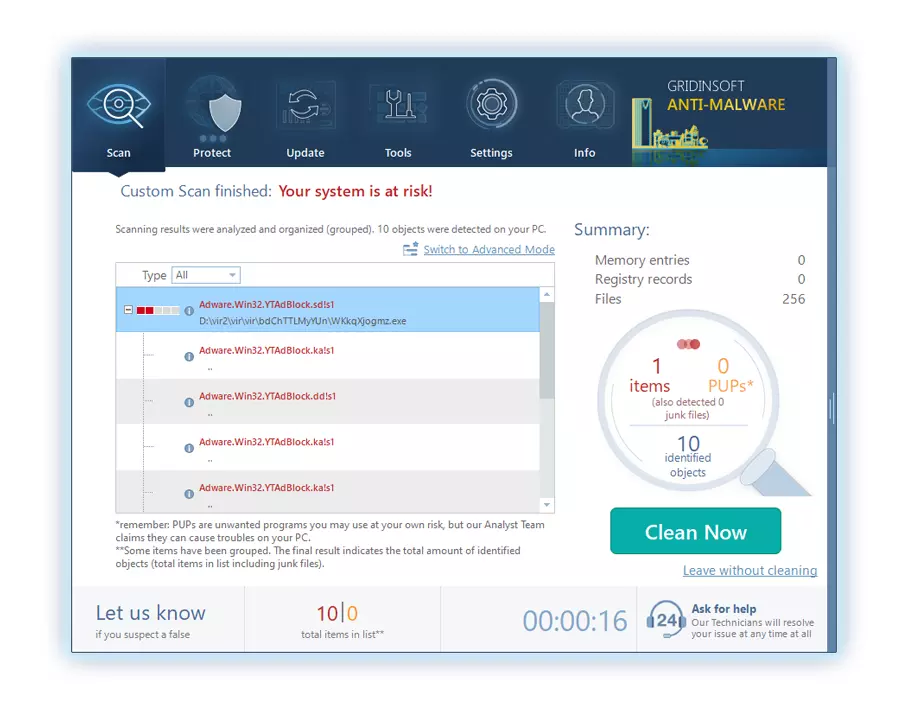
6. Select all the identified items from the report and confidently click the "Clean Now" button. This action will safely remove the malicious files from your computer, transferring them to the secure quarantine zone of the anti-malware program to prevent any further harmful actions.
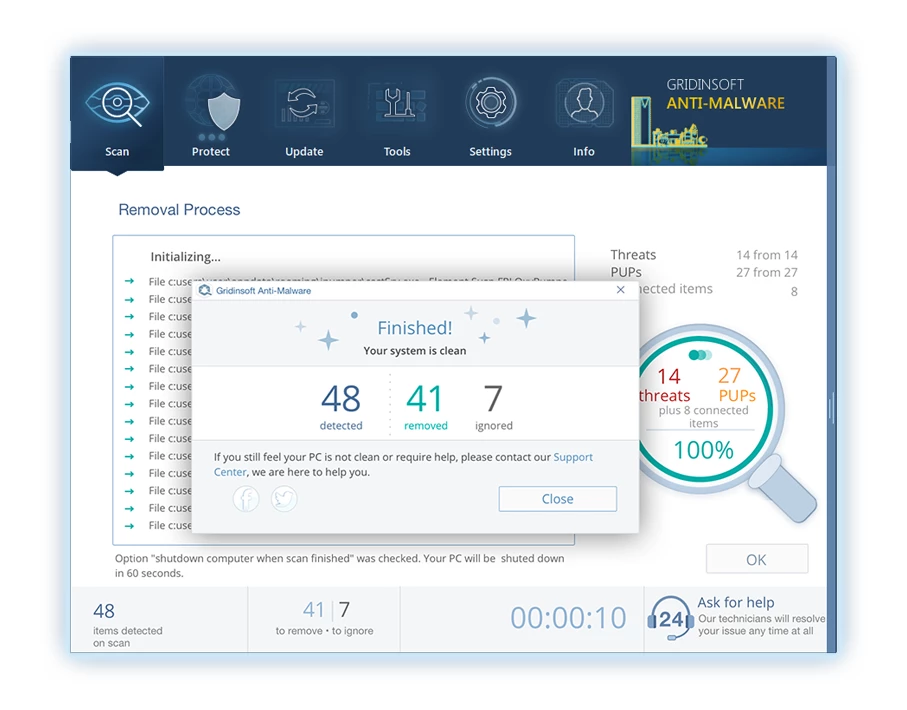
8. If prompted, restart your computer to finalize the full system scan procedure. This step is crucial to ensure thorough removal of any remaining threats. After the restart, Gridinsoft Anti-Malware will open and display a message confirming the completion of the scan.
Remember Gridinsoft offers a 6-day free trial. This means you can take advantage of the trial period at no cost to experience the full benefits of the software and prevent any future malware infections on your system. Embrace this opportunity to fortify your computer's security without any financial commitment.
Trojan Killer for “Darkness” removal on locked PC
In situations where it becomes impossible to download antivirus applications directly onto the infected computer due to malware blocking access to websites, an alternative solution is to utilize the Trojan Killer application.
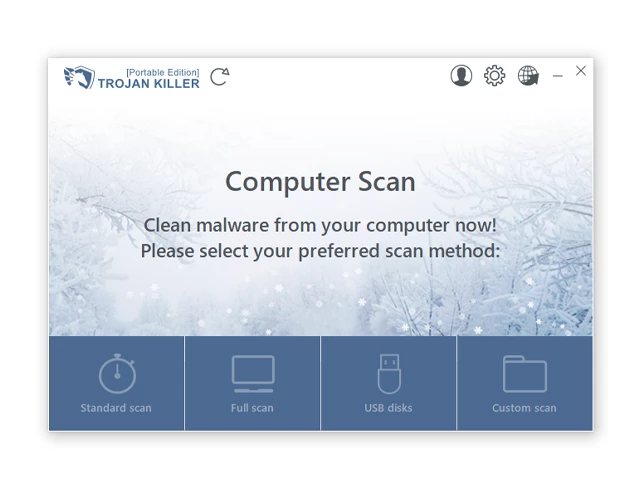
There is a really little number of security tools that are able to be set up on the USB drives, and antiviruses that can do so in most cases require to obtain quite an expensive license. For this instance, I can recommend you to use another solution of GridinSoft - Trojan Killer Portable. It has a 14-days cost-free trial mode that offers the entire features of the paid version. This term will definitely be 100% enough to wipe malware out.
Trojan Killer is a valuable tool in your cybersecurity arsenal, helping you to effectively remove malware from infected computers. Now, we will walk you through the process of using Trojan Killer from a USB flash drive to scan and remove malware on an infected PC. Remember, always obtain permission to scan and remove malware from a computer that you do not own.
Step 1: Download & Install Trojan Killer on a Clean Computer:
1. Go to the official GridinSoft website (gridinsoft.com) and download Trojan Killer to a computer that is not infected.
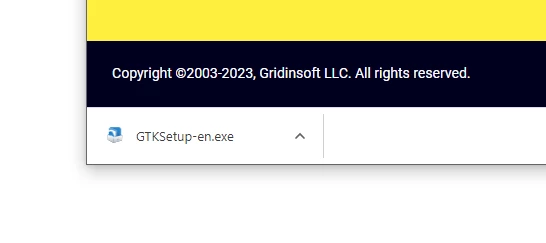
2. Insert a USB flash drive into this computer.
3. Install Trojan Killer to the "removable drive" following the on-screen instructions.
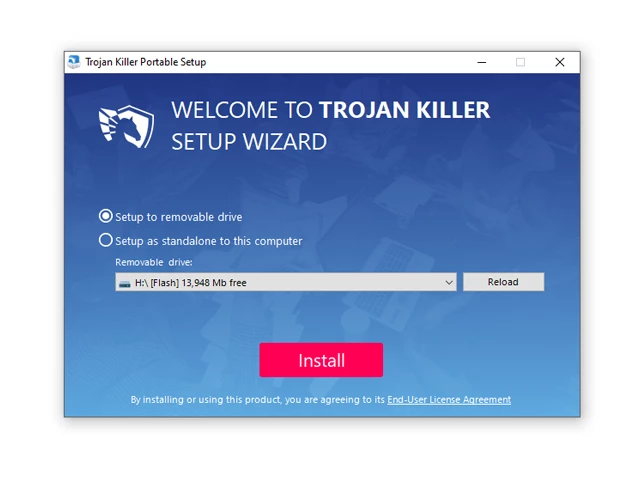
4. Once the installation is complete, launch Trojan Killer.
Step 2: Update Signature Databases:
5. After launching Trojan Killer, ensure that your computer is connected to the Internet.
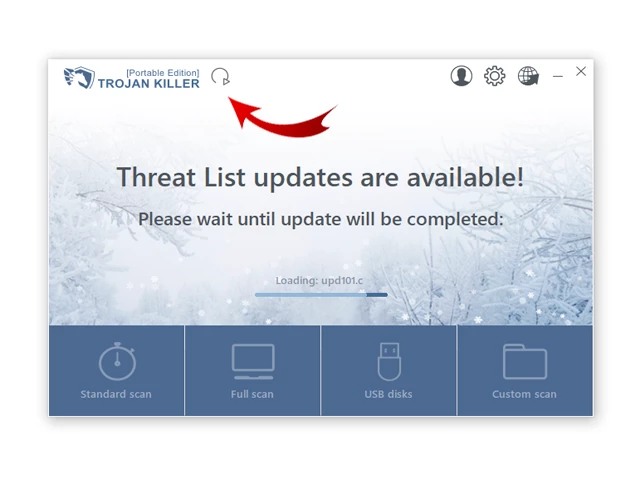
6. Click "Update" icon to download the latest signature databases, which will ensure the tool can detect the most recent threats.
Step 3: Scan the Infected PC:
7. Safely eject the USB flash drive from the clean computer.
8. Boot the infected computer to the Safe Mode.
9. Insert the USB flash drive.
10. Run tk.exe
11. Once the program is open, click on "Full Scan" to begin the malware scanning process.
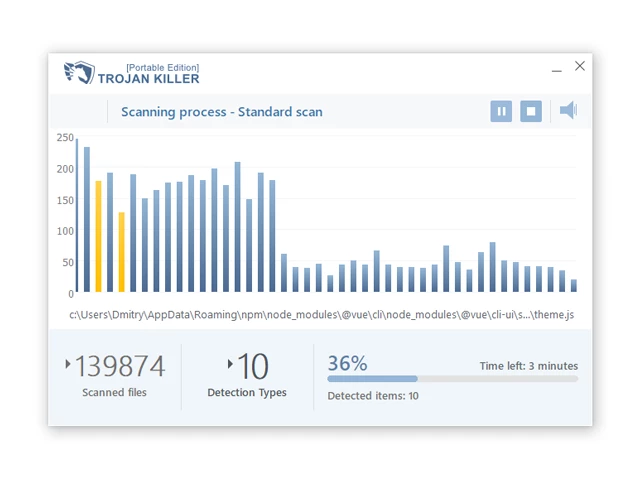
Step 4: Remove Found Threats:
12. After the scan is complete, Trojan Killer will display a list of detected threats.
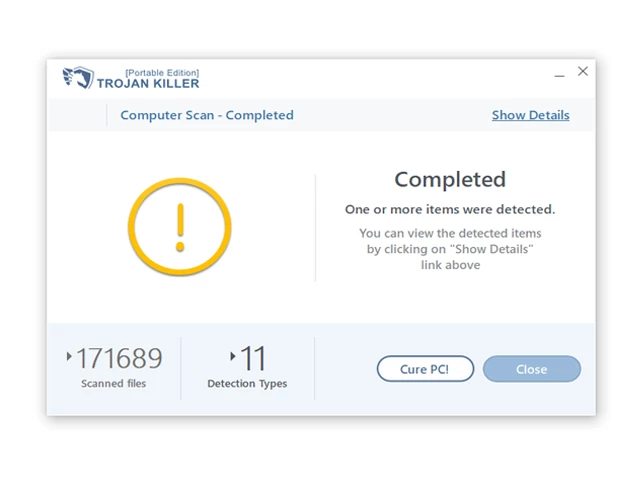
13. Click on "Cure PC!" to remove the identified malware from the infected PC.
14. Follow any additional on-screen prompts to complete the removal process.
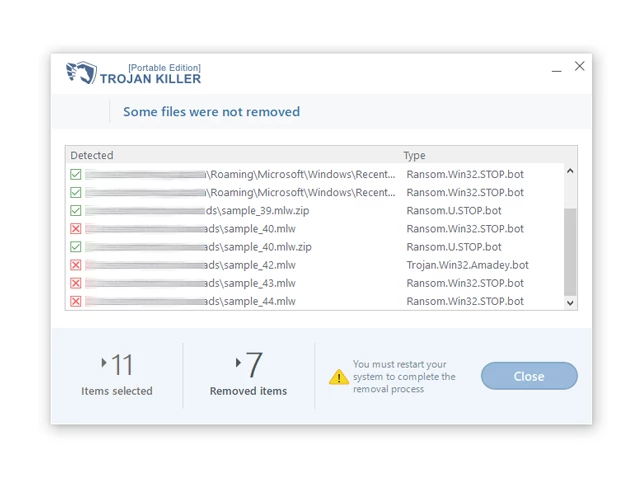
Step 5: Restart Your Computer:
15. Once the threats are removed, click on "Restart PC" to reboot your computer.
16. Remove the USB flash drive from the infected computer.
Congratulations on effectively removing Darkness and the concealed threats from your computer! You can now have peace of mind, knowing that they won't resurface again. Thanks to Gridinsoft's capabilities and commitment to cybersecurity, your system is now protected.
Often criminals would unblock several of your files so you know that they really have the decryption tool. As Darkness virus is a relatively new ransomware, security software engineers have not yet found a way to undo its work. Nevertheless, the decoding instruments are frequently upgraded, so the effective countermeasure may soon arrive.
Sure thing, if the hackers do the job of encoding someone’s critical data, the desperate person will probably fulfill their demands. However, paying to racketeers gives no guarantee that you’re getting your data back. It is still risky. After obtaining the money, the racketeers may send a wrong decryption code to the victim. There were reports about malefactors just vanishing after getting the money without even writing back.
The optimal solution against ransomware is to have a system restore point or the copies of your critical files in the cloud drive or at least on an external disk. Surely, that might be not enough. Your most crucial thing could be that file you were working on when it all happened. But at least it is something. It is also wise to scan your PC for viruses with the anti-malware utility after the system is rolled back.
Darkness is not the only ransomware of its kind, since there are other specimens of ransomware out there that act in the same manner. Examples of those are Crone, Gunra, Hudson, and some others. The two main differences between them and the Darkness are the ransom amount and the encoding method. The rest is almost identical: documents become encrypted, their extensions changed, ransom notes are created in every directory containing encrypted files.
Some lucky users were able to decrypt the arrested files with the help of the free tools provided by anti-malware specialists. Sometimes the racketeers accidentally send the decoding key to the wronged in the ransom readme. Such an epic fail allows the injured part to restore the files. But naturally, one should never rely on such a chance. Make no mistake, ransomware is a criminals’ technology to pull the money out of their victims.
How сan I avert ransomware attack?
Darkness ransomware doesn’t have a endless power, neither does any similar malware.
You can armour your PC from its infiltration in three easy steps:
- Never open any emails from unknown senders with unknown addresses, or with content that has likely no connection to something you are waiting for (how can you win in a lottery without even taking part in it?). In case the email subject is likely something you are waiting for, check all elements of the dubious letter carefully. A hoax email will always have mistakes.
- Do not use cracked or untrusted software. Trojan viruses are often distributed as a part of cracked software, possibly under the guise of “patch” preventing the license check. But untrusted programs are difficult to tell from trustworthy software, because trojans sometimes have the functionality you seek. You can try to find information on this software product on the anti-malware forums, but the best way is not to use such programs at all.
- And finally, to be sure about the safety of the files you downloaded, scan them with GridinSoft Anti-Malware. This software will be a perfect defense for your system.
Frequently Asked Questions
🤔 Can I somehow access “.Darkness” files?
Negative. That is why ransomware is so frustrating. Until you decode the “.Darkness” files you will not be able to access them.
🤔 I really need to decrypt those “.Darkness” files ASAP. How can I do that?
It’s good if you have fаr-sightedly saved copies of these important files elsewhere. If not, there is still a function of System Restore but it needs a Restore Point to be previously saved. There are other ways to beat ransomware, but they take time.
🤔 Will GridinSoft Anti-Malware remove all the encrypted files alongside the Darkness virus?
Absolutely not! Unlike the ransomware program itself, the encrypted files do not jeopardize your system.
GridinSoft Anti-Malware only deals with real viruses. The malware that has attacked your system is most likely still active and launching checks periodically to encrypt any new files you might create on your PC after the infection. As it has been said above, the Darkness ransomware does not come alone. It installs backdoors and keyloggers that can steal your account credentials and provide malefactors with easy access to your PC in the future.
🤔 What should I do if the Darkness ransomware has blocked my computer and I can’t get the activation key.
In such an unfortunate situation, you need to have a flash memory card with a previously installed Trojan Killer. Use Safe Mode to do the cleaning. The point is that the ransomware runs automatically as the system boots and encodes any new files created or brought into your system. To stop this function – use Safe Mode, which allows only the essential programs to run automatically. Consider reading our manual on booting Windows in Safe Mode.
🤔 What can I do right now?
Many of the encoded files might still be within your reach
- If you sent or received your important files through email, you could still download them from your online mailbox.
- You might have shared photographs or videos with your friends or family members. Simply ask them to send those pictures back to you.
- If you have initially got any of your files from the Web, you can try downloading them again.
- Your messengers, social media pages, and cloud storage might have all those files as well.
- Maybe you still have the needed files on your old PC, a notebook, phone, memory stick, etc.
HINT: You can use file recovery programs1 to retrieve your lost information since ransomware encrypts the copies of your files, removing the authentic ones. In the video below, you can see how to recover your files with PhotoRec, but be advised: you can do it only after you kill the ransomware itself with an anti-malware program.
I need your help to share this article.
It is your turn to help other people. I have written this article to help people like you. You can use the buttons below to share this on your favorite social media Facebook, Twitter, or Reddit.
Brendan SmithUser Review
( vote)References
- Here’s the list of Best Data Recovery Software Of 2024.
