
Gridinsoft Trojan Killer Portable is a focused Windows malware cleaner that can run from a USB drive. That is the main reason to care about it: when an infected PC blocks downloads, breaks browser access, or makes a normal installation unreliable, a portable scanner is often more useful than a heavy all-in-one security suite.
This is not a replacement for backups, Windows updates, or a complete endpoint security program in a business network. Trojan Killer is narrower than that. Its job is to scan a Windows machine, stop active malicious processes, remove unwanted files, repair some browser and network changes, and let you carry the tool between PCs when cleanup has to happen quickly.
Short verdict
Trojan Killer Portable is most useful as a portable malware removal and recovery tool for Windows PCs. It is a strong fit for adware, trojans, browser hijackers, USB cleanup, and emergency scans from a flash drive. It is less suitable if you want a full security suite with VPN, password management, identity monitoring, or broad independent lab reporting.
Pros and Cons
Pros
- Portable workflow: can be launched from a USB drive.
- Clear scan choices: Standard, Full, USB disks, and Custom scan.
- Useful after adware and browser hijacker infections because it includes browser reset tools.
- Results screen gives control over what to cure or leave selected.
- 14-day trial and simple personal licensing.
Cons
- Windows-focused tool, not a cross-platform security suite.
- Designed for malware cleanup, not for privacy extras such as VPN or identity monitoring.
- Some legacy Windows support exists, but unsupported operating systems remain risky.
- Public independent lab coverage is not as visible as with the largest antivirus vendors.
- The portable power-user use case may be more than a casual user needs.
What Trojan Killer Is For
Trojan Killer Portable is best understood as a cleanup tool, not a giant security ecosystem. The official product page describes it as a Windows trojan scanner and malware removal tool that can run from a USB drive. The helpdesk positions it for PCs and removable drives, with scan modes for common infection areas, full-system checks, USB disks, and selected folders.
That makes it useful in practical repair scenarios: a family laptop filled with adware, a browser stuck on fake search pages, a machine where malware interferes with normal downloads, or a USB drive that may have carried unwanted autorun files. It is also a reasonable second-opinion tool when the main antivirus says the system is clean but the machine still behaves strangely.
The name says “Trojan Killer”, but the current product is broader than trojans alone. The workflow covers malware, spyware, adware, potentially unwanted programs, suspicious processes, and browser/network changes that often remain after infection.
Portable Use and Compatibility
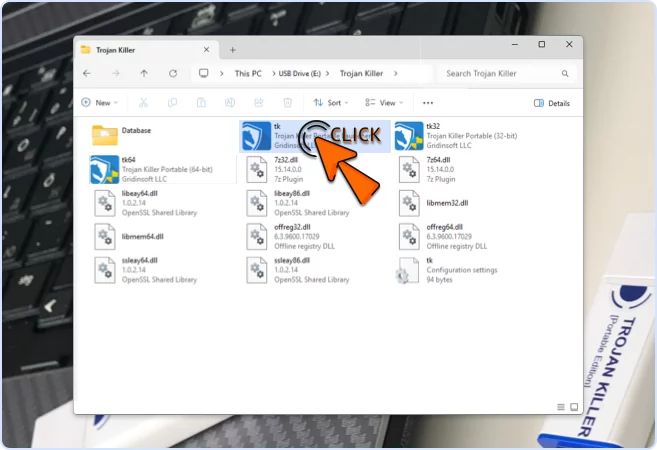
The portable angle is the product’s defining feature. You can prepare the tool on a clean computer, copy it to a USB flash drive, connect that drive to the affected PC, and run the scanner without relying on the infected machine to download or install a full security suite first.
Official materials list Windows 11 and Windows 10 as the primary targets. The helpdesk also notes that Trojan Killer can run on Windows 8.1/8 and even older Windows 7/Vista/XP systems for legacy cleanup, but with the obvious caveat: unsupported operating systems are still unsafe. If a PC is important enough to clean, it is important enough to update or replace when possible.
Compatibility Snapshot
Trojan Killer Portable makes the most sense when the machine needs cleanup without a full installation path.
Interface and Scan Modes
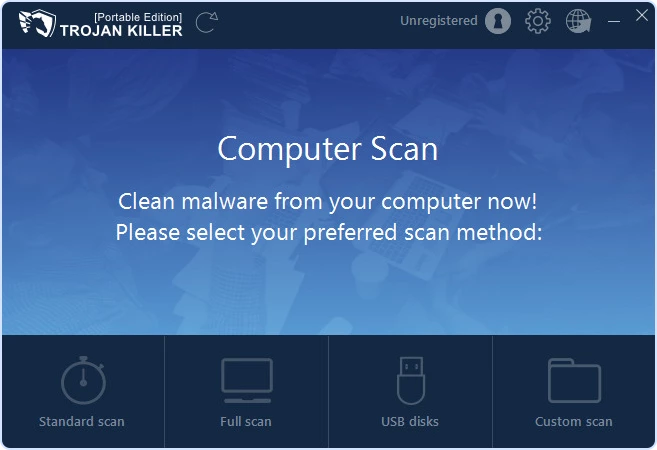
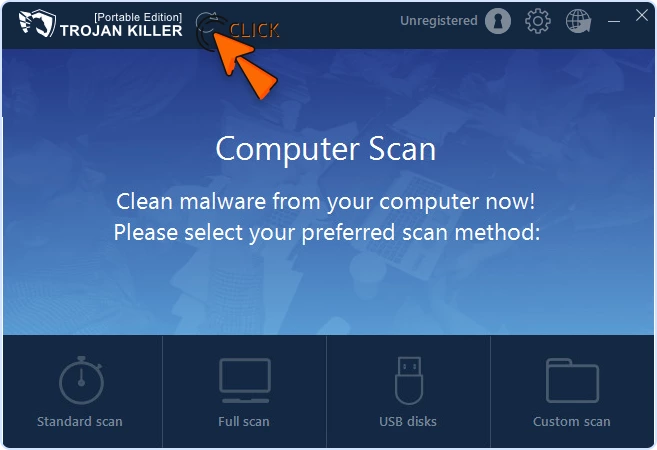
The interface is simpler than most full antivirus suites. The main screen asks what you want to scan: Standard scan, Full scan, USB disks, or Custom scan. That directness is helpful during cleanup, where the user may already be stressed and the PC may not be behaving normally.
Standard scan is the everyday choice for common infection areas. Full scan is slower but more thorough. USB disks focuses on removable drives, and Custom scan is the right option for a Downloads folder, a suspicious archive, or a folder copied from another machine.
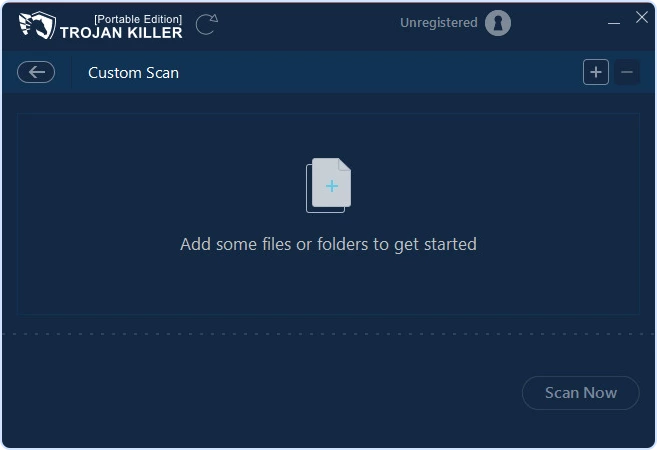
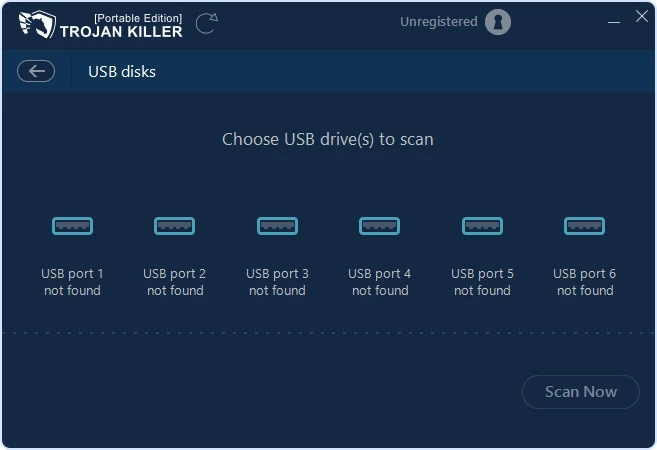
The interface is not luxurious, but it is readable. In a repair tool, that matters more than animation or design polish. Buttons are clear, scan modes are visible, and the update button is available from the top bar.
Detection Results and Cleanup
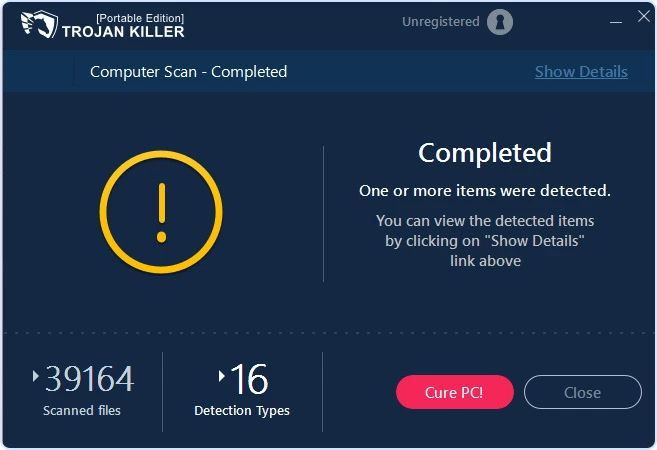
When a scan completes, Trojan Killer shows a summary with the number of scanned files and detection types. The “Cure PC” action is the main cleanup path, while “Show Details” opens the list of detected items. This is the part where users should slow down a little. A cleaner is most useful when it gives enough information to avoid blind deletion.
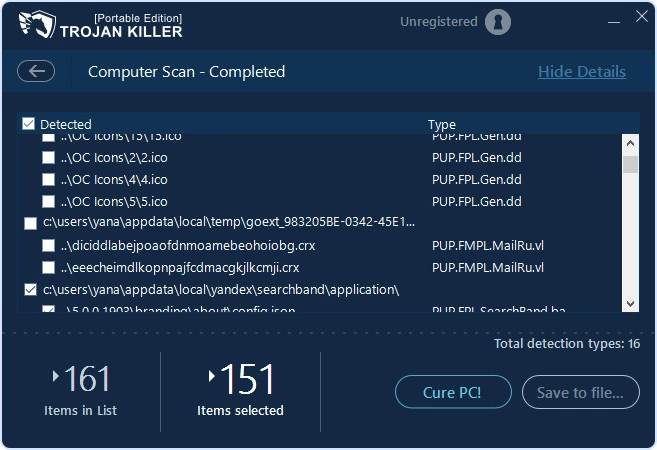
The details view shows item paths and detection types, with checkboxes for what will be cured. For most users, keeping suspicious items selected is the right choice. If a detection involves business software, custom scripts, or files you cannot replace, save a report first and ask support before excluding it.
I would not market any cleanup tool as a magic fix for every infection. Some malware changes passwords, steals browser cookies, or encrypts files before it is removed. Trojan Killer can help remove the active components and repair common changes, but after a serious infection you should still rotate passwords, check account sessions, review startup items, and restore important files from clean backups.
Browser and Network Repair
Browser hijackers are one of the areas where Trojan Killer’s repair tools make sense. Adware often changes the start page, search engine, extensions, proxy settings, HOSTS file, DNS cache, or browser policies. Removing the malicious file is only half of the job if the browser remains redirected afterward.
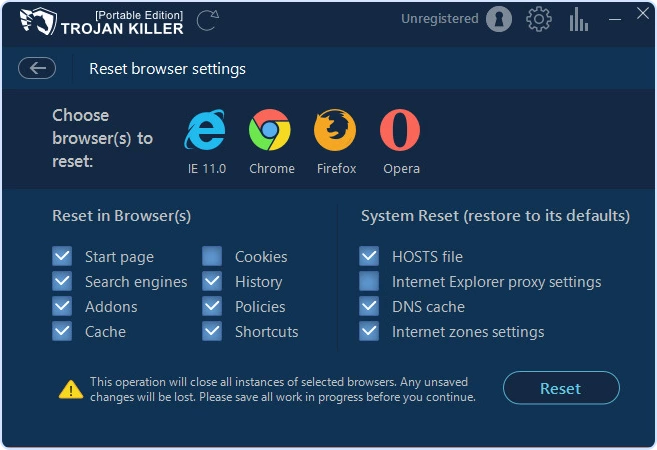
The Reset Browser Settings screen lets users restore browser and system-related settings in one place. This is useful, but it should be used with awareness: resetting browser settings may close browser sessions and remove changes you intentionally made. In most hijacker cases, that trade-off is worth it.
Pricing and Trial
The official Trojan Killer page currently advertises a full 14-day trial with no credit card required. Pricing checked on May 1, 2026 lists Personal, Corporate, and Commercial options. Prices can change, so verify the checkout page before buying.
Pricing Snapshot
The 12-month Personal license is the clean comparison point for most readers; shorter and longer terms mainly change the commitment.
Trial
Free trialFor checking whether the portable workflow fits the job.
- Term
- 14 days
- Best for
- Testing before purchase
Personal
$35.40The most balanced home-user option for keeping the tool available for a year.
- Term
- 12 months
- Best for
- Home cleanup
Personal
$46.80Cheaper over time if you already know you like the workflow.
- Term
- 24 months
- Best for
- Longer-term use
Corporate
$71.40A better match for internal support or small repair environments.
- Term
- 12 months
- Best for
- Small teams
Commercial
$69.95A short-term commercial-service option rather than a home-user plan.
- Term
- 1 month
- Best for
- Service work
For most readers, the Personal 12-month license is the natural comparison point. The 24-month option is cheaper over time, but it only makes sense if you already tested the product and know you like the workflow.
Where It Fits Best
Trojan Killer is a good fit if:
- You need a portable Windows malware cleaner for USB-based repair work.
- You often deal with adware, browser hijackers, suspicious startup items, or trojan infections.
- A normal installation is inconvenient because the affected PC is unstable or partially blocked.
- You want a simple second-opinion scanner beside another security product.
- You want browser reset and network repair tools in the same cleanup workflow.
Trojan Killer is not the best fit if:
- You want a complete security suite with VPN, password manager, parental controls, or identity monitoring.
- You need macOS, iOS, or full Android protection in the same product.
- You require large public lab-test coverage before buying.
- You expect malware removal to decrypt ransomware-damaged files.
- You never need portable cleanup and already have a security suite you trust.
Final Verdict
Trojan Killer Portable is a practical tool with a narrow, useful purpose. It is not trying to be the center of your entire digital security life. It is meant to be ready when a Windows PC needs malware cleanup, especially when USB portability is useful.
The strengths are clear: portable launch, simple scan choices, USB scanning, controlled cleanup, browser reset, and a 14-day trial. The limitations are also clear: it is Windows-focused, commercial after the trial, and not a substitute for backups, password resets, operating system updates, or a full endpoint strategy.
My recommendation is to treat Trojan Killer as an emergency and second-opinion cleaner. Keep it updated, run it from a clean USB drive when needed, quarantine before deleting uncertain files, and do the boring post-cleanup work afterward: update Windows, remove suspicious extensions, change exposed passwords, and verify backups.
Frequently Asked Questions
 German
  Spanish
  Portuguese (Brazil)
  French
  Turkish
  Chinese (Traditional)
  Indonesian
  Italian


Leave a Comment