
DLRAT is a malware that primarily infiltrates systems via the Log4Shell vulnerability and other channels like pirated software and malicious emails. Once inside, it executes diverse actions, including system reconnaissance, file manipulation, and data exfiltration.
Its ability to self-delete and download additional malware makes it a stealthy and formidable threat, emphasizing the critical need for robust cybersecurity measures.
DLRAT Malware Overview
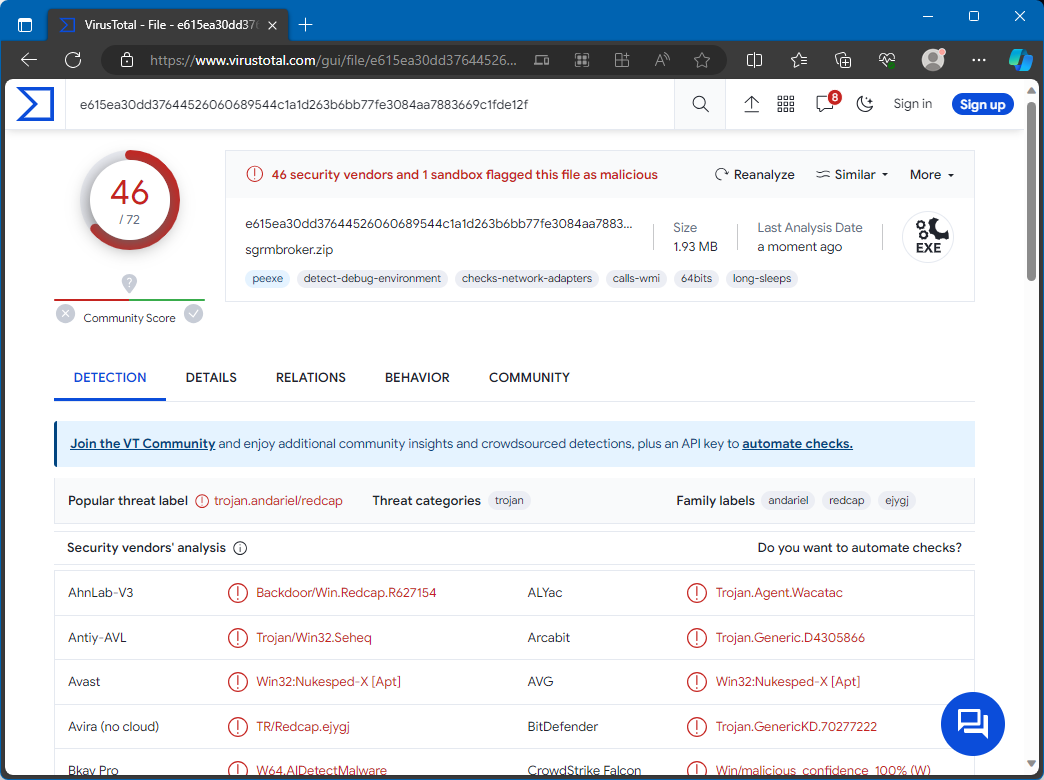
DLRAT on VirusTotal
| Name | DLRAT remote access trojan |
| Detection | Trojan:Win32/Znyonm (Microsoft) |
| Threat Type | Remote Access Trojan, Malware Downloader |
| Damage | Stolen passwords and banking information, identity theft, the victim’s computer added to a botnet, additional malware injections, data encryption, etc. |
| Similar Behavior | QuiteRAT, FateGrab |
Technical Analysis
DLRAT is equipped with specialized commands for system reconnaissance. When activated, it executes specific commands to collect information about the infected system, such as the operating system version, user details, and the system’s MAC address for network identification. DLRAT responds to instructions from its Command and Control (C2) server by recognizing specific command names and performing corresponding actions on the infected system. These actions can range from self-deletion and downloading files from a remote source to renaming files on the system, putting the malware in sleep mode for set periods, and uploading files to the C2 server.
This malware presents a significant threat, enabling cybercriminals to carry out harmful actions. DLRAT’s capabilities include self-deletion, downloading additional malware, file renaming, entering sleep mode, equipping attackers with means to conceal their activities, compromising system integrity, and avoiding detection. The “upload” command increases the threat level by allowing the theft of sensitive data from the victim’s system, potentially leading to significant data breaches and lasting damage. To summarize, DLRAT’s range of commands gives cybercriminals the power to undermine system security, alter files, and pilfer critical data. This underscores the malware’s danger to its victims and highlights the need for strong cybersecurity practices to prevent and counter such attacks.
Spreading Methods
The group behind DLRAT attacks commonly uses the Log4Shell vulnerability to spread the malware. By exploiting this vulnerability, attackers initially infiltrate your system and then conduct malicious activities.
Malware often reaches systems through various other methods as well. These include delivery via pirated software, cracking tools, key generators, drive-by downloads, malicious advertisements, peer-to-peer (P2P) networks, compromised web pages, and malicious links or files distributed through emails.
How To Remove DLRAT Malware?
While you can attempt to remove malware manually, it’s not advisable. Malware, in its quest for persistence, multiplies itself, creating many instances that are hard to track down. This makes manual removal time-consuming and often ineffective.


Leave a Comment