
NineRAT, known for exploiting the Log4Shell vulnerability, infiltrates systems via pirated software, cracking tools, P2P networks, and more. This Remote Administration Trojan (RAT) empowers cybercriminals with various commands, enabling data exfiltration, self-upgrade, and even self-uninstallation.
Its discreet control features, such as communication intervals and dormancy periods, make detection challenging, highlighting the evolving threat landscape.
NineRAT Overview
NineRAT is a Remote Administration Trojan (RAT) crafted in the DLang programming language. This RAT is a tool utilized by a threat actor group identified as Lazarus. A RAT, short for Remote Administration Trojan, represents a category of malware that affords illicit remote access to a target computer. This unauthorized access empowers cyber adversaries to exercise control over the system, potentially pilfer sensitive data, and execute various malicious operations.
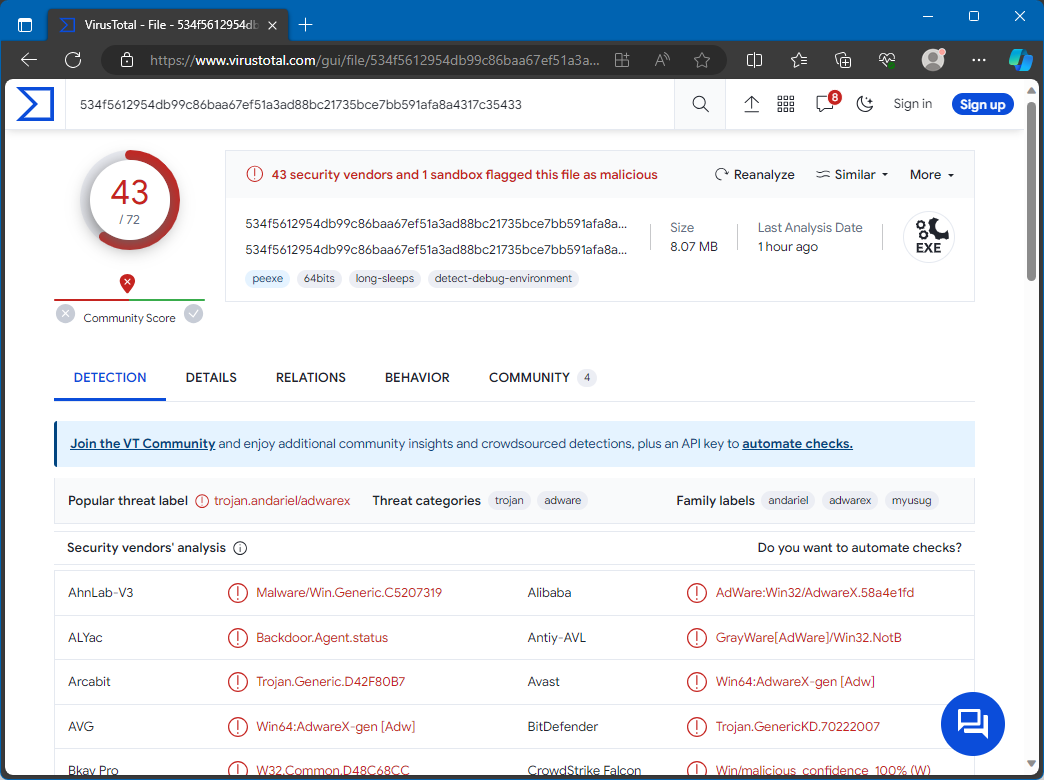
NineRAT on VirusTotal
| Name | NineRAT remote access trojan |
| Detection | Trojan:Win64/CryptInject.KAA!MTB (Microsoft) |
| Threat Type | Remote Administration Trojan |
| Damage | Stolen passwords and banking information, identity theft, monetary loss, and other issues. |
| Similar Behavitor | DLRAT, StealDeal |
Technical Analysis
NineRAT leverages Telegram as its command-and-control (C2) channel. It serves as a conduit for receiving commands, communicating output, and facilitating file transfers between the compromised system and its operators. This choice by Lazarus reflects a strategic approach aimed at evading detection measures. By utilizing Telegram, a widely adopted and legitimate service for C2 communications, they can elude network and host-based security measures more effectively. NineRAT boasts a versatile set of command capabilities, enabling a wide range of operations on an infected system. It can collect initial system information, configure token values, set polling intervals, establish dormant periods, self-upgrade, terminate its execution, and uninstall itself from the compromised endpoint.
Additionally, NineRAT streamlines file transfers to the C2 server and employs a BAT file for self-uninstallation. Among its reconnaissance commands are functions for retrieving system details and querying the operating system architecture. NineRAT empowers cybercriminals to exfiltrate data, putting sensitive information in jeopardy. Its capabilities, such as manipulating communication intervals and dormancy periods, enable discreet and prolonged control, making detection more challenging. Furthermore, the self-upgrade feature underscores the ever-evolving nature of the threat landscape. The option for self-uninstallation not only aids in covering tracks but also exposes victims to the risk of recurrent or diverse malicious attacks.
Spreading Methods
How To Remove NineRAT Malware?
Manual removal of the threat is possible, but it’s not recommended due to the malware’s persistence strategy, creating multiple instances that are challenging to trace efficiently. Manual removal can be time-consuming and have low to no efficiency.


Leave a Comment