
FateGrab is information-stealing malware, spreads through emails bearing a compromised Ministry of Defense of Ukraine address. Deceptive emails prompt recipients to update certificates, enclosing a PDF with a malicious link.
This link leads to a treacherous ZIP file, harboring the executable file. Activation of this file results in system compromise, allowing FateGrab to pilfer sensitive data and imperil security. Vigilance against its cunning dissemination methods is crucial.
FateGrab Overview
FateGrab constitutes an information-stealing malware, often accompanied by the StealDeal stealer. Distributed via compromised email addresses and messaging platforms, these malevolent entities demand swift elimination from compromised systems to avert potential threats.
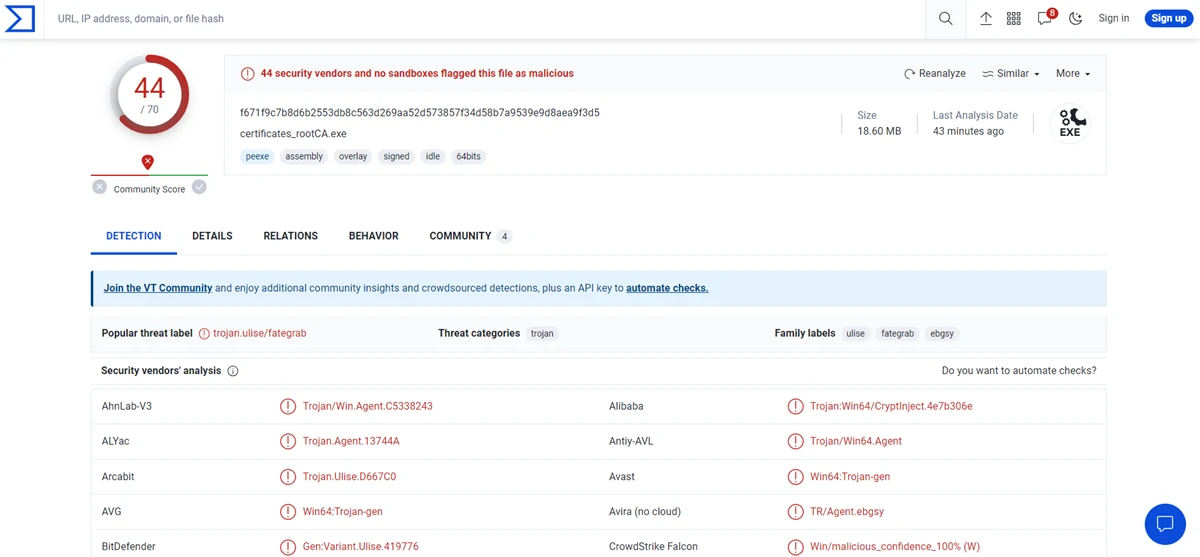
virusTotal Results
| Name | FateGrab |
| Detection | Trojan:Win64/CryptInject!MSR |
| Threat Type | Infostealer |
| Similar Behavior | StealDeal, S1deload |
| Damage | Stolen personal documents and other files |
Technical Analysis
FateGrab operates intending to steal a diverse array of file types, including .cmd, .doc, .docx, .email, .eml, .kdb, .kdbx, .msg, .odt, .one, .pdf, .ps1, .rtf, .txt, .vbs, .xls, and .xlsx. It involves stealing documents, email correspondences, Windows Script Host files, databases, and vital system files. The purloined data is subsequently transmitted via FTP for remote access.
Exploiting the content stored within the pilfered files, cybercriminals possess the means to potentially commandeer online accounts, execute identity and monetary theft, and engage in other malicious pursuits. In alignment with the initial details, FateGrab is often disseminated alongside StealDeal. A partner malware is responsible for appropriating browser data and additional pertinent information.
Spreading Methods
The content of these deceptive emails is found to incorporate a PDF document. This document contains a hyperlink directing recipients to a website harboring a malevolent ZIP file titled “certificates_rootca.zip“. Inside this compressed archive resides an executable file identified as “certificates_rootCA.exe“. Upon execution of this file, a computer becomes compromised, succumbing to the intrusion of FateGrab malware.


Leave a Comment