
Our research team discovered Chromnius, a rogue browser based on the Chromium open-source project1, while inspecting suspicious software-promoting websites.
Upon installing Chromnius on our virtual machine, we determined that it functions as adware and possesses typical qualities of browser hijackers. Additionally, it is highly probable that Chromnius collects private information. Moreover, unintentional downloads and installations by most users classify it as a Potentially Unwanted Application (PUA).
Overview of Chromnius browser
These ads promote various types of websites, including questionable ones like gambling, adult-dating, pornography, etc.; scam-running sites like phishing, fake tech support, bogus prize giveaways, etc.; software-promoting sites like adware, fake anti-virus, browser hijacker, PUA, etc.; and malware-proliferation sites like trojans, ransomware, etc.
We observed Chromnius engaging in a typical function of browser hijackers, which involves promoting fake search engines. This rogue browser caused redirects to chromnius.download whenever users opened a new tab/window or entered search queries in the URL bar.
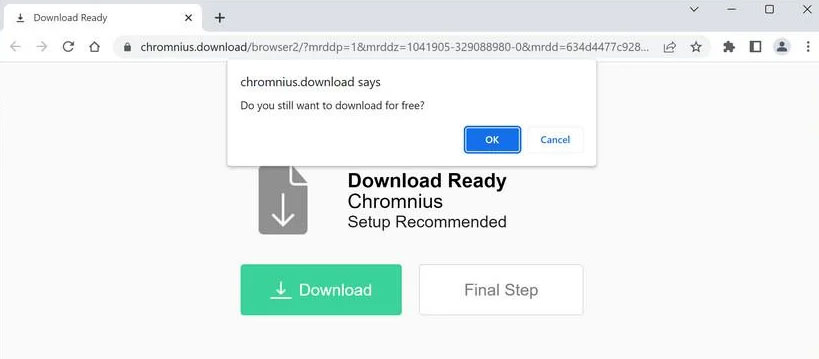
Chromnius.download
Illegitimate search engines usually fail to generate search results and redirect users to genuine ones. Chromnius.download is no exception; during our research, it redirected users to the legitimate Yahoo search engine (search.yahoo.com).
Furthermore, Chromnius likely gathers sensitive information since data tracking functionalities are common in PUAs, including adware and browser hijackers.
The collected information may include visited URLs, viewed webpages, searched queries, usernames/passwords, personally identifiable details, finance-related data, and more. This collected data can potentially be shared with or sold to third parties, including cyber criminals.
To summarize, the presence of software like Chromnius on devices can lead to system infections, serious privacy issues, financial losses, and even identity theft.
| Name | Ads by Chromnius |
| Detection | PUP.Optional.Chromnius |
| Sites | chromnius.download, zipsearch.xyz |
| Damage | System infections, privacy breaches, financial losses, and potential identity theft. |
Examples of rogue browsers
We have analyzed numerous samples of untrustworthy software, including Wave Browser, Cent, and ShieldBrowser, among others.
Software like Chromnius typically disguises itself as legitimate and harmless, enticing users to download and install it by promising “handy” and “advantageous” functionalities. However, these functions rarely work as advertised and are often completely non-operational.
How did Chromnius get installed on my computer?
We downloaded Chromnius from its “official” download webpage, which turned out to be a deceptive site promoting this browser. Most users come across such websites due to redirects caused by mistyped URLs, pages using rogue advertising networks, intrusive ads, spam browser notifications, or installed adware with browser force-opening capabilities.
However, this type of software can also be distributed through other dubious and deceptive methods. “Bundling” is a marketing technique that involves pre-packaging regular installers with unwanted or malicious additions. Downloading from untrustworthy sources like unofficial and freeware sites, Peer-to-Peer sharing networks, etc., and rushing through installations using “Quick/Easy” settings increases the risk of allowing bundled content onto your device.
Intrusive advertisements are another common method of proliferating unwanted software. Clicking on these ads can trigger scripts that stealthily download and install the software.
How to avoid installing unwanted applications?
We strongly recommend researching software and downloading only from official and verified channels. When installing software, it is crucial to read the terms, examine available options, use the “Custom/Advanced” settings, and decline all supplementary apps, extensions, etc. Vigilance is advised while browsing, as fraudulent and malicious content often masquerades as legitimate.
How to remove the Chromnius from my PC?
Frequently Asked Questions (FAQ)
References
- More about open-source Chromium project: https://www.chromium.org


Leave a Comment