
Trojan:Script/Phonzy.A!ml is a specific detection name used by antivirus software to identify a trojan script that belongs to the Phonzy malware family. It is categorized as a trojan because it is designed to perform malicious activities on infected systems without the user’s knowledge or consent.
Trojan:Script/Phonzy.A!ml typically spreads through various means such as malicious email attachments, infected websites, or social engineering techniques. Once executed on a system, it may perform actions such as downloading and installing additional malware, stealing sensitive information, modifying system settings, or opening backdoors for remote access.
The purpose of Trojan:Script/Phonzy.A!ml and other variants of the Phonzy malware family is often to gain unauthorized access to the victim’s system, compromise its security, and potentially use it for malicious activities or to collect sensitive data.
It is important to have up-to-date antivirus software installed on your system to detect and remove threats like Trojan:Script/Phonzy.A!ml. Additionally, practicing safe browsing habits, being cautious of suspicious emails and attachments, and regularly updating your operating system and software can help minimize the risk of infection by such trojans.
What is the Trojan:Script/Phonzy.A!ml?
Maintain composure as you tackle the malware attack. Viruses such as Trojan:Script/Phonzy.A!ml do not act instantaneously, providing you with ample time to prevent its effects.
This virus is categorized as a banking trojan, a particular variant of trojan-stealer that has gained prevalence alongside the growth of online banking. As the name implies, this trojan focuses specifically on compromising your banking account credentials. Although banks have implemented security measures to thwart credential theft during the login process, banking trojans employ diverse techniques to circumvent these security layers. The number of the latter grows continiously.
The Phonzy Trojan utilizes various methods to obtain your banking credentials. In the case of banks lacking anti-stealer protection on their online banking pages, the virus simply duplicates the credentials you input and stores them in a separate file. This file is subsequently transmitted to the command server. However, for banks that prioritize their customers’ security, the trojan must seek alternative pathways. Trojan:Script/Phonzy.A!ml possesses the capability to modify your networking settings and browser configurations. When the virus detects your access to a secure banking page, it presents a deceptive phishing page. This manipulation is achieved by altering the HOSTS file. When you attempt to visit the online banking website, you will be confronted with a meticulously crafted counterfeit page featuring only a login window and a fabricated login error popup.
Trojan:Script/Phonzy.A!ml Details
File Info:
crc32: 4A2A7092md5: 177e3c8c5cecc77f98bf6f8e601119a2name: 177E3C8C5CECC77F98BF6F8E601119A2.mlwsha1: 7037486f99c7854690d7b3fbc352c42494fe75besha256: 45f883446e39c9d0e969c27d09b8e9877d901a75aeaf443a67715274a4f86af4sha512: 24bc4616e13733eb744e30ceed76cb6bc346de01fc81041a80be7f9f03fd5bc49f1a9f9670ebdf2bfe061bc9d1581ba4c1e3f1a5c64ed01799a712d221d1f135ssdeep: 24576:jFhbBMXmUcI2AqOvVuK5zmfOUyxCHjwKTJuN6:JUmu2AjCH0KTUNtype: PE32 executable (GUI) Intel 80386, for MS WindowsVersion Info:
0: [No Data]
Trojan:Script/Phonzy.A!ml also known as:
| GridinSoft | Trojan.Phonzy |
| Elastic | malicious (high confidence) |
| MicroWorld-eScan | Gen:Variant.Zusy.342026 |
| FireEye | Generic.mg.177e3c8c5cecc77f |
| CAT-QuickHeal | Ransom.PornoBlocker.14190 |
| ALYac | Gen:Variant.Zusy.342026 |
| Cylance | Unsafe |
| Zillya | Trojan.Agent.Win32.192947 |
| AegisLab | Trojan.Win32.Injector.togd |
| K7AntiVirus | Riskware ( 0040eff71 ) |
| BitDefender | Gen:Variant.Zusy.342026 |
| K7GW | Riskware ( 0040eff71 ) |
| Cybereason | malicious.c5cecc |
| BitDefenderTheta | Gen:NN.ZexaF.34804.WyW@amTzJZpi |
| Cyren | W32/Trojan.YNQR-4209 |
| Symantec | ML.Attribute.HighConfidence |
| APEX | Malicious |
| Avast | Win32:Evo-gen [Susp] |
| Alibaba | Trojan:Win32/WrongInf.2f8c0b42 |
| NANO-Antivirus | Trojan.Win32.Zusy.hbwqhv |
| Rising | [email protected] (RDML:j4OIwc+jUpZZZoRrc2sN/A) |
| Ad-Aware | Gen:Variant.Zusy.342026 |
| TACHYON | Trojan/W32.PornoBlocker.794624 |
| Sophos | Mal/Generic-S |
| DrWeb | Trojan.MulDrop.59624 |
| VIPRE | Trojan.Win32.Generic!BT |
| TrendMicro | TROJ_GEN.R002C0PAR21 |
| McAfee-GW-Edition | BehavesLike.Win32.Generic.bh |
| Emsisoft | Gen:Variant.Zusy.342026 (B) |
| Antiy-AVL | Worm/Win32.Qvod |
| Microsoft | Trojan:Script/Phonzy.A!ml |
| Arcabit | Trojan.Zusy.D5380A |
| SUPERAntiSpyware | Trojan.Agent/Gen-Kryptik |
| GData | Gen:Variant.Zusy.342026 |
| Cynet | Malicious (score: 100) |
| Acronis | suspicious |
| McAfee | GenericRXAQ-ZI!177E3C8C5CEC |
| MAX | malware (ai score=80) |
| VBA32 | TrojanDropper.Injector |
| Malwarebytes | Malware.Heuristic.1001 |
| Panda | Trj/CI.A |
| TrendMicro-HouseCall | TROJ_GEN.R002C0PAR21 |
| Tencent | Malware.Win32.Gencirc.10b63e05 |
| Yandex | Trojan.PornoBlocker!CeY9R2xFhfc |
| SentinelOne | Static AI – Suspicious PE |
| Fortinet | W32/GenericRXAQ.ZI!tr |
| AVG | Win32:Evo-gen [Susp] |
| Paloalto | generic.ml |
| CrowdStrike | win/malicious_confidence_100% (W) |
Does your antivirus regularly report the “Phonzy”?
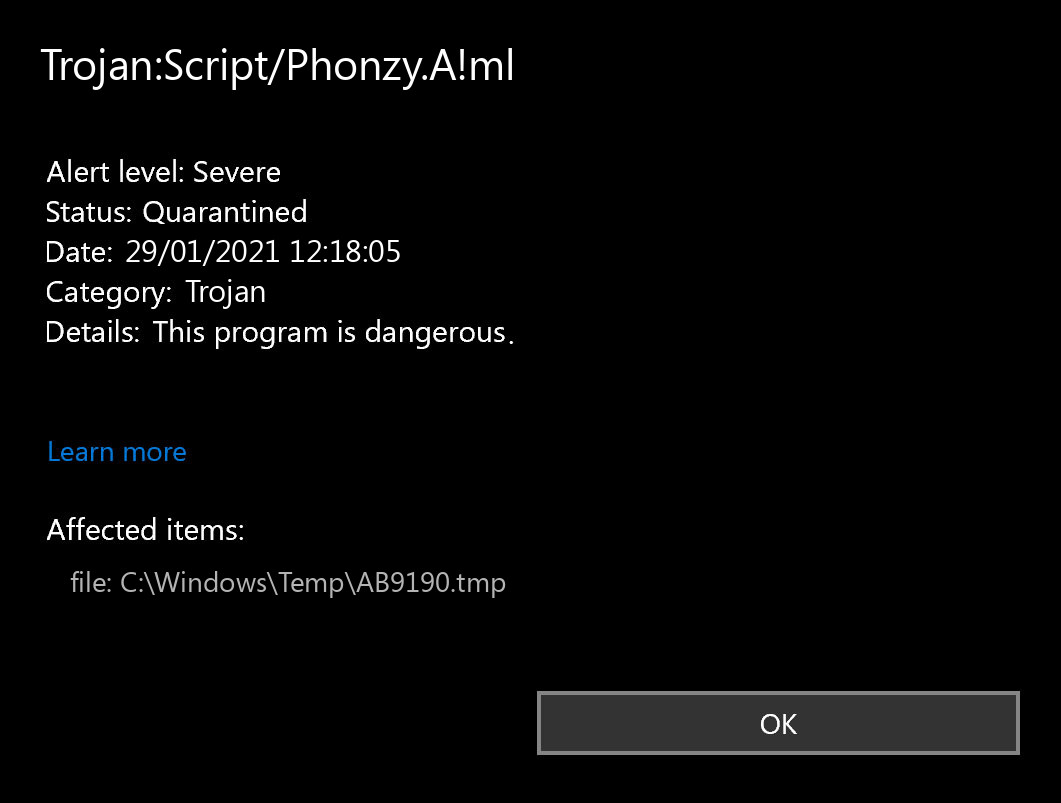
Microsoft Defender: “Trojan:Script/Phonzy.A!ml”
Trojan:Script/Phonzy.A!ml virus is quite unusual among other trojan viruses. “Script” word in its detection name means that it runs as a part of another program, i.e., it is embedded in the application that looks 100% legit. The ability to be embedded into the program allows this virus to be attached to literally any program – all you need is access to the source code.
How to scan your PC for Trojan:Script/Phonzy.A!ml?
Reboot your PC into Safe Mode.
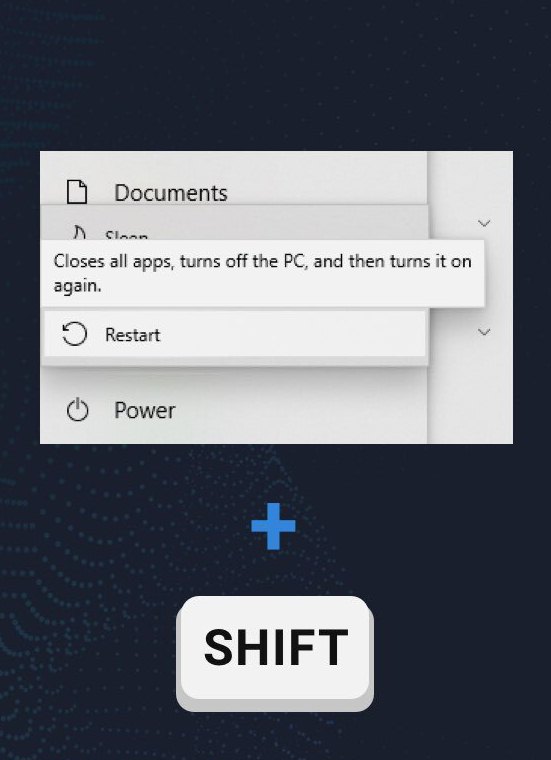
To launch your system in Safe Mode with Networking, open the Start menu. In that menu, press the Power icon, hold the “Shift” button, and choose the Restart option.
You will see the Troubleshooting mode screen. In that Windows mode, the system allows you to choose the system recovery options. Follow the instructions you see below.
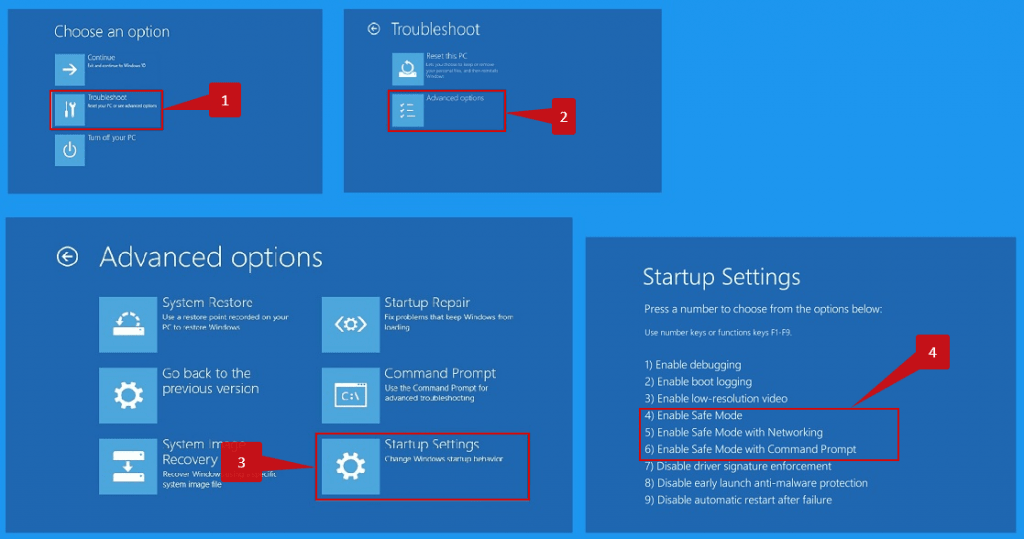
After pressing the Safe Mode button, your computer will automatically restart into that mode. After these steps, you can perform the virus removal without any doubts.
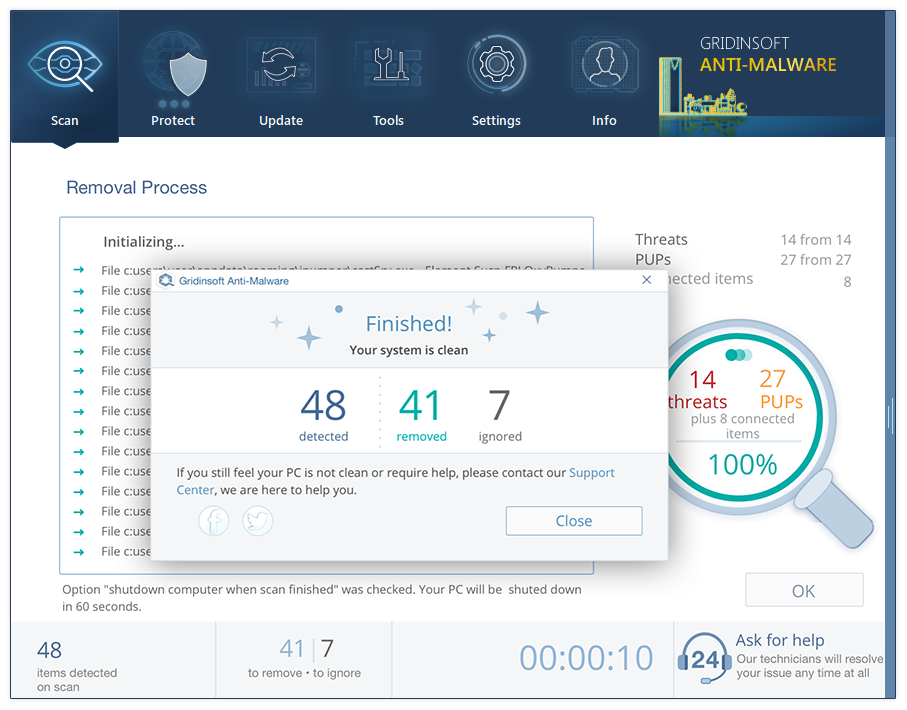
- Standard scan takes 3-6 minutes. It checks the disk where the system keeps its files. The majority of viruses place their files on that disk.
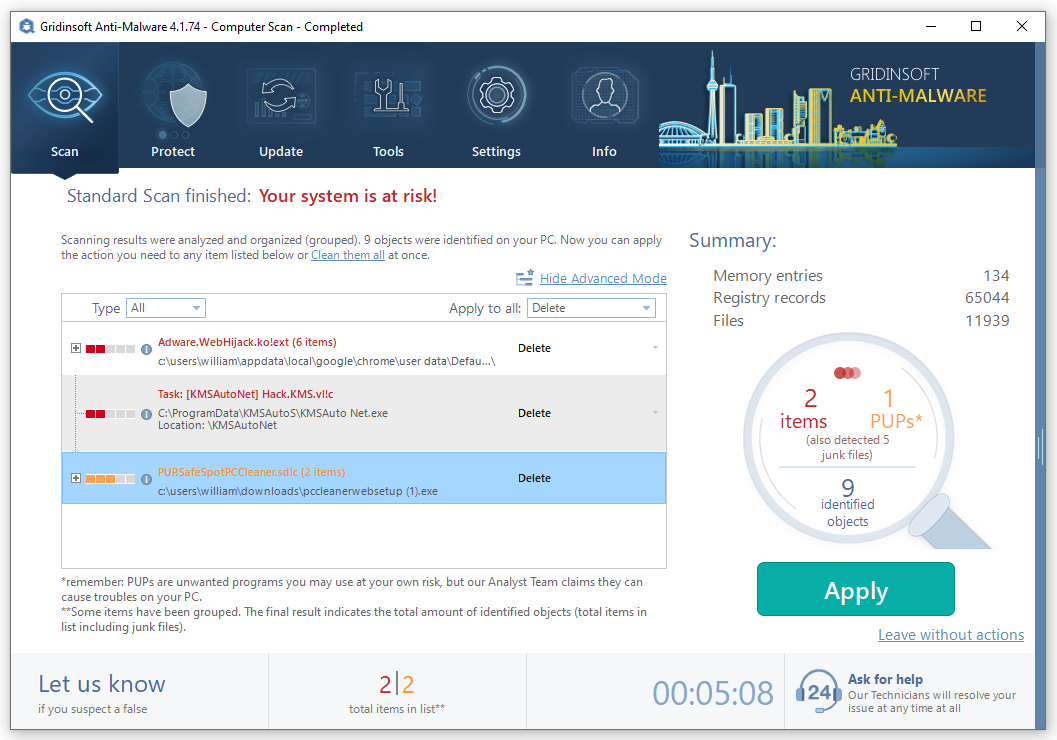
- After the scan is over, you can choose the action for each detected malicious item. For all dangerous viruses, the default action is “Delete”. Press “Apply” to remove the viruses from your computer.



Hi Wilbur,
I really much appreciate you for posting such a detailed account on this particular “strain” of Trojan virus. As I’m one those who’re are affected by this virtual pest, I’d like to ask you for just a little bit more thoughts on the topic please:
Is this Trojan potent in tablets to the same extent as in laptops? Does everything come down to the operating platform (e.g. 64-bit Windows 10 Pro) in use, or is this Trojan working its way differently, depending on a type of device in question?
Even with a successful report, from two different antivirus programs, that the Trojan had been detected early on and removed from the system… I’m still at unease when accessing my online banking account.
Cheers,
Lucas