
SIGNBT is a highly elusive malware known for its sophisticated infiltration methods, including exploiting software vulnerabilities and employing “DLL side-loading.” This threat is adept at spreading through phishing emails, drive-by downloads, and social engineering, making it a pervasive risk.
Once inside a system, SIGNBT establishes a persistent foothold, enabling malicious actors to maintain control, exfiltrate data, and execute various commands. Its ability to primarily operate in memory without writing to the disk underscores its stealth. This malware’s diverse capabilities pose a significant threat to cybersecurity.
SIGNBT Malware Overview
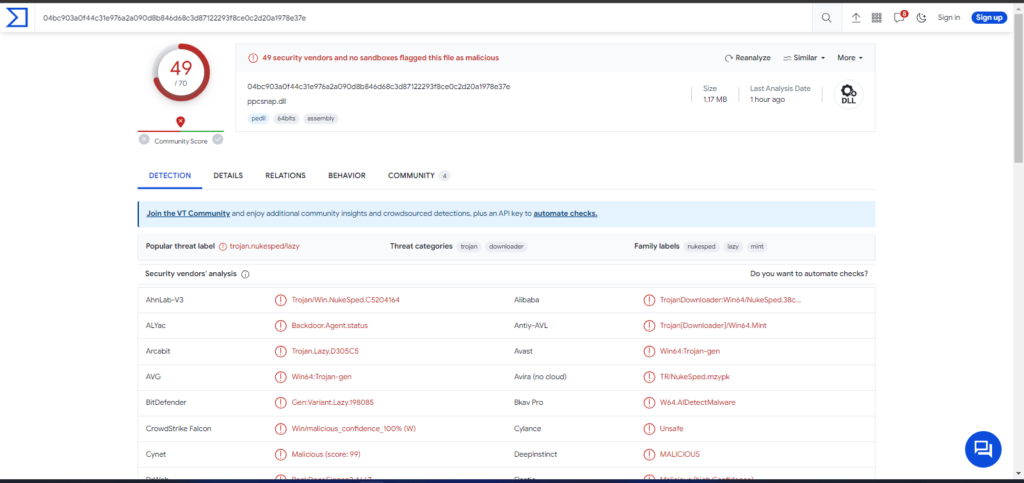
SIGNBT Loader on VirusTotal page
| Name | SIGNBT |
| Threat Type | Malware Loader |
| Detection | Microsoft (Trojan:Win32/Trickbot!mclg) |
| Symptoms | SIGNBT is designed to stealthily infiltrate the victim’s computer and remain silent, and thus no particular symptoms are clearly visible on an infected machine. |
| Similar Behavior | StripedFly, SmokeLoader |
| Damage | Stolen passwords and banking information, identity theft, the victim’s computer added to a botnet. |
Technical Analysis of SIGNBT
SIGNBT employs a multi-step process to generate a 24-byte value, a crucial element in its communication with the C2 server. This intricate approach makes it formidable to detect and analyze, highlighting its sophistication and evasion efforts. The malware boasts an extensive set of backdoor functionalities, offering a diverse array of commands for threat actors. This allows them to gather system information, manipulate processes, execute files, perform network commands, and more.
Furthermore, SIGNBT excels in executing primarily in memory, avoiding disk writes, which amplifies its stealth and persistence on victim machines, emphasizing its advanced nature. Notably, cybercriminals have leveraged SIGNBT to introduce additional malicious software into computers, with these new malware variants primarily operating in a computer’s memory and abstaining from hard disk storage.
Spreading methods
SIGNBT gains access to your computer through a series of steps initiated by cyber attackers. They begin by identifying weaknesses in your software. Once these vulnerabilities are identified, they employ a covert method known as “DLL side-loading” to introduce and activate the SIGNBT malware on your system. DLL side-loading takes advantage of the way applications load specific files, allowing the malware to operate stealthily and evade easy detection.
Also SIGNBT infiltrates a computer throug:
- Hackers may distribute SIGNBT through phishing emails that contain malicious attachments or links. When victims click on these links or open attachments, the malware can be delivered to their systems.
- Social engineering tactics induce a person to download and execute malware. This can involve deceptive messages, fake software downloads, or other forms of manipulation.
- Malware masquerading as a legitimate software update.. Unsuspecting users may download and install what they believe to be a genuine update, but it is actually the malware.
- Illegitimate software downloads and cracking tools often contain malware. Users who engage in software piracy or use cracking tools are at risk of inadvertently installing SIGNBT.
How to remove the SIGNBT Loader from my PC?
While manual removal of the threat is technically possible, I strongly discourage this method. In its pursuit of establishing persistence, Malware generates numerous instances of itself, making it exceedingly difficult to trace all its components manually. Consequently, manual removal can be time-consuming and often yield minimal to no results. Below, I have assembled a guide outlining the most effective removal practices for SIGNBT Loader.


Leave a Comment