
RDP Stealer is a malicious program designed to target Remote Desktop Protocol (RDP) log-in credentials. It available for sale on platforms like Telegram, its distribution methods vary based on the cybercriminals utilizing it.
This malware aims to steal RDP username and password combinations, providing unauthorized access to victims’ devices. Thus, such breaches can lead to severe consequences, including multi-stage cyberattacks and potential data loss. However, RDP Stealer exemplifies the risks associated with credential theft malware.
RDP Stealer overview
RDP Stealer is a type of malware specifically designed to target Remote Desktop Protocol (RDP) login credentials. It’s available for purchase on the internet, and its distribution methods can vary depending on the cybercriminals employing it.
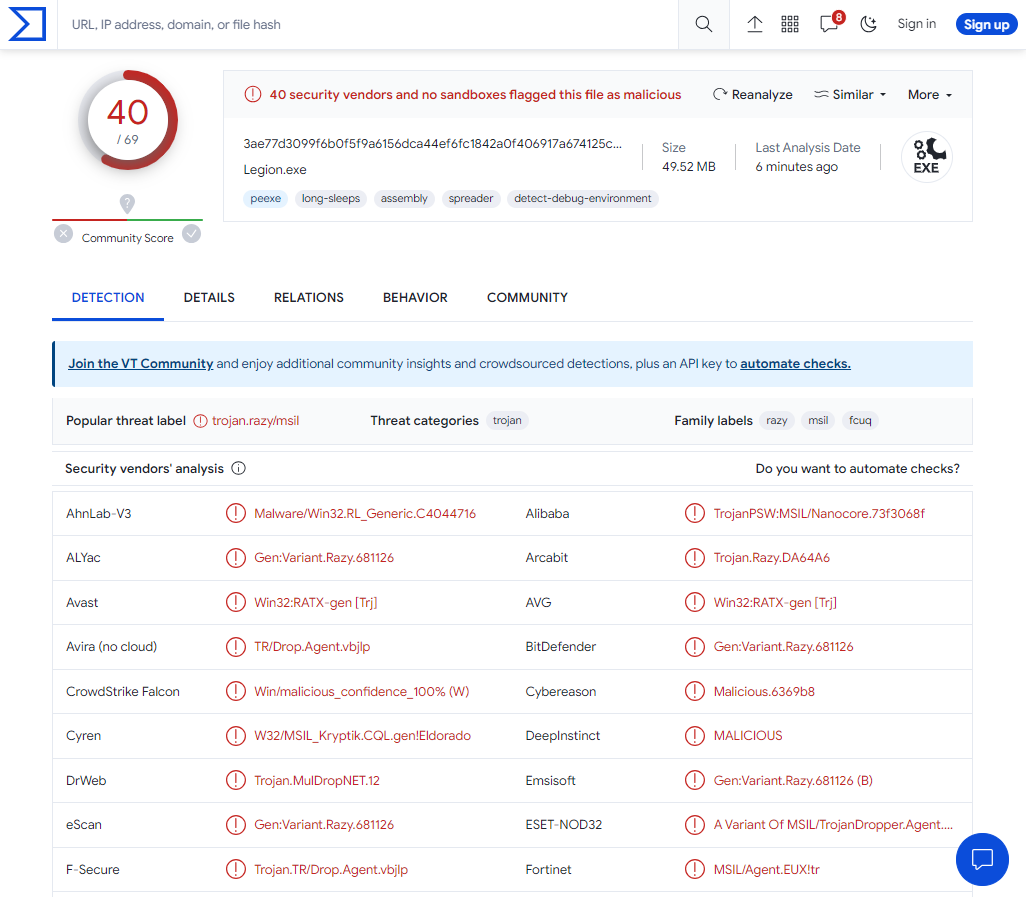
VirusTotal scan result
| Name | RDP Stealer |
| Threat Type | Trojan, stealer, password-stealing virus. |
| Detection | Trojan.Win32.Agent.sa, Trojan:MSIL/Nanocore.SDSD!MTB (Microsoft) |
| Similar behavior | StealDeal, Fewer |
| Damage | Stolen passwords and banking information, identity theft, the victim’s computer added to a botnet. |
Technical analysis
Spreading Methods
RDP Stealer, as offered by its developers on Telegram, follows a model where its distribution methods can vary depending on the cybercriminals employing it. Attackers typically disseminated Malware like RDP Stealer through phishing and social engineering techniques. These malicious programs are often camouflaged as or bundled with regular software or media files, including executables (.exe, .run), archives (ZIP, RAR), documents (Microsoft Office, OneNote, PDF), JavaScript, and more. When a user inadvertently opens one of these malicious files, it infects the system.
Commonly used distribution methods for this kind of malware include drive-by downloads (deceptive downloads that occur without user consent), online scams, sending malicious attachments and links via spam emails, malvertising (malicious advertising), acquiring software from untrustworthy sources like freeware or third-party websites, sharing files through peer-to-peer networks, using illegal software activation tools (cracks), and distributing malware through fake software updates. Specific malicious programs can also spread autonomously through local networks and removable storage devices such as external hard drives and USB flash drives.


Leave a Comment