
What is .abkir file ransomware?
Also referred to as PewPew 🔫 ransomware, it modifies your documents by means of encrypting them and demanding the ransom to be paid allegedly to restore access to them. id[XXXXXXXX-XXXX].[[email protected]].abkir indicates [email protected] as a channel for contacting the ransomware criminals.
The PewPew ransomware is active again through its new cryptovirus bearing the name of .abkir. This particular virus family modifies all popular file types by means of adding the .abkir extension, thus making the data absolutely unavailable. The victims simply cannot open their important documents anymore. The ransomware also assigns its unique identification key, just like all previous representatives of the virus family. As soon the file is encrypted by the ransomware, it obtains a special new extension becoming the secondary one. The file virus also generates a ransom note providing the users want instructions allegedly to restore the data.
Pewpew Threat Main Facts
| Name | .id[XXXXXXXX-XXXX].abkir file virus |
| Extension | [[email protected]].abkir file virus |
| Type | Ransomware |
| Detection | Trojan:Win32/Emotet.PEZ!MTB, Ransom.NetWalker, Ransom:Win32/Netwalker.GM!MTB |
| Contacts | [email protected] |
| Short Description | The ransomware modifies the documents on the attacked device through encryption and asks for the ransom to be paid by the victim supposedly to restore them. |
| Symptoms | The file virus encrypts the data by adding the .abkir extension, also generating the one-of-a-kind identifier. Note that the [[email protected]].abkir extension becomes the secondary one. |
| Distribution Method | Spam, Email attachments, Compromised legitimate downloads, Attacks exploiting weak or stolen RDP credentials1. |
| Fix Tool | See If Your System Has Been Affected by .abkir file virus |
Pewpew deletes shadow copies of files, disables the recovery and repair functions of Windows, at the boot stage, disables the firewall with commands, launches the mshta.exe application to display ransomware requirements:
vssadmin.exe vssadmin delete shadows /all /quiet
WMIC.exe wmic shadowcopy delete
bcdedit.exe bcdedit /set default recoveryenabled no
bcdedit.exe bcdedit /set default bootstatuspolicy ignoreallfailures
netsh.exe netsh advfirewall set currentprofile state off
netsh.exe netsh firewall set opmode mode=disable
mshta.exe "%USERPROFILE%\Desktop\info.hta"
mshta.exe "%PUBLIC%\desktop\info.hta"
mshta.exe "C:\info.hta"
Pewpew Startup
C:\ProgramData\Microsoft\Windows\Start Menu\Programs\Startup\exec.exe
.abkir File Virus – PewPew Ransomware
What Is It and How Did I Get It?
The .abkir ransomware is most commonly spread by means of a payload dropper. It runs the malicious script that eventually installs the file virus. The threat circulates actively on the web, considering the facts about the ransomware mentioned in the VirusTotal database. The .abkir ransomware may also promote its payload files through popular social networks and via file-sharing platforms. Alternatively, some free applications hosted on many popular resources may also be disguised as helpful tools, whereas they instead may lead to the malicious scripts that injected the ransomware. Your personal caution to prevent the .abkir virus attack matters a lot!
.abkir ransomware is a infection that encrypts your data and presents a frustrating ransomware notice. Below is the screenshot depicting the ransomware note:
![[pewpew@tuta.io].abkir virus demanding message in a pop-up window](https://howtofix.guide/wp-content/uploads/2020/09/Pewpew-files-virus.jpg)
[[email protected]].abkir virus demanding message in a pop-up window
Quotation of the scary message
All your files have been encrypted!
All your files have been encrypted due to a security problem with your PC. If you want to restore them, write us to the e-mail: [email protected]
Write this ID in the title of your message: *****
In case of no answer in 12 hours write us to this e-mail: [email protected]
You have to pay for decryption in Bitcoins. The price depends on how fast you write to us. After payment we will send you the tool that will decrypt all your files.
Free decryption as guarantee
Before paying you can send us up to 5 files for free decryption. The total size of files must be less than 4Mb (non archived), and files should not contain valuable information. (databases,backups, large excel sheets, etc.)
How to obtain Bitcoins
The easiest way to buy bitcoins is LocalBitcoins site. You have to register, click 'Buy bitcoins', and select the seller by payment method and price.
hxxps://localbitcoins.com/buy_bitcoins
Also you can find other places to buy Bitcoins and beginners guide here:
hxxp://www.coindesk.com/information/how-can-i-buy-bitcoins/
Attention!
Do not rename encrypted files.
Do not try to decrypt your data using third-party software, it may cause permanent data loss.
Decryption of your files with the help of third parties may cause increased price (they add their fee to our) or you can become a victim of a scam.
Remove [[email protected]].abkir File Virus (PewPew)
Reasons why I would recommend GridinSoft2
The is an excellent way to deal with recognizing and removing threats – using Gridinsoft Anti-Malware. This program will scan your PC, find and neutralize all suspicious processes3.
Download GridinSoft Anti-Malware.
You can download GridinSoft Anti-Malware by clicking the button below:
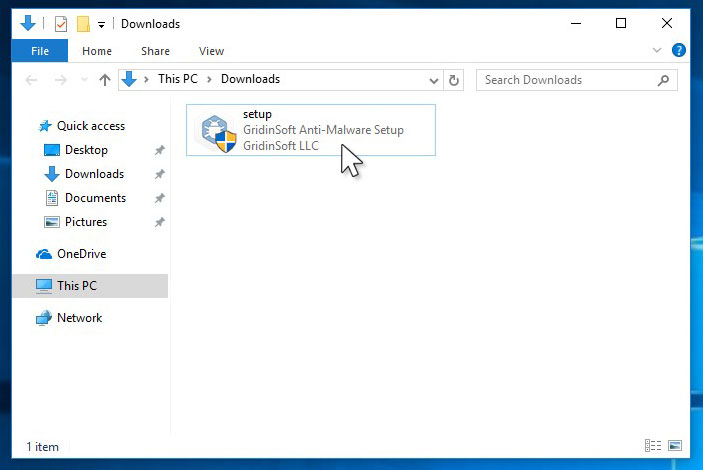
Run the setup file.
When setup file has finished downloading, double-click on the setup-antimalware-fix.exe file to install GridinSoft Anti-Malware on your PC.
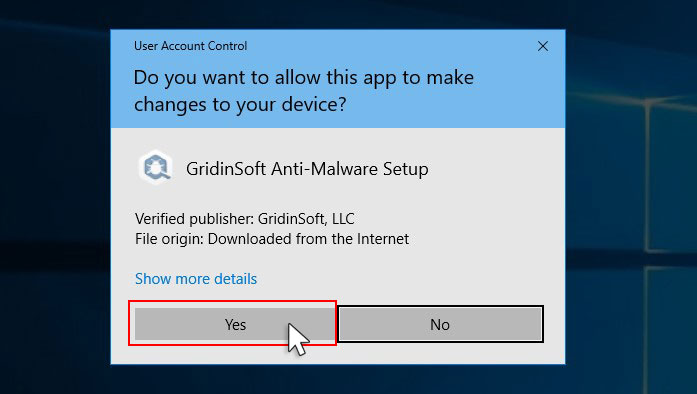
An User Account Control asking you about to allow GridinSoft Anti-Malware to make changes to your device. So, you should click “Yes” to continue with the installation.
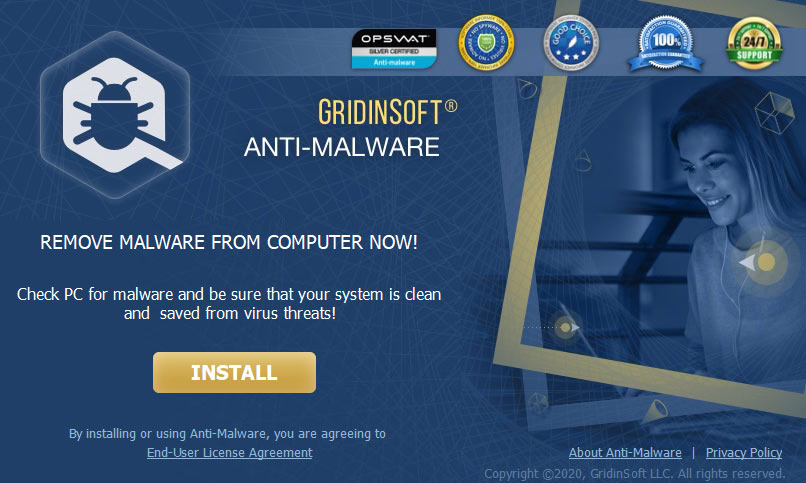
Press “Install” button.
Once installed, Anti-Malware will automatically run.
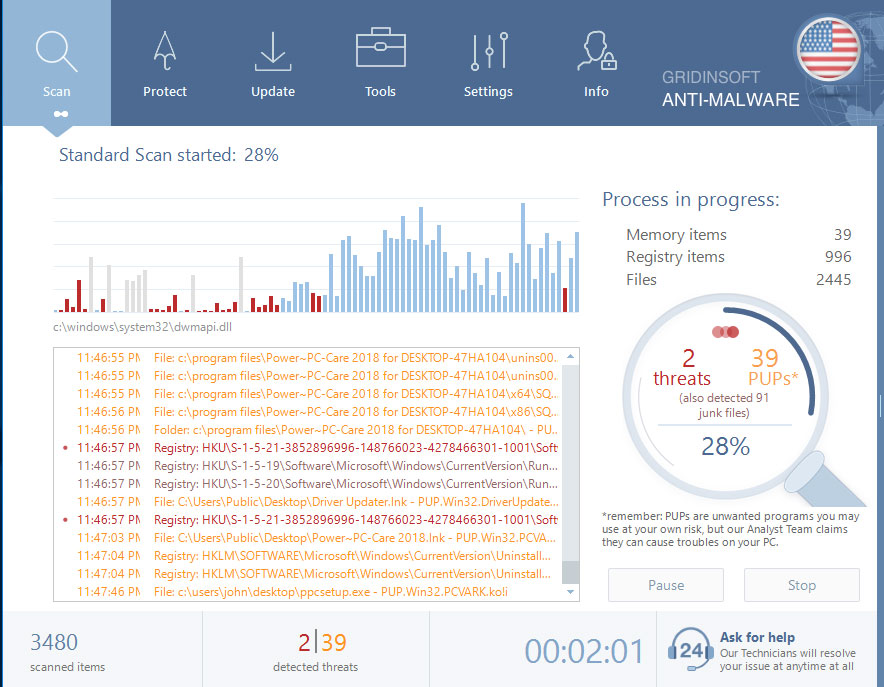
Wait for the Anti-Malware scan to complete.
GridinSoft Anti-Malware will automatically start scanning your system for Pewpew infections and other malicious programs. This process can take a 20-30 minutes, so I suggest you periodically check on the status of the scan process.
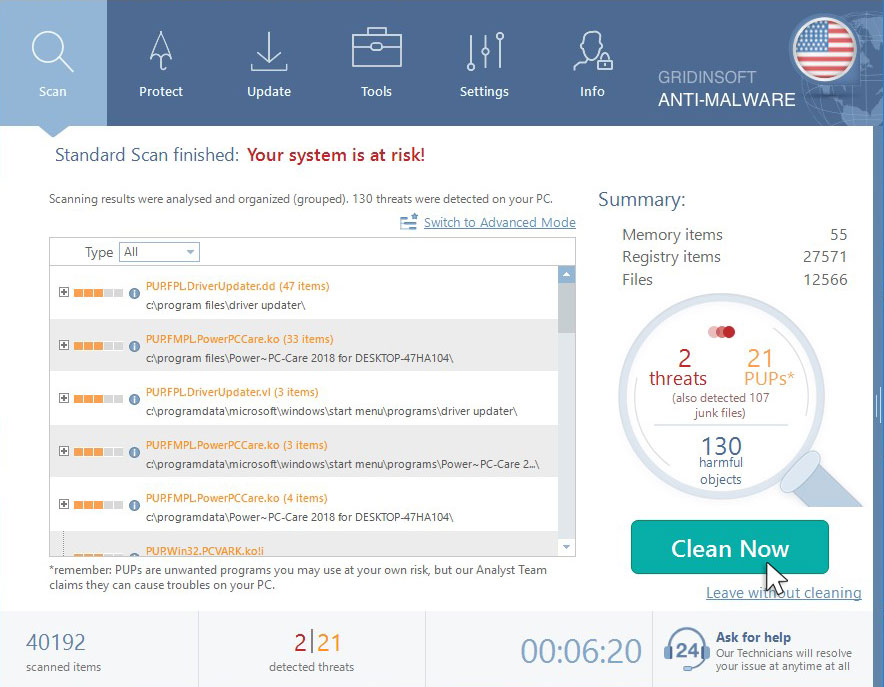
Click on “Clean Now”.
When the scan has completed, you will see the list of infections that GridinSoft Anti-Malware has detected. To remove them click on the “Clean Now” button in right corner.
How to decrypt .abkir files?
You can download and use this decrypter that Kaspersky released if you were hit by .[[email protected]].abkir extension.
You can download and use this decrypter that Avast released or this decrypter that Kaspersky released if you were hit by .abkir extension.
What the next?
If the guide doesn’t help you to remove Pewpew virus, please download the GridinSoft Anti-Malware that I recommended. Also, you can always ask me in the comments for getting help.
Pewpew Ransomware
Name: Pewpew
Description:
PewPew ransomware modifies your files and demanding the ransom to be paid allegedly to restore access to them.
The PewPew ransomware is active through new cryptovirus bearing the name of .abkir. This particular virus family modifies all popular file types by means of adding the .abkir extension, thus making the data absolutely unavailable. The victims simply cannot open their important documents anymore. The ransomware also assigns its unique identification key, just like all previous representatives of the virus family. As soon the file is encrypted by the ransomware, it obtains a special new extension becoming the secondary one. The file virus also generates a ransom note providing the users want instructions allegedly to restore the data.
Operating System: Windows
Application Category: Ransomware
User Review
( votes)References
- How To Change Remote Desktop (RDP) Port: https://howtofix.guide/change-remote-desktop-port-on-windows-10/
- GridinSoft Anti-Malware Review from HowToFix site: https://howtofix.guide/gridinsoft-anti-malware/
- More information about GridinSoft products: https://gridinsoft.com/comparison
