
The Omerta virus falls under the ransomware type of infection. Malware of this type encrypts all the data on your PC (images, documents, excel sheets, audio files, videos, etc) and appends its specific extension to every file, creating the Инструкция.TXT files in every directory with the encrypted files.
Omerta virus: what is known so far?
☝️ A strictly accurate description for the Omerta would be “a ransomware infection”.
The pattern of renaming is this: %random_string%.omerta. In the process of encryption, a file entitled, for instance, “report.docx” will be turned into “vFwOmmDtGtkWkKp8.omerta”.
In every folder containing the encoded files, a Инструкция.TXT file will appear. It is a ransom money note. Therein you can find information about the ways of contacting the racketeers and some other information. The ransom note usually contains a description of how to buy the decryption tool from the racketeers. You can obtain this tool after contacting [email protected] through email. That is how they do it.
Omerta summary:
| Name | Omerta Virus |
| Extension | .omerta |
| Ransomware note | Инструкция.TXT |
| Contact | [email protected] |
| Detection | Win32/Packed.BlackMoon.A suspicious, BScope.TrojanDownloader.Deyma, Mal/Kryptik-BX |
| Symptoms | Your files (photos, videos, documents) have a .omerta extension and are renamed to a random string. You can’t open them. |
| Fix Tool | See If Your System Has Been Affected by Omerta virus |
The Инструкция.TXT file accompanying the Omerta malware states the following:
Ваши документы, базы данных и другие файлы были зашифрованы. Но не стоит переживать!
Мы все расшифруем и вернем на свои места.

Для расшифровки данных:

Напишите на почту - [email protected]

 *В письме указать Ваш личный идентификатор (Key Identifier)
 *Прикрепите 2 файла до 2 мб для тестовой расшифровки.
  мы их расшифруем, в качестве доказательства, что ТОЛЬКО МЫ можем расшифровать файлы.

ВАЖНО! Не пишите с mail.ru (к нам не доходят пиьсма) Используйте - yandex.ru gmail.com и т.д.
Все кроме mail.ru

 -Чем быстрее вы сообщите нам свой идентификатор, тем быстрее мы выключим произвольное удаление файлов.
 -Написав нам на почту вы получите дальнейшие инструкции по оплате.

В ответном письме Вы получите программу для расшифровки.
После запуска программы-дешифровщика все Ваши файлы будут восстановлены.

Мы гарантируем:
100% успешное восстановление всех ваших файлов
100% гарантию соответствия
100% безопасный и надежный сервис
Внимание!
 * Не пытайтесь удалить программу или запускать антивирусные средства
 * Попытки самостоятельной расшифровки файлов приведут к потере Ваших данных
 * Дешифраторы других пользователей несовместимы с Вашими данными, так как у каждого пользователя
уникальный ключ шифрования


Каждые 24 часа удаляются 24 файла, необходимо прислать свой идентификатор чтоб мы отключили эту функцию.
Каждые 24 часа стоимость расшифровки данных увеличивается на 30% (через 72 часа сумма фиксируется)


P.S
Если Вам не ответили в течении 48 часов. Вам нужно будет связаться с нами по дополнительным контактам.

Скачайте и установите Tor Browser - hxxps://www.torproject.org/ru/download/
Откройте через Tor Browser сайт - hxxp://sonarmsniko2lvfu.onion   (сайт не будет работать через обычный браузер, только через ТОР)
Зарегистрируйтесь и напишите нам.

*Наш ник в Sonar\'e - savefile365


=========================================

Ваш идентификатор (ID)

-
In the screenshot below, you can see what a directory with files encrypted by the Omerta looks like. Each filename has the “.omerta” extension added to it.
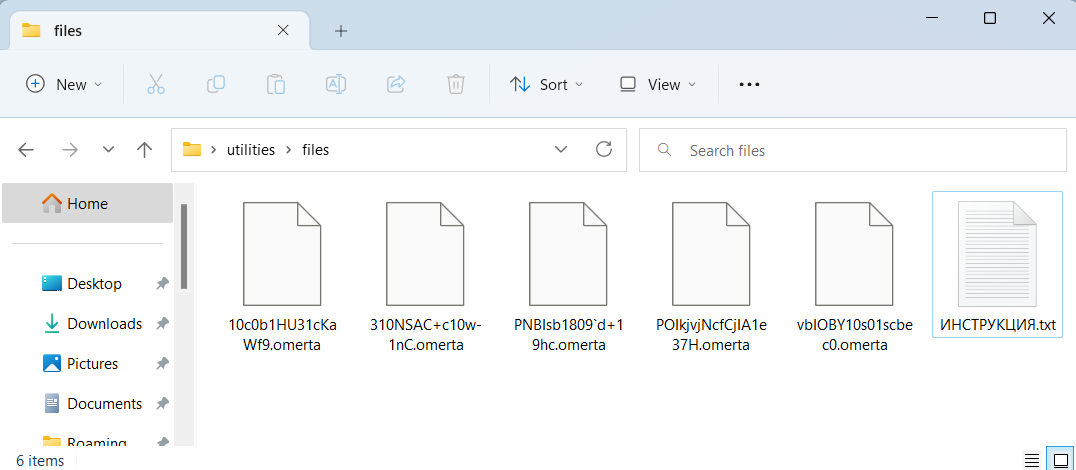
Files ciphered by Omerta ransomware
How did Omerta ransomware end up on my PC?
There are plenty of possible ways of ransomware infiltration.
There are currently three most popular methods for hackers to have ransomware settled in your system. These are email spam, Trojan infiltration and peer file transfer.
If you access your mailbox and see emails that look like familiar notifications from utility services companies, postal agencies like FedEx, web-access providers, and whatnot, but whose addresser is unknown to you, beware of opening those letters. They are most likely to have a harmful item attached to them. Thus it is even more dangerous to download any attachments that come with emails like these.
As for the peer networks like torrents or eMule, the threat is that they are even more trust-based than the rest of the Web. You can never know what you download until you get it. Our suggestion is that you use trustworthy websites. Also, it is reasonable to scan the directory containing the downloaded objects with the anti-malware utility as soon as the downloading is complete.
How do I get rid of the Omerta virus?
It is important to inform you that besides encrypting your files, the Omerta virus will most likely deploy the Azorult Spyware on your PC to get access to credentials to different accounts (including cryptocurrency wallets). That spyware2 can derive your credentials from your browser’s auto-filling data.
Often tamperers would unblock several of your files so you know that they do have the decryption program. Since Omerta virus is a relatively new ransomware, anti-malware engineers have not yet found a method to undo its work. Nevertheless, the decryption instruments are constantly updated, so the solution may soon arrive.
Sure thing, if the criminals succeed in encrypting victim’s essential data, the hopeless person will most likely comply with their demands. Nevertheless, paying to racketeers does not necessarily mean that you’re getting your blocked information back. It is still risky. After getting the money, the racketeers may send a wrong decryption code to the victim. There were reports about racketeers just disappearing after getting the money without even bothering to reply.
The best solution against ransomware is to have aan OS restore point or the copies of your critical files in the cloud disk or at least on an external storage. Surely, that might be not enough. Your most important thing could be that one you were working on when it all happened. But at least it is something. It is also wise to scan your PC for viruses with the antivirus program after the system is rolled back.
Omerta is not the only ransomware of its kind, since there are other specimens of ransomware out there that act in the same manner. Examples of those are Oflg, Ofww, Towz, and some others. The two basic differences between them and the Omerta are the ransom amount and the encoding method. The rest is almost identical: documents become encoded, their extensions altered, ransom notes appear in each folder containing encoded files.
Some lucky victims were able to decrypt the arrested files with the aid of the free software provided by anti-ransomware developers. Sometimes the racketeers mistakenly send the decryption code to the victims in the ransom readme. Such an epic fail allows the victim to restore the files. But naturally, one should never rely on such a chance. Remember, ransomware is a tamperers’ instrument to lay their hands on the money of their victims.
How сan I avert ransomware infection?
Omerta ransomware has no endless power, so as any similar malware.
You can defend your computer from ransomware injection within three easy steps:
- Ignore any emails from unknown senders with strange addresses, or with content that has nothing to do with something you are waiting for (can you win in a lottery without participating in it?). In case the email subject is likely something you are expecting, check all elements of the suspicious email with caution. A fake email will surely contain a mistake.
- Never use cracked or unknown programs. Trojans are often spreaded as a part of cracked products, possibly under the guise of “patch” to prevent the license check. Understandably, untrusted programs are difficult to tell from reliable ones, because trojans sometimes have the functionality you need. Try to find information about this program on the anti-malware message boards, but the best solution is not to use such software.
Reasons why I would recommend GridinSoft3
Download Removal Tool.
Run the setup file.
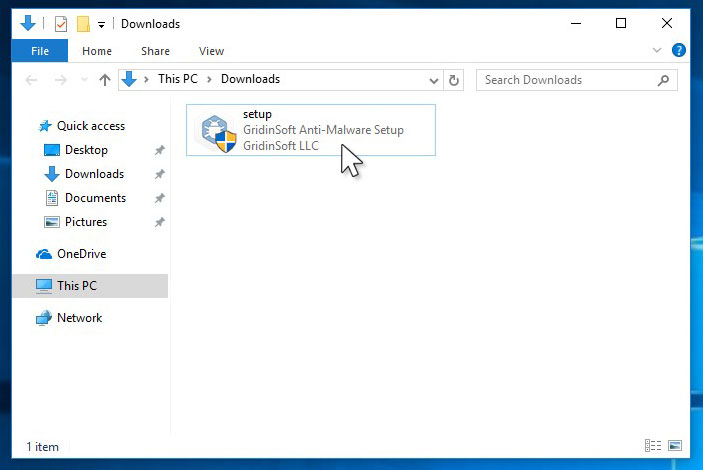
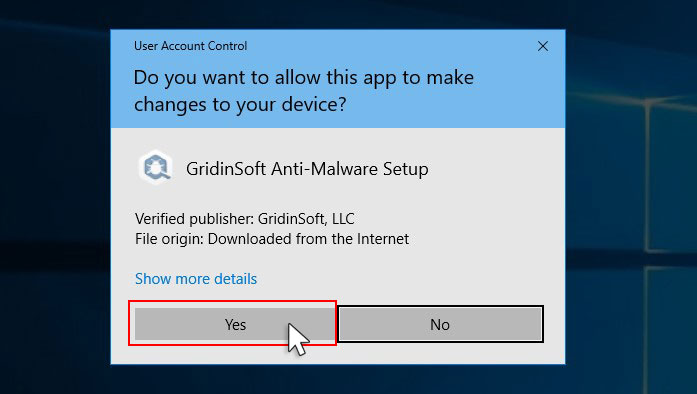
Press “Install” button.
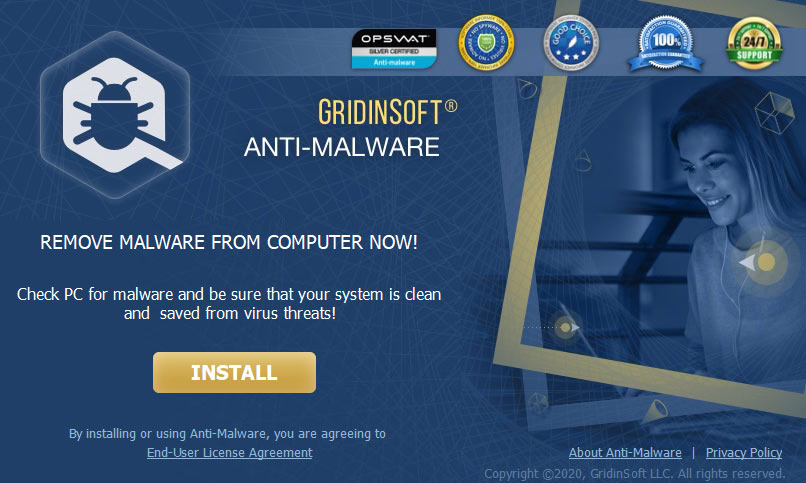
Once installed, Anti-Malware will automatically run.
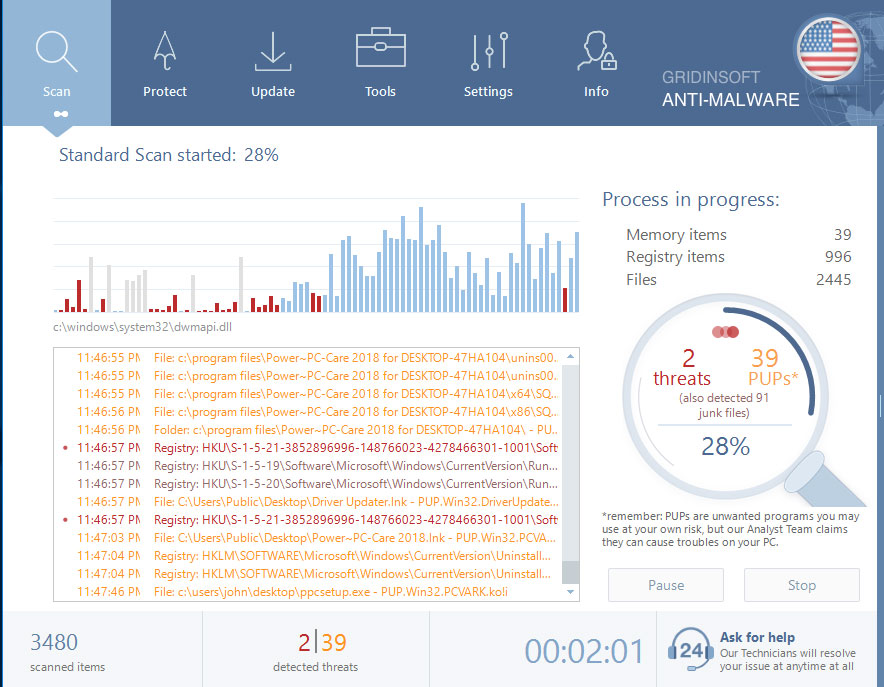
Wait for the Anti-Malware scan to complete.
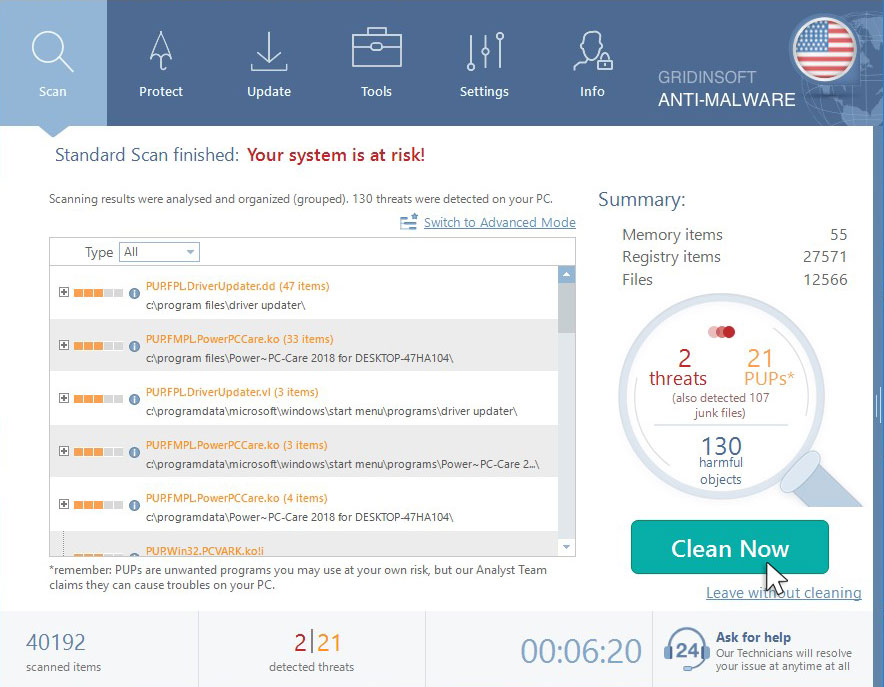
Click on “Clean Now”.
Frequently Asked Questions
🤔 Is it possible to open “.omerta” files?
Negative. That is why ransomware is so frustrating. Until you decode the “.omerta” files you will not be able to access them.
🤔 The encrypted files are very important to me. How can I decrypt them quickly?
It’s good if you have fаr-sightedly saved copies of these important files elsewhere. If not, there is still a function of System Restore but it needs a Restore Point to be previously saved. All other solutions require time.
🤔 What actions should I take if the Omerta ransomware has blocked my computer and I can’t get the activation code.
🤔 And what should I do now?
Many of the encrypted files might still be at your disposal
- If you exchanged your critical files by email, you could still download them from your online mailbox.
- You might have shared images or videos with your friends or relatives. Just ask them to give those pictures back to you.
- If you have initially downloaded any of your files from the Web, you can try to do it again.
- Your messengers, social networks pages, and cloud disks might have all those files too.
- Maybe you still have the needed files on your old computer, a portable device, phone, memory stick, etc.
USEFUL TIP: You can employ data recovery utilities5 to get your lost data back since ransomware encodes the copies of your files, deleting the authentic ones. In the video below, you can learn how to use PhotoRec for such a recovery, but remember: you can do it only after you kill the virus with an antivirus program.
Also, you can contact the following governmental fraud and scam sites to report this attack:
- In the United States: On Guard Online;
- In Canada: Canadian Anti-Fraud Centre;
- In the United Kingdom: Action Fraud;
- In Australia: SCAMwatch;
- In New Zealand: Consumer Affairs Scams;
- In France: Agence nationale de la sécurité des systèmes d’information;
- In Germany: Bundesamt für Sicherheit in der Informationstechnik;
- In Ireland: An Garda Síochána;
To report the attack, you can contact local executive boards. For instance, if you live in USA, you can have a talk with FBI Local field office, IC3 or Secret Service.
I need your help to share this article.
It is your turn to help other people. I have written this article to help people like you. You can use the buttons below to share this on your favorite social media Facebook, Twitter, or Reddit.
Brendan SmithReferences
- Here’s the list of Best Data Recovery Software Of 2023.


Leave a Comment