
The “Microsoft Windows Firewall Warning” is a pop-up scam, spreading primarily through deceptive websites. Once a user lands on such a site, aggressive pop-ups falsely alert them of malware, urging immediate action.
The scam’s core tactic involves tricking users into granting remote access, under the guise of technical support. This access leads to potential malware installation, data theft, and financial exploitation. Its convincing disguise as a legitimate warning and the use of genuine remote access software make it particularly dangerous and effective.
“Microsoft Windows Firewall Warning” Pop-Up Scam Overview
Our research team, while probing suspicious sites, uncovered the “Microsoft Windows Firewall Warning” scam. We identified it as a technical support fraud. This scam falsely alerts users of malware infections on their computers, demanding urgent action for security. Its aim is to deceive the user into calling a fake helpline, luring them into a complex scam.
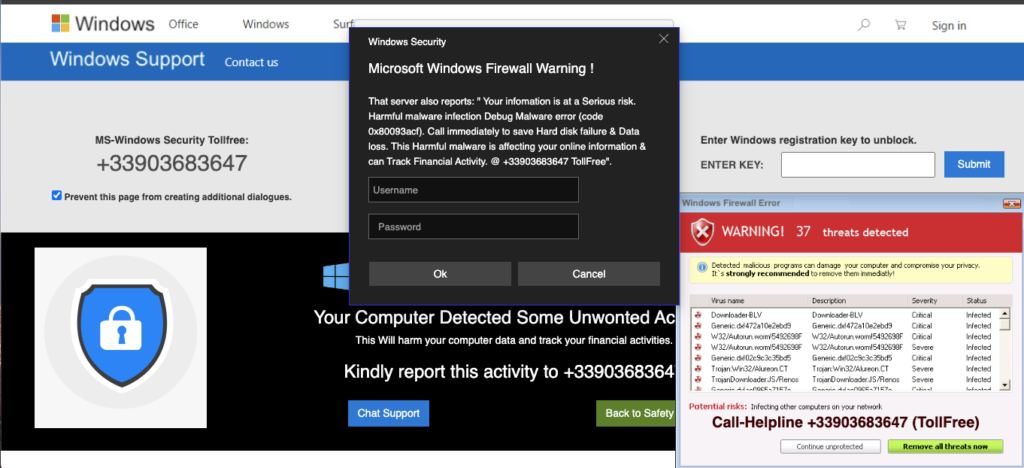
Screen of malicious scam notification
| Name | “Microsoft Windows Firewall Warning” |
| Threat Type | Phishing, Scam, Social Engineering, Fraud |
| Fake Claim | Malware infections have been detected on the user’s device and their data is at risk. |
| Tech Support Scammer Phone Number | +33903683647 |
| Symptoms | Fake error messages, fake system warnings, pop-up errors, hoax computer scan. |
| Similar Behavior | “Your computer is disabled. Please call Microsoft”, “Error Code: 0x80073b01”,“Your Windows 10 is infected with viruses” |
| Damage | Loss of sensitive private information, monetary loss, identity theft, possible malware infections. |
How does “Microsoft Windows Firewall Warning” Scam works?
How serious is this?
The “Microsoft Windows Firewall Warning” scam is extremely serious. It not only compromises your computer’s security but also poses grave risks to your personal and financial information. Allowing scammers remote access can lead to malware infections, disabling of security software, and unauthorized data access. The consequences include identity theft, financial loss, and privacy breaches. Moreover, the difficulty in tracing cybercriminals means that recovering losses and holding them accountable is challenging. This scam can have long-lasting effects, making it a significant threat to both individual users and broader cybersecurity.


Leave a Comment