
A malicious Hugging Face repository impersonating OpenAI’s Privacy Filter model reached the platform’s trending list before it was removed, and researchers say it delivered a Windows-focused infostealer through a copied model-card lure and a malicious loader script.[1] The case is a useful warning for anyone who treats “trending” AI repos as a trust signal: a polished README can still hide code that steals browser cookies, Discord data, wallet files, SSH material, screenshots, and system metadata.[1]
HiddenLayer says the fake repo, named Open-OSS/privacy-filter, copied OpenAI’s legitimate openai/privacy-filter model card almost verbatim and instructed users to clone the repository and run start.bat or loader.py.[1] That is the important difference. The legitimate OpenAI Privacy Filter model on Hugging Face is presented as a token-classification model for detecting personal-data spans, with usage through normal Transformers or Transformers.js workflows.[2] The fake repository shifted the reader from model usage into arbitrary script execution.
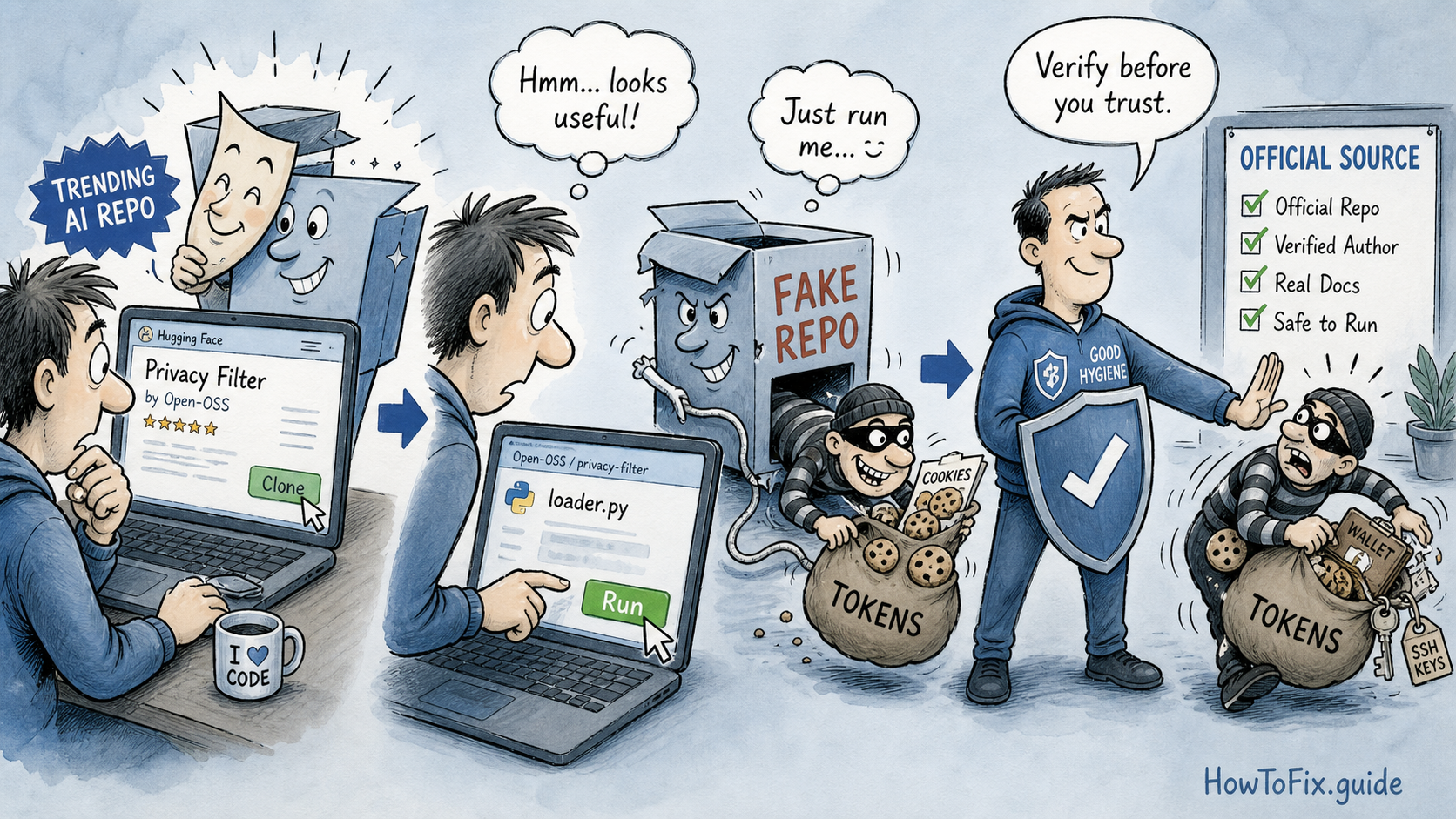
The loader chain described by HiddenLayer used a Python file that fetched a remote command and passed it to PowerShell. On Windows, the next stage downloaded a batch file, attempted privilege elevation, added Microsoft Defender exclusions, launched a Rust payload through a short-lived scheduled task, and then removed the task.[1] That sequence matters because it is not merely a suspicious model file sitting in a folder. It is a small execution chain built to move from curiosity to credential theft with as little visible noise as possible.
The incident fits a pattern we have already seen in other software-supply-chain stories: attackers borrow trust from a known project, then place the dangerous step where a hurried user expects normal setup work. Recent examples include compromised installers in the JDownloader site incident and poisoned developer packages used to steal CI secrets from RubyGems and Go modules. This Hugging Face case is the AI-model version of the same mistake: confusing popularity with provenance.
What users and teams should check
If you only viewed the repository page, there is no evidence from the public write-up that browsing the page alone compromises a system. If you cloned or downloaded Open-OSS/privacy-filter, the risk depends on whether code was executed. The dangerous path starts when a user runs start.bat, loader.py, or another file from the fake repository on a Windows host.[1]
| Situation | Recommended response |
|---|---|
| Viewed the fake repo only | Close the page, remove bookmarks or notes pointing to it, and use the official openai/privacy-filter page if you need the model.[2] |
| Cloned/downloaded but did not run files | Delete the folder and check shell history or IDE task logs to confirm nothing was launched. This is a good moment to review internal rules for running AI repos. |
Ran start.bat or loader.py on Windows |
Treat the host as compromised. Isolate it, collect triage evidence, and prefer reimaging over “cleaning” because the payload is designed for credential theft.[1] |
| Used browsers, Discord, wallets, SSH, FTP, VPN, or cloud tools on that host | Rotate passwords and tokens from a clean device. Invalidate browser sessions, Discord sessions, SSH keys, API keys, wallet secrets, and cloud credentials that could have been stored or used there. |
For local triage, look for the repo name, the reported loader and batch-file hashes, PowerShell launched from Python, hidden cmd.exe or powershell.exe child processes, Defender exclusion changes, short-lived scheduled tasks matching a fake Microsoft Edge update pattern, and outbound connections to the reported infrastructure such as api[.]eth-fastscan[.]org or recargapopular[.]com.[1] The exact indicators may age quickly, but the behavior is the durable signal: public AI code should not need to silently fetch commands, weaken endpoint defenses, or touch browser credential stores.
Teams that allow model downloads from public hubs should add a basic gate before execution: verify the publisher, compare the repository path with the official project, review recent account activity, scan scripts before running setup commands, and run unfamiliar models or loaders in a controlled sandbox first. For AI and MLOps teams, this should be treated as a supply-chain control, not as an end-user awareness issue alone.
References
- HiddenLayer Research Team. “Malware Found in Trending Hugging Face Repository ‘Open-OSS/privacy-filter.’” HiddenLayer, May 7, 2026; updated May 8, 2026. https://www.hiddenlayer.com/research/malware-found-in-trending-hugging-face-repository-open-oss-privacy-filter
- OpenAI. “openai/privacy-filter.” Hugging Face model page, accessed May 11, 2026. https://huggingface.co/openai/privacy-filter
- OpenAI. “Model Card for OpenAI Privacy Filter.” OpenAI, April 2026. https://cdn.openai.com/pdf/c66281ed-b638-456a-8ce1-97e9f5264a90/OpenAI-Privacy-Filter-Model-Card.pdf
Related update: A newer macOS-focused infostealer campaign, SHub Reaper, uses fake security updates and AppleScript to steal browser, wallet, file, and session data.


Leave a Comment