
SysUpdate, a backdoor malware utilized by the APT27 group, poses a significant threat to targeted systems. While its exact distribution methods remain undisclosed, it’s commonly associated with phishing and tailored attacks.
SysUpdate can infiltrate and compromise systems, enabling attackers to collect data, manage services, and execute various commands. The malware’s actions are versatile and adaptable, making it a potent tool for cyber espionage and other malicious activities.
SysUpdate Overview
SysUpdate is a type of malware classified as a backdoor, which surreptitiously infiltrates systems and potentially creates a covert entry point for further malicious activities. It has been in circulation since 2020 and has seen ongoing improvements. Initially Windows-based, a Linux version emerged in 2023. In August 2023, a new variant was discovered, linked to two attacks targeting a Middle Eastern telecommunications organization and an Asian governmental body.
SysUpdate is custom malware exclusively employed by the APT27, a Chinese Advanced Persistent Threat (APT) group known by various aliases, including Bronze Union, Budworm, Emissary Panda, Iron Tiger, LuckyMouse, and TG-3390. APT27 has a history of targeting Middle East, Southeast Asia, and the USA entities.
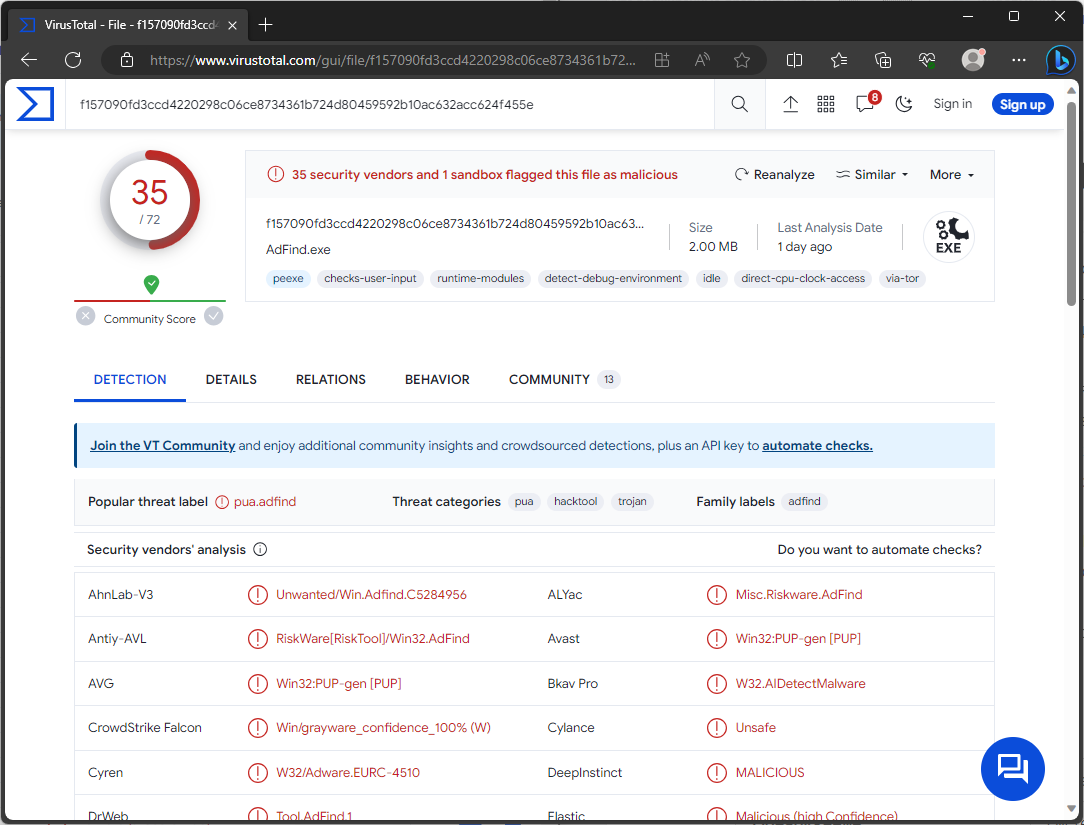
VirusTotal result
| Name | SysUpdate |
| Detection | PUP.Win32.Gen.oa!s1, HackTool:Win32/AdFind!MSR (Microsoft) |
| Threat Type | Trojan, backdoor, stealer, spyware |
| Similar Behavitor | S1deload Stealer, NightClub Malware |
| Damage | Stolen passwords and banking information, identity theft, the victim’s computer added to a botnet. |
Technical Analysis
SysUpdate is a backdoor malware with multiple iterations and capabilities. In recent attacks, it utilized the DLL side-loading technique, exploiting the Windows DLL search order mechanism through a legitimate application, INISafeWebSSO, to execute its malicious payload. This malware can collect system and drive data, manage services, view and terminate processes, manipulate files, take screenshots, and execute various commands.
Past attacks by the APT27 group involving SysUpdate have employed additional tools like AdFind, curl, Secretsdump, and PasswordDumper. The presence of SysUpdate on a system can lead to multiple infections, data loss, privacy breaches, financial losses, and identity theft, especially in high-profile or politically motivated attacks.
How it managed to infiltrate my computer?
The specific method by which SysUpdate infiltrated your computer is currently unknown. It’s important to note that SysUpdate is typically used in targeted attacks customized to the particular target, which may involve changing tactics over time. Generally, malware like SysUpdate spreads through phishing and social engineering techniques. Malicious software is often disguised as, or bundled with, legitimate files or programs. These files can take various formats, including executables, archives, documents, JavaScript, and more.


Leave a Comment