
The MyWay search hijacker is an example of a standard unwanted program; such programs are distributed enormously nowadays. In this article you will see the precise guidelines of “MyWay” hijacker elimination in different ways: making use of anti-malware programs and manual removal technique.
MyWay – What is it?
“MyWay” search hijacker is a potentially unwanted application (PUA)1, that is spread as a plugin for your internet browser. It is usually advertised as an add-on for Chrome or Firefox, that helps to browse some precise info, for example, about sporting activity events, make your browser a lot more secure, allow downloading of any type of web video, and so on.
However, the “MyWay” plugin is quite pointless because all such functions are already embedded to your browser and/or system. Such advertising and marketing mottos are targeted at low-skilled computer users, like pensioners or schoolchildren. But in some cases even qualified users are getting caught on such an attraction. In certain scenarios, this hijacker is distributed along with free tools.
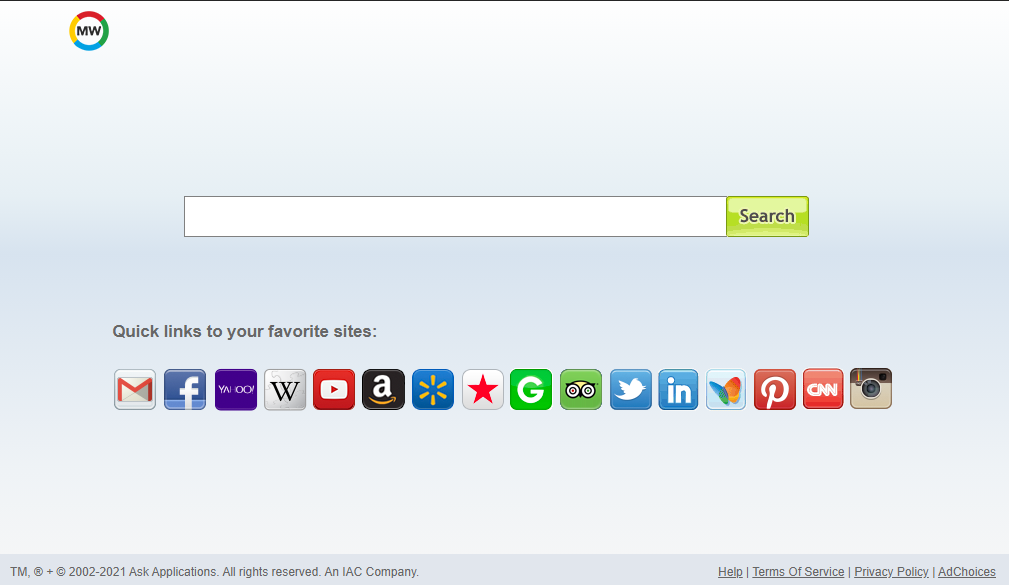
MyWay Search Hijacker
Here is a info for the MyWay hijacker
| Site | Search.myway.com |
| Hosting | AS20940 Akamai International B.V. Germany, Frankfurt am Main |
| Infection Type | Browser Hijacker, Unwanted Application |
| IP Address | 2.16.186.11 |
| Hosting | AS20940 Akamai International B.V. Frankfurt am Main, Germany |
| Symptoms | Changed search engine; search queries redirection |
| Similar behavior | 4kmoviesearch, Search101, Is |
| Fix Tool |
To remove possible virus infections, try to scan your PC
|
How harmful is MyWay hijacker?
Besides its uselessness, MyWay hijacker is likewise pretty harmful for browser utilization. It transforms your search engine to its specific – Search.myway.com, and also alters your background, adding its watermark on your wallpaper (or, in some cases, altering it to default with the mentioned sign).
Aside from viewable transformations done by MyWay hijacker, you might discover that a number of your search queries are redirecting to the unfamiliar web pages, full of links and ads – so-called doorway websites. Such sites can consist of links for malware downloads. The chance of redirecting boosts if you try to launch Google search page forcibly.
However all these actions are much more bothersome than really harmful. The most significant risk, primarily for individuals who have a considerable amount of confidential information in their internet browsers, is installed in information gathering functions. Cookie files, conversations, often-visited sites, as well as various other activities are simply gathered by MyWay hijacker.
How to remove MyWay search hijacker?
- “Move to quarantine” all items.
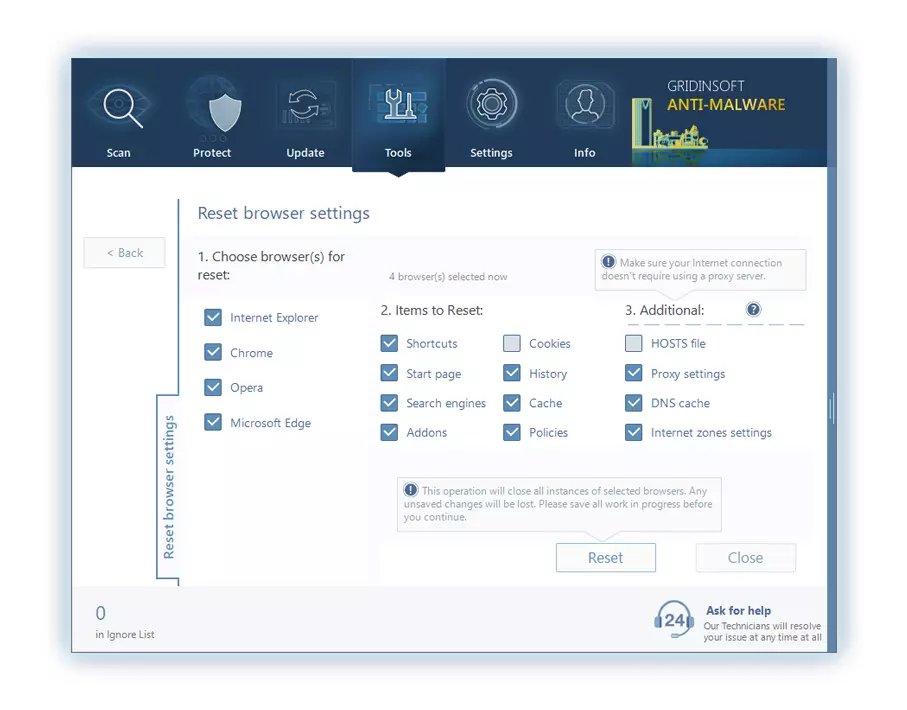
- Open “Tools” tab – Press “Reset Browser Settings“.
- Select proper browser and options – Click “Reset”.
- Restart your computer.
Browser hijackers are often very simple to delete. Usually, they have a separate application that can be located in the list of installed software. As a result of the certain distribution manner of MyWay hijacker, it can be simply tracked and removed manually. Nonetheless, if you got MyWay in the package with a free applications, your PC may be contaminated with a lot more severe malware – trojans, spyware or even ransomware. That’s why I’d suggest you use anti-malware programs to deal with the MyWay PUA and all other malware.
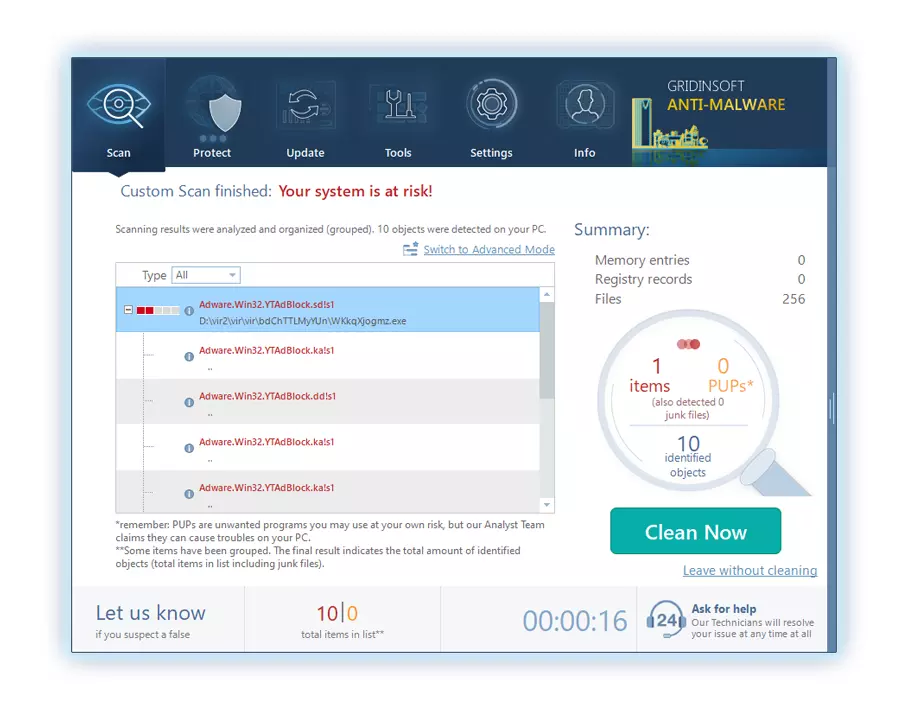
You can observe the detected viruses sorted by their possible harm till the scan process. But to perform any actions against malware, you need to wait until the scan is finished, or to stop the scan.
To choose the action for every detected virus or unwanted program, click the arrow in front of the name of the detected malicious app. By default, all malware will be moved to quarantine.
Reverting browser settings to original ones
To reset your browser settings, you are required to use the Reset Browser Settings option. This action cannot be intercepted by any virus, hence, you will surely see the result. This option can be located in the Tools tab.
After choosing the Reset Browser Settings option, the menu will be displayed, where you can specify, which settings will be reverted to the original.
Deleteing MyWay hijacker manually
Besides using anti-malware software for browser restoration, you may choose the “Reset browser settings” function, which is usually embedded in all popular browsers.
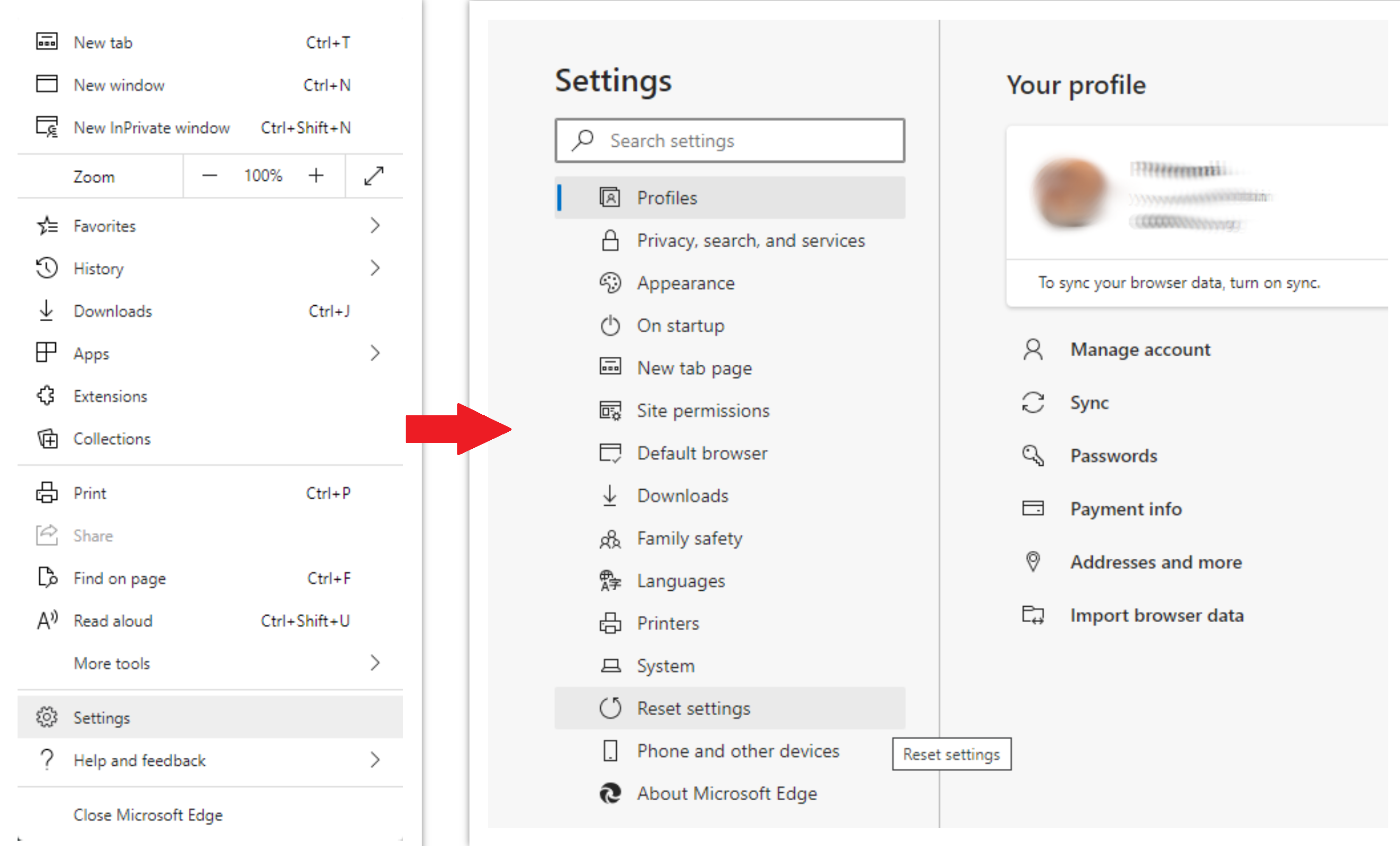
To reset Edge, do the following steps :
- Open “Settings and more” tab in upper right corner, then find here “Settings” button. In the appeared menu, choose “Reset settings” option :
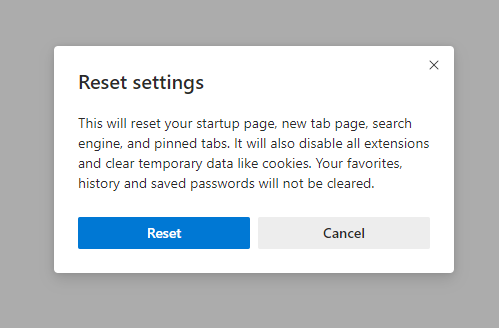
- After picking the Reset Settings option, you will see the following menu, stating about the settings which will be reverted to original :
For Mozilla Firefox, do the next actions :
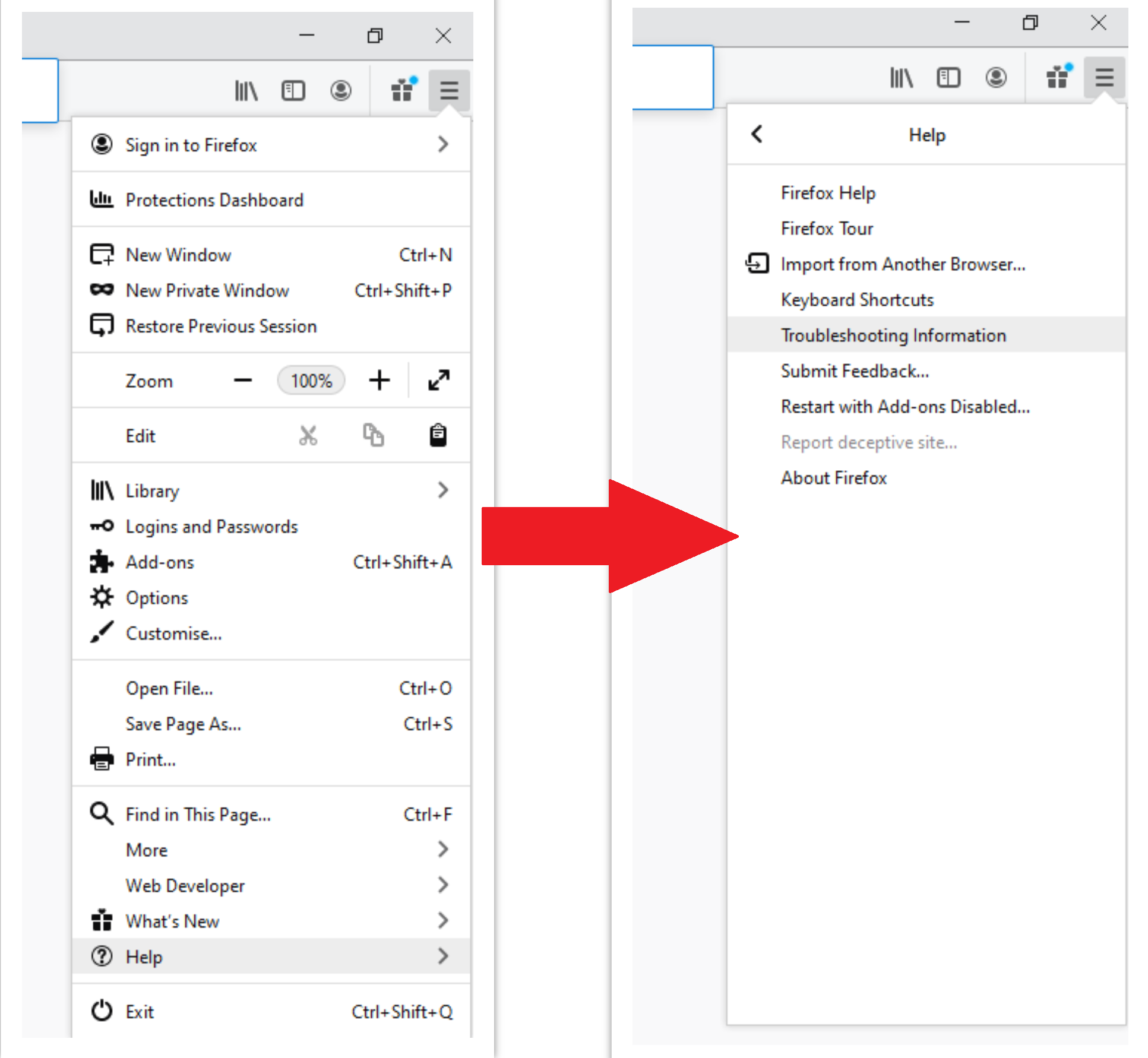
- Open Menu tab (three strips in upper right corner) and click the “Help” button. In the appeared menu choose “troubleshooting information” :
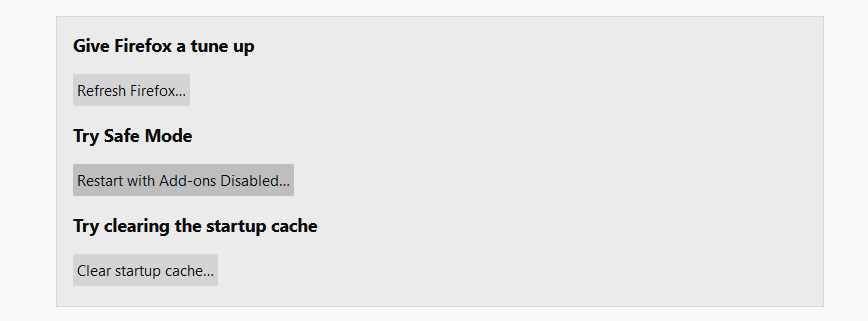
- In the next screen, find the “Refresh Firefox” option :
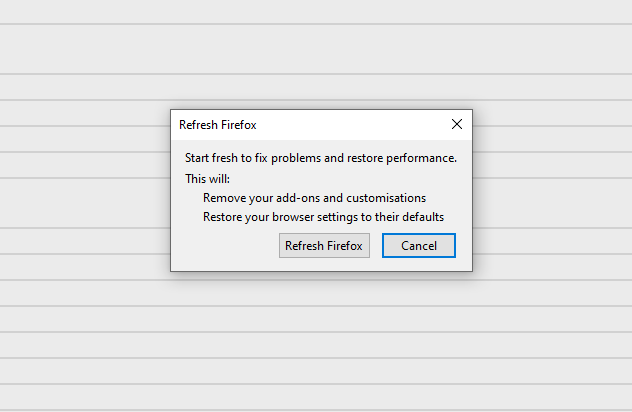
After choosing this option, you will see the next message :
If you use Google Chrome
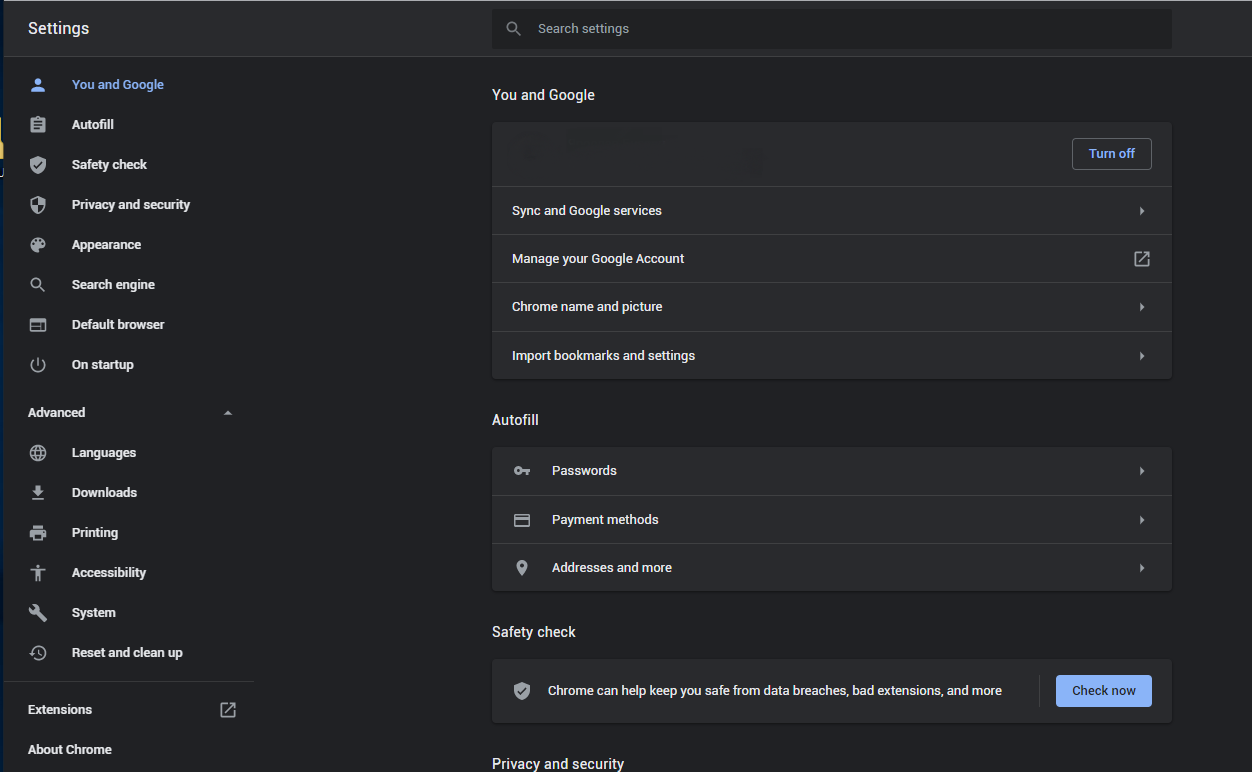
- Open Settings tab, find the “Advanced” button. In the extended tab choose the “Reset and clean up” button :
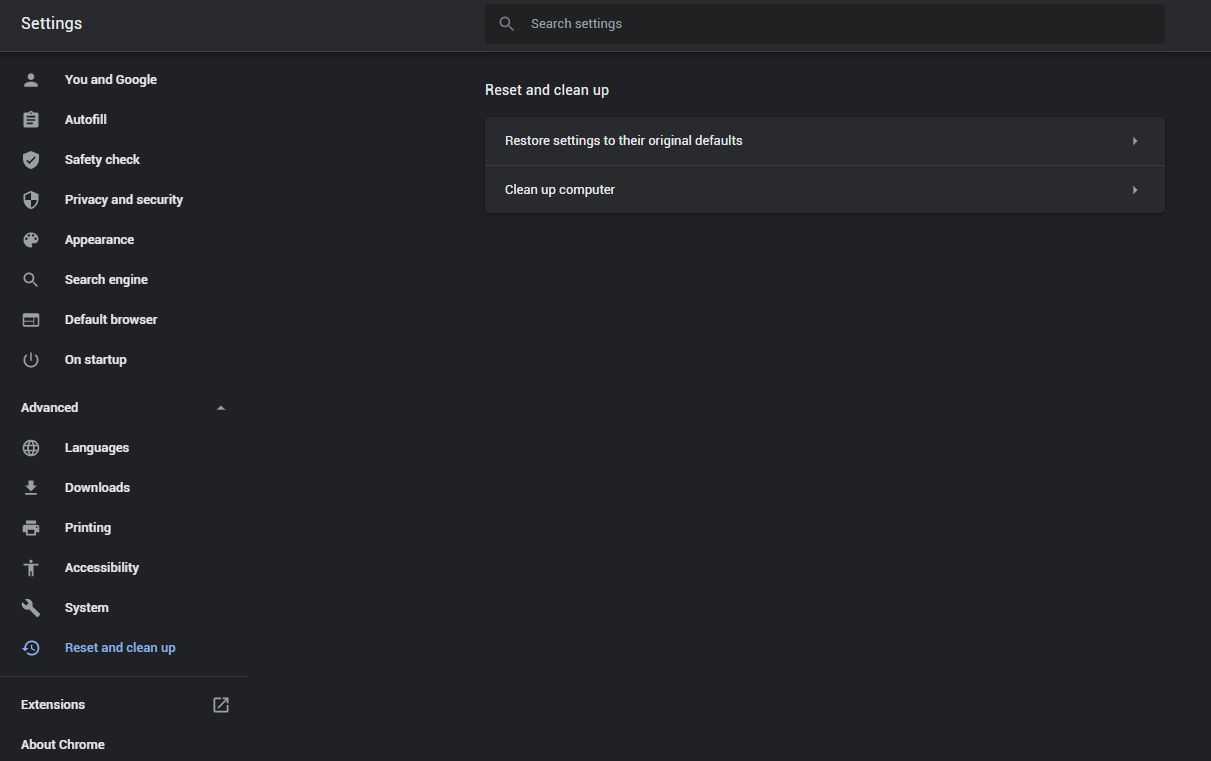
- In the appeared list, click on the “Restore settings to their original defaults” :
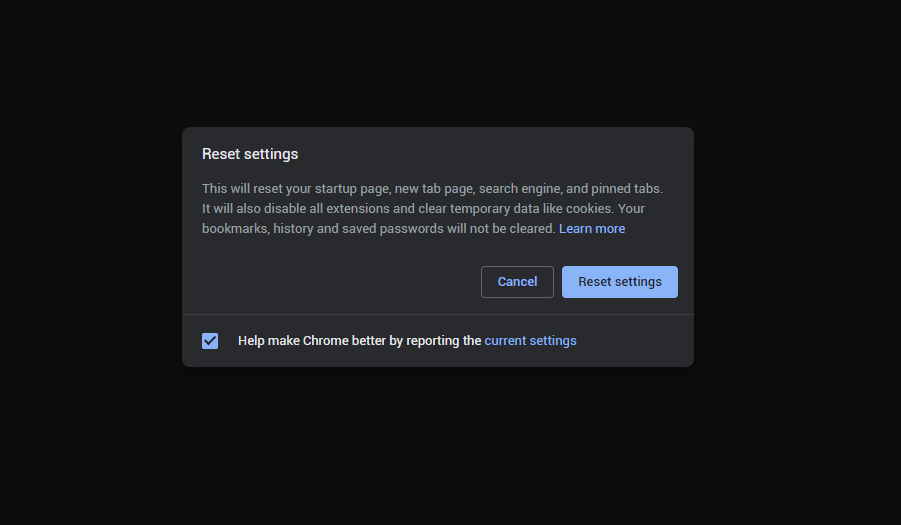
- Finally, you will see the window, where you can see all the settings which will be reset to default :
Opera can be reset in the next way
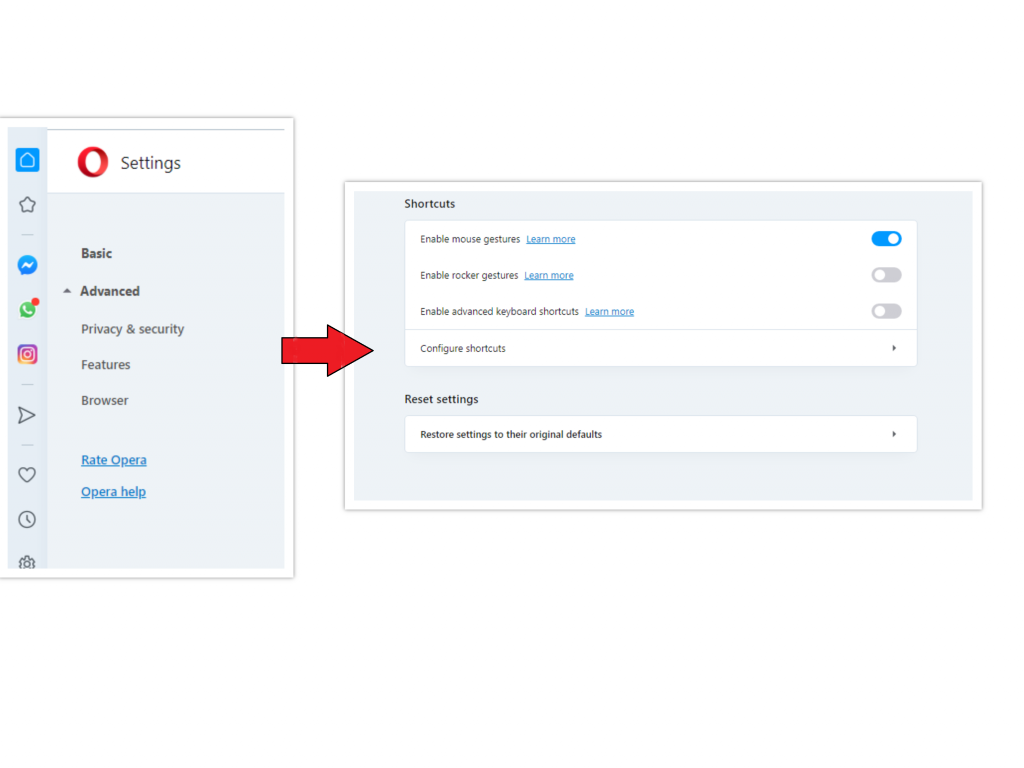
- Open Settings menu by pressing the gear icon in the toolbar (left side of the browser window), then click “Advanced” option, and choose “Browser” button in the drop-down list. Scroll down, to the bottom of the settings menu. Find there “Restore settings to their original defaults” option :
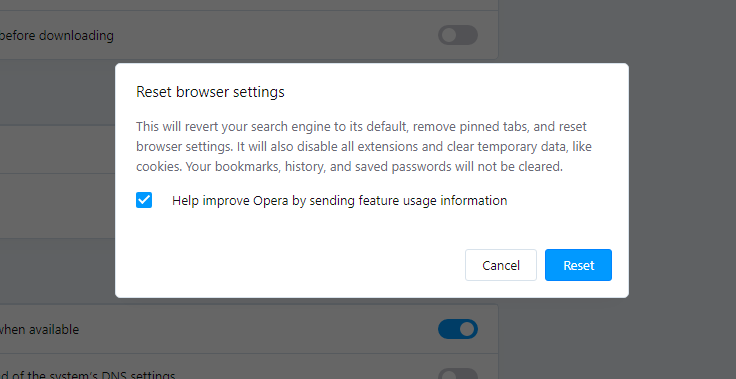
- After clicking the “Restore settings…” button, you will see the window, where all settings, which will be reset, are shown :
As an afterword, I want to say that time plays against you and your PC. The activity of browser hijacker must be stopped as soon as possible, because of the possibility of other malware injection. This malware can be downloaded autonomously, or offered for you to download in one of the windows with advertisements, which are shown to you by the hijacker. You need to act as fast as you can.
I need your help to share this guide.
Browser hijackers are among the largest and also disruptive kinds of malware. I published this article to help you, so I wish you will help me to make the computer world completely clean of malware. Please, share this article in the social networks you use – Twitter, Reddit, Facebook – wherever.
.
Wilbur WoodhamReferences
- More information about PUAs
- Detailed review of Microsoft Defender


Leave a Comment