
If you’re searching for online bargains, you may come across the Mio Factory Outlet websites, which promise a wide range of products at incredibly low prices.
However, before you enter your credit card information and make a purchase, it’s essential to know that these sites are part of a widespread scam that has defrauded countless customers worldwide. In this article, we’ll delve into the Mio Factory Outlet scam, how it operates, and what steps you can take if you’ve become a victim.
Understanding the Mio Factory Outlet Scam
The Mio Factory Outlet scam is an insidious scheme that thrives on various online platforms, targeting unsuspecting shoppers with enticing offers and deceptive guarantees. This scam encompasses a network of websites, often utilizing domain names similar to “Mio Factory Outlet” (e.g., miofactoryoutlet.shop, miofactoryoutlett.shop, or miofactoryoutlets.shop). These sites advertise an extensive range of products at unbelievably low prices, frequently promoting their offerings through social media platforms like Facebook, enticing users with time-limited “crazy deals.”
How the Scam Operates
Upon clicking on the advertisements or visiting the Mio Factory Outlet websites, users encounter a catalog of products spanning diverse categories such as Best Sellers, Gazebo, Storage Shed, Sports & Outdoors, Furniture, Home Improvement, Pet, Home & Garden, and Décor. Notably, these sites often feature a countdown timer, inducing a false sense of urgency and scarcity to coerce impulsive purchases.
However, it’s crucial to recognize that the products showcased on these sites are neither genuine nor authorized by Mio, a reputable brand specializing in dash cameras and cycling navigations. Instead, the majority of the products offered are either counterfeit, defective, or simply non-existent. Customers who place orders on these sites either receive no items at all or are sent products drastically different from what they expected and paid for. For instance, reports have surfaced of customers receiving cheap plastic toys instead of the gazebos or storage sheds they ordered.
Moreover, these sites lack security measures and fail to safeguard the personal and financial information of their customers. Users who provide their credit card details or other sensitive data risk falling victim to hacking attempts or identity theft orchestrated by the scammers behind these fraudulent websites.
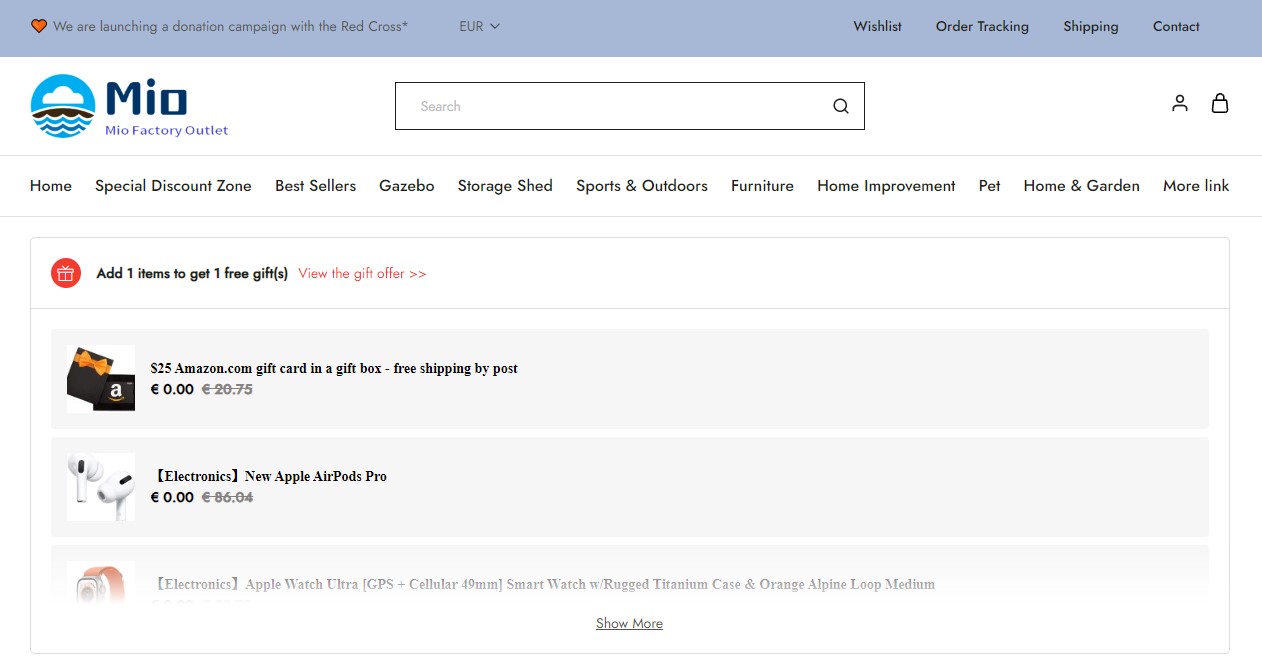
Mio Factory Outlet
What to Do If You’ve Been Scammed by “Mio Factory Outlet”?
If you’ve made purchases on any of the Mio Factory Outlet websites or similar platforms peddling deceptive online deals, it’s crucial to take the following steps promptly:
- Firstly, immediately contact your bank or financial institution if you made payment using a credit card or debit card. Request them to cancel the transaction and initiate a refund. Additionally, report Mio Factory Outlet as a fraudulent website, urging them to block any future charges from this source.
- Change your passwords without delay if you have an account on the Mio Factory Outlet site or if you utilize the same password for other online accounts. Consider enabling two-factor authentication to bolster security and thwart hackers attempting to gain unauthorized access to your accounts or pilfer personal information.
- Exercise caution regarding phishing emails related to your Mio Factory Outlet order. Treat any emails offering discounts or refunds with suspicion, as they may constitute phishing attempts. Refrain from clicking on any suspicious links or downloading attachments that could potentially harbor malware. Promptly delete such emails.
- To safeguard against malicious ads, Trojans, phishing attempts, and other unwanted content, utilize a browser-based content blocker like AdGuard. This supplementary tool complements your antivirus software, furnishing heightened protection.
Final Thoughts
- Conduct thorough research before making purchases from unfamiliar websites. Verify the domain name, contact information, reviews, ratings, and seller policies. Look for indications of legitimacy, such as secure payment methods (e.g., PayPal), verified badges (e.g., Trustpilot), and accessible customer service channels (e.g., phone number, email address).
- Compare prices with reputable websites or retailers. If a deal appears too good to be true, exercise caution. Beware of excessively low prices, unrealistic discounts, or offers that require payment for shipping or handling fees.
- Carefully read the product descriptions and examine product images. Pay attention to details such as dimensions, materials, features, warranties, and return policies. Avoid products with vague or misleading descriptions, as well as images that do not align with the product name or category.
- Trust your instincts and apply common sense. If something feels off or suspicious about a website or offer, refrain from proceeding with the purchase. Remember, there is no such thing as a free lunch in the online world.
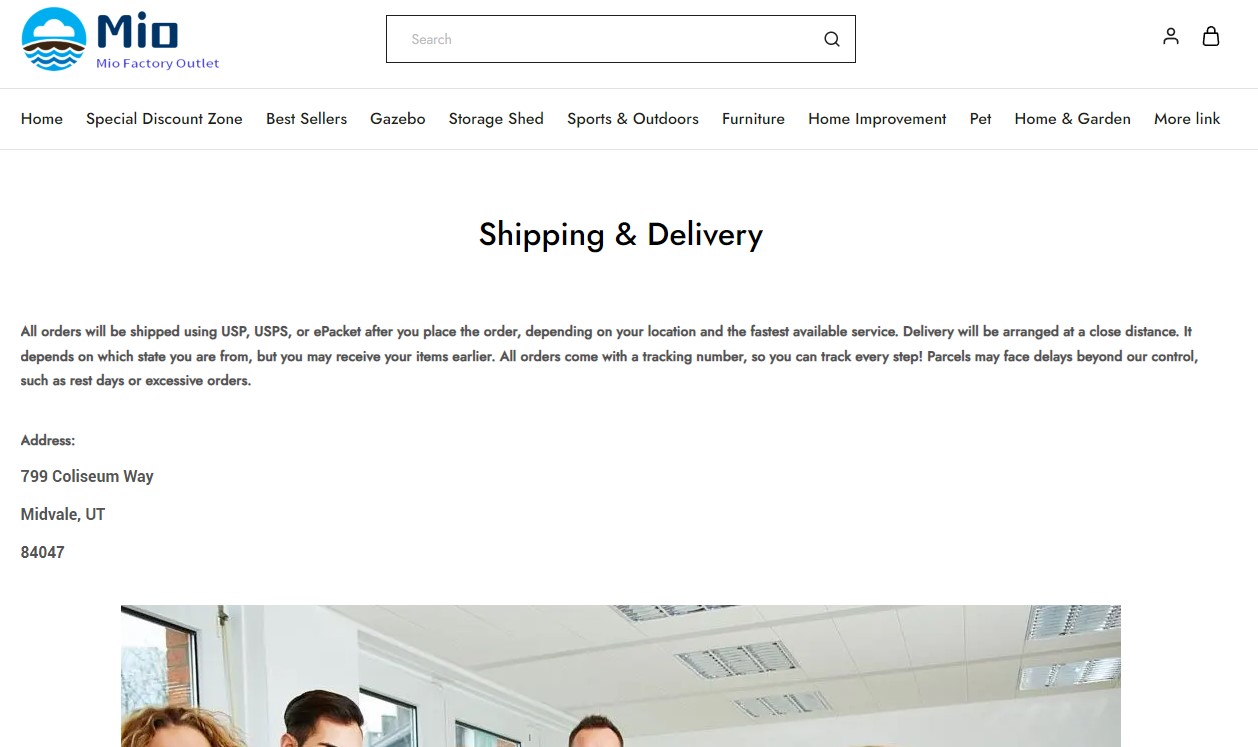
Mio Factory Outlet Fake Shipping Page
By adhering to these guidelines, you can significantly reduce the risk of falling victim to malware and protect your online shopping experience.
How to Remove Malware from Your PC?
Tips for Online Safety: Protect Yourself from Malware
Follow these 10 essential security tips to safeguard your online experience and avoid malware:
- Utilize reliable antivirus software and keep it up-to-date. It’s crucial to have a reputable antivirus program installed on your device and ensure that it remains updated. Malwarebytes Premium is our recommended choice for comprehensive protection against the latest cyber threats. It complements traditional antivirus software by offering additional defense and safeguarding against sophisticated security risks.
- Regularly update your software and operating systems. Keep your operating system and applications up to date by promptly installing available updates. These updates often contain vital security fixes, vulnerability patches, and essential maintenance.
- Exercise caution when installing programs and apps. Pay close attention to installation screens and license agreements when installing software. Custom or advanced installation options often disclose any additional third-party software that may be included. Take great care at every step and ensure you understand the terms before clicking “Next.”
- Deploy an ad blocker. Enhance your browsing security with a content blocker such as AdGuard. These tools help prevent malicious ads, Trojans, phishing attempts, and other undesirable content that may evade the protection of antivirus software alone.
- Exercise caution when downloading files. Cybercriminals frequently employ deceptive tactics to trick users into downloading malware. Be vigilant and only download files from trusted sources. Pay attention to the source and validity of the file before proceeding.
- Remain cautious of social engineering attempts. Be wary of messages received via email, phone calls, messaging apps, and other platforms. Cybercriminals often attempt to manipulate individuals through various schemes to trick them into clicking on malicious links or divulging sensitive information. Verify the authenticity of the communication and exercise caution.
- Regularly back up your data. Create regular backups of your important data and ensure their integrity by periodically testing the restoration process. Backups can be performed manually using external storage devices or automated through backup software. This is particularly crucial in safeguarding against ransomware attacks. If you suspect your computer is infected with malware, refrain from connecting the backup drive until the issue is resolved.
- Use strong and unique passwords. Employ robust and distinct passwords for each of your accounts. Avoid using personal information or easily guessable words in your passwords. Whenever possible, enable two-factor authentication (2FA) to provide an additional layer of security for your accounts.
- Exercise caution when clicking on links. Be mindful of the links you click on and exercise caution when downloading attachments from unknown sources. These could potentially harbor malware or lead to phishing scams.
- Avoid using pirated software. Refrain from using Peer-to-Peer (P2P) file-sharing programs, keygens, cracks, or any pirated software. These unauthorized sources often compromise your data and privacy, exposing you to significant risks.
By following these security measures, you can significantly reduce the risk of malware infections and protect your online presence.
FAQ about the Mio Factory Outlet
I hope this article has helped you understand what the Mio Factory Outlet scam is and how to avoid it. Stay safe and happy shopping!

