
Isass.exe process is a malicious process which disguises itself as a legit Windows process. The OptixPro virus, which creates that process, can correctly be identified as a backdoor. In this post, you will see how to understand that the process is malicious and also the removal guide for this dangerous virus.
What is isass.exe process?
The legit process – LSASS.exe, is a system tool, named Local Security Authority Subsystem Service. That application is responsible for enforcing the security policy of your operating system. It manages the login operations and password changes. All operations done with these security elements are documented in the Windows Security Log. Since that process is critical and its suspending will lead to a system crash, viruses often take its name. Users who know that it is better to keep the Isass.exe going can easily miss the trick with the capital I and small l I described above. Hence, viruses that disguise in such a manner have a much bigger chance to do their task.
How can I understand that the isass.exe process is a virus?
First sign which will surely uncover the malicious origins of that process is its grouping. The legitimate lsass.exe is a system process, so it will be in the same group with Service Host application, winlogon and others. If you see the process running as a user’s one, it is definitely a virus.
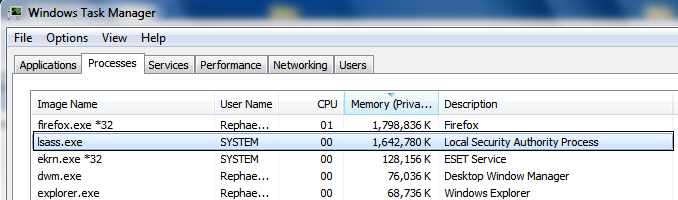
Another way to uncover the virus presence is to check the real name of the process. For this purpose, you need to use the alternative process explorer app. Usually, they allow you to see the name of this process typed in lowercase letters or capital letters. That function allows seeing if the strange lsass.exe is a real process (LSASS.exe in caps) or a malicious counterfeit (ISASS.exe).
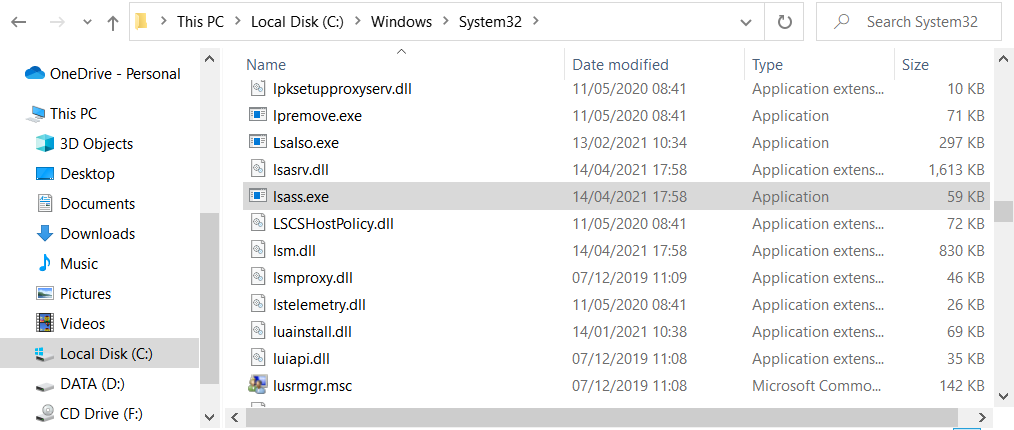
Third method can be performed even in a standard Task Manager. Click the isass.exe process with the right mouse button, and choose the “Open file location” option. You will see the location of this executable file. The default location for lsass.exe is Windows/System32 folder. If you see that the process is stored somewhere else, you are definitely infected. Scan your computer with anti-malware software.
How do I remove the isass.exe process?
Once again, this process belongs to the OptixPro backdoor. It can easily nuke your privacy and steal the valuable data you have on your machine. Less time passed after the virus injection, the less is the possible damage. Since backdoors make many changes in system configurations, it is likely impossible to fix the system after a virus attack. The best solution is to use a proper anti-malware solution.


Leave a Comment