
In this article, we will delve into the world of AIApplication malware, a questionable program that can sneak into your system and potentially compromise your sensitive data. We’ll explore its characteristics, how it might have infiltrated your computer, and most importantly, the steps you should take to eliminate it. Let’s get started!
What is AIApplication Malware?
AIApplication is a dubious program that hides itself within the AppData/Roaming folder on your system. By its nature, it is similar to Prime.exe program, that has same properties but a different name. Though it might appear legitimate at first glance, don’t be deceived by its seemingly innocuous files. This malware possesses several characteristics useful for gathering sensitive information from infected computer. While some sources classify it as adware, it deviates from typical adware behavior. Possibly, it activates its adware capabilities with a delay. But most probably it just has other, more dangerous functionality than spamming users with advertisements.
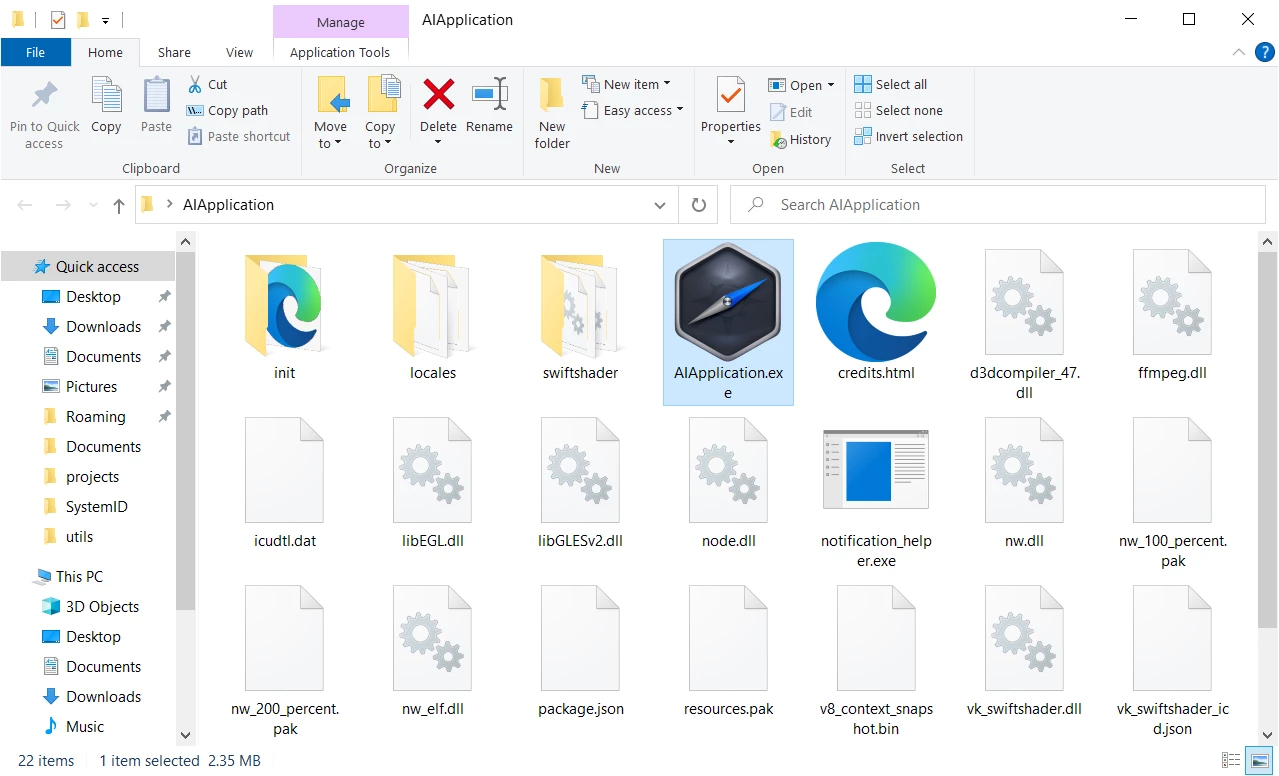
Folder of AIApplication AIApplication adware
Threat Summary
| Name | AIApplication.exe |
| Threat Type | Questionable spyware-like program. |
| Threat Source | Third-party websites (a.k.a warez sites), drive-by downloads. |
| Severity | Medium |
| Removal Method | Use GridinSoft Anti-Malware to get rid of the AIApplication program. |
Identifying AIApplication Malware
If you open your Task Manager, you might notice peculiar nwjs processes, which are instances of the Node Webkit JavaScript framework. Though not inherently harmful, they are an often choice of malware that heavily relies on network connectivity. Among the latter are spyware, stealers, backdoors, remote-access trojans – not quite pleasant things, one may say. As a confirmation of its malignancy, I’ve found the analysis on Filescan.io sandbox. It showcases the suspicious properties and actions within the system, hinting at the need for immediate removal to avoid potential harm.
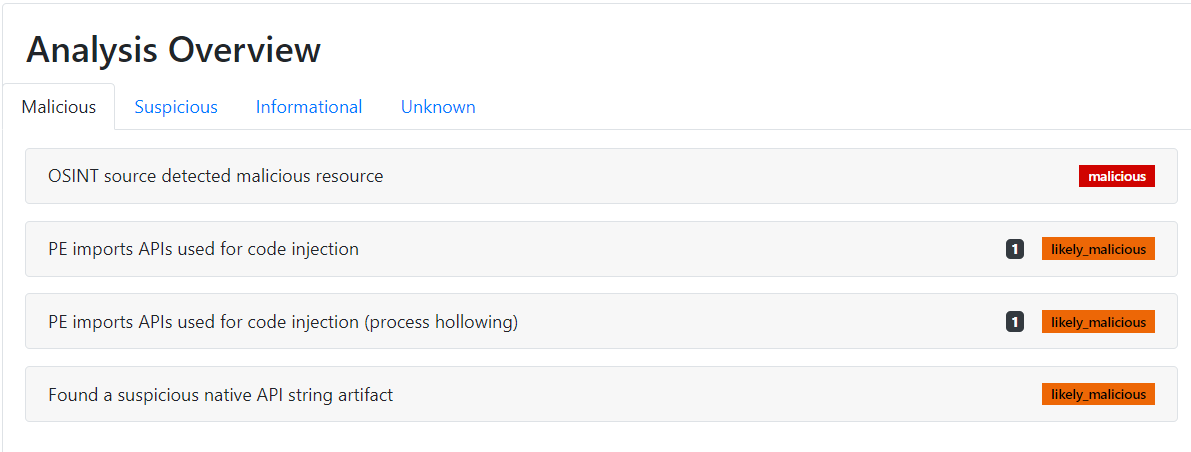
Analysis of the AIApplication program on the Filescan.io sandbox
How Does AIApplication Spread?
AIApplication malware often infiltrates systems through bundled software installations or advertisements on dubious websites. Freeware developers sometimes resort to bundling to monetize their efforts. This exposes users to potentially unwanted applications, and AIApplication is among them. Similarly, deceptive ads may lure users into installing seemingly useful apps or system boosters, which turn out to be unwanted applications in disguise.


Leave a Comment