
The Hurawatch is an unwanted program that tries to look like a legit movie watching application. In fact, it exhibits malignant behaviour, such as ads spamming and excessive data collection. In this article, I will explain to you how to remove this PUA from your device.
The hackers behind the Hurawatch virus intentionally created redirect malware with the aim of generating illegal profits. They force their victims to watch unwanted ads on the infected device. This virus redirects users to other malicious websites, enabling the hackers to profit from the advertisements that load in the browser.
What is Hurawatch virus??
Hurawatch virus is, in fact, an outcome of the use of a Hurawatch website, that spreads tons of ads for monetisation. Once you open the site, it will offer you to enable pop-ups. This will trigger the wave of pop-ups spam, that contain absolutely irrelevant contents. Such ads are not only annoying, but can also throw you to shopping scam pages and, in rare cases, even phishing sites. This thing alone is a great reason to avoid using this “online movie theater”.
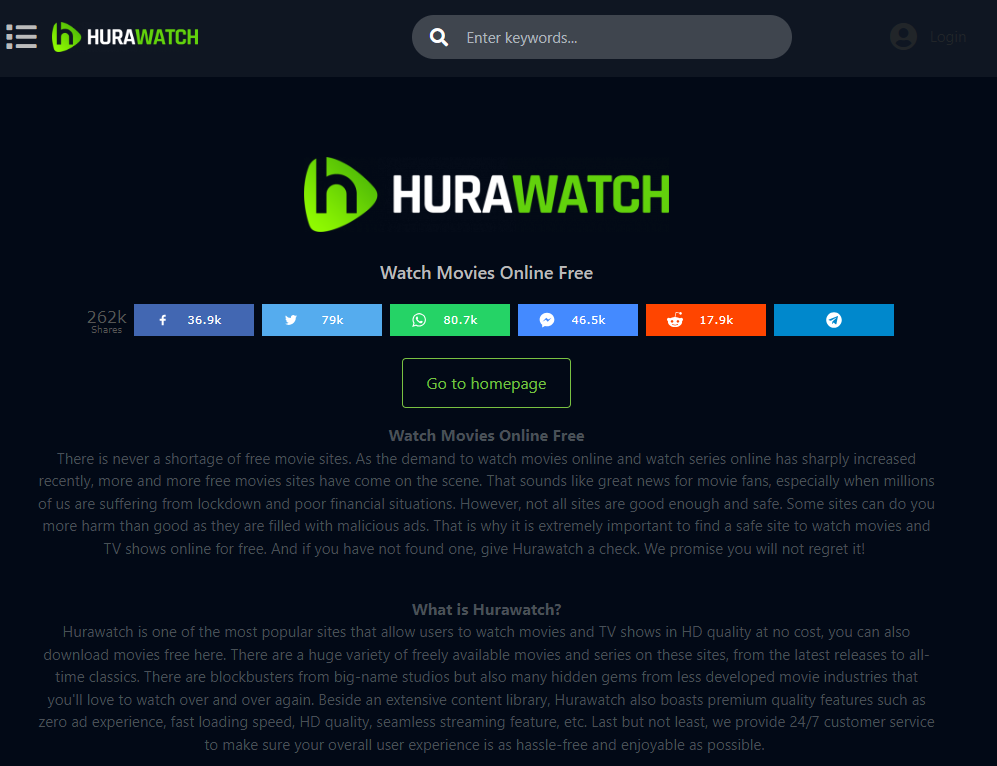
Main page of Hurawatch website
HuraWatch Summary
| Site | Hurawatch.at |
| Hosting | AS13335 Cloudflare, Inc. United States, San Francisco |
| Threat Type | Malicious redirects, pop-up ads spam |
| IP Address | 104.31.16.5 |
| Symptoms | Redirections to scam sites, numerous pop-up notifications |
| Similar behavior | Freenotifications, Devicespam, News |
| Fix Tool |
To remove possible virus infections, try to scan your PC
|
Hurawatch – is it safe?
Actually, bearing on what I just said, you could already have made a conclusion that Hurawatch is no bueno. Nonetheless, there is one more aspect that adds to all this mess. This website works almost exclusively with pirated content – actually, movies it got elsewhere. In the vast majority of countries it is illegal to spread such content, and will inevitably end up with legal actions. To compensate for this danger, its admins apply a monetization method like we discussed above. And they cannot care less about people that will be scammed on the places they redirect them to.
So yes, Hurawatch is not recommended to use under any circumstances. It is not outright dangerous, but be sure about facing hundreds of really threatening elements once you use it actively.
Reset browser settings to default
Manual method of browser reset
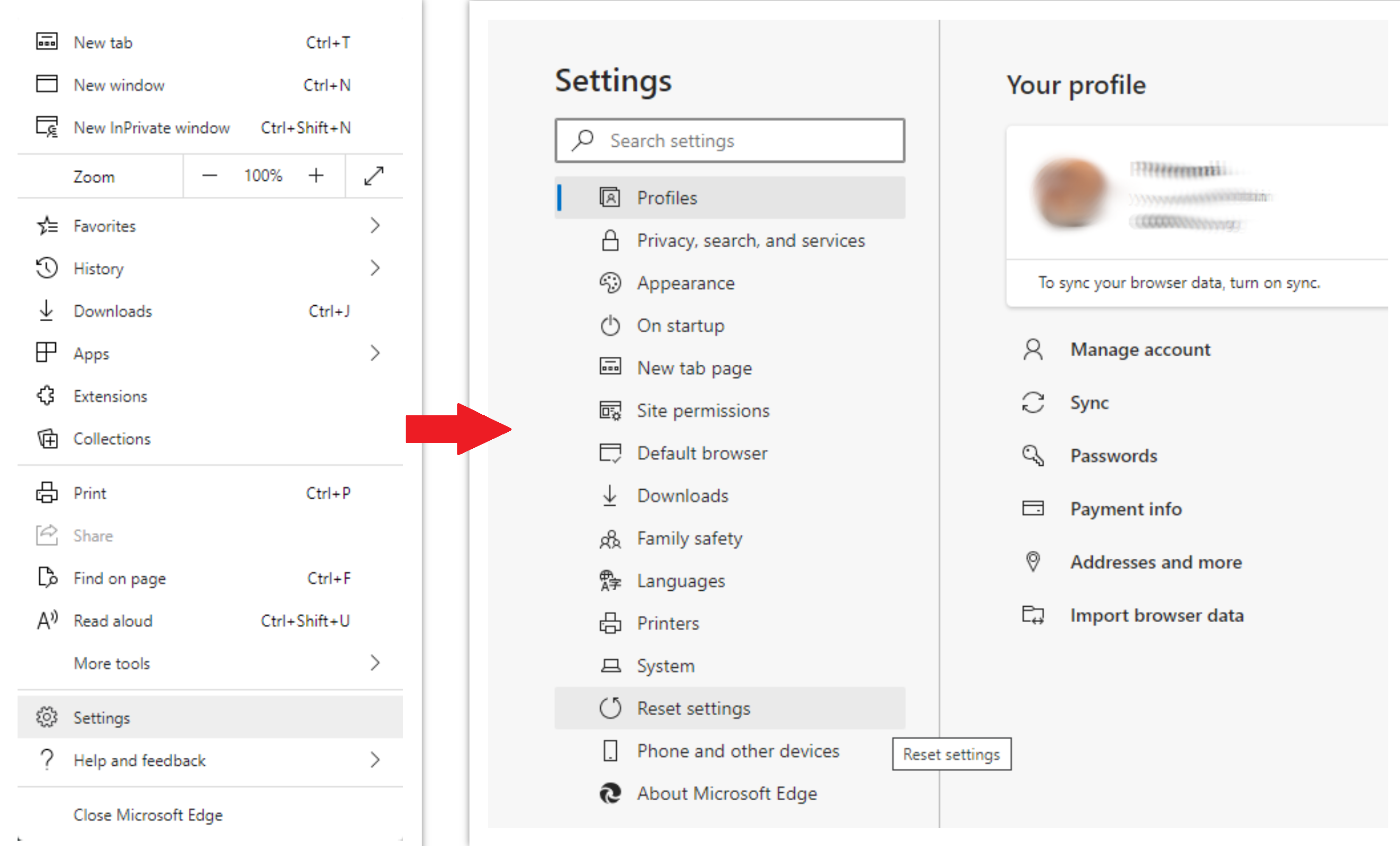
To reset Edge, do the following steps :
- Open “Settings and more” tab in upper right corner, then find here “Settings” button. In the appeared menu, choose “Reset settings” option :
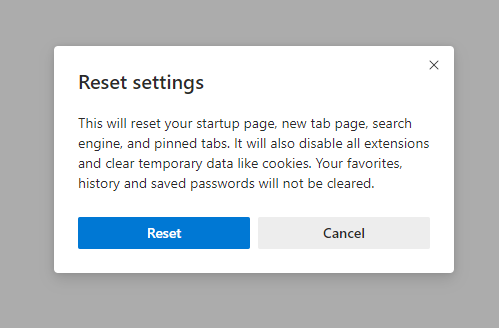
- After picking the Reset Settings option, you will see the following menu, stating about the settings which will be reverted to original :
For Mozilla Firefox, do the next actions :
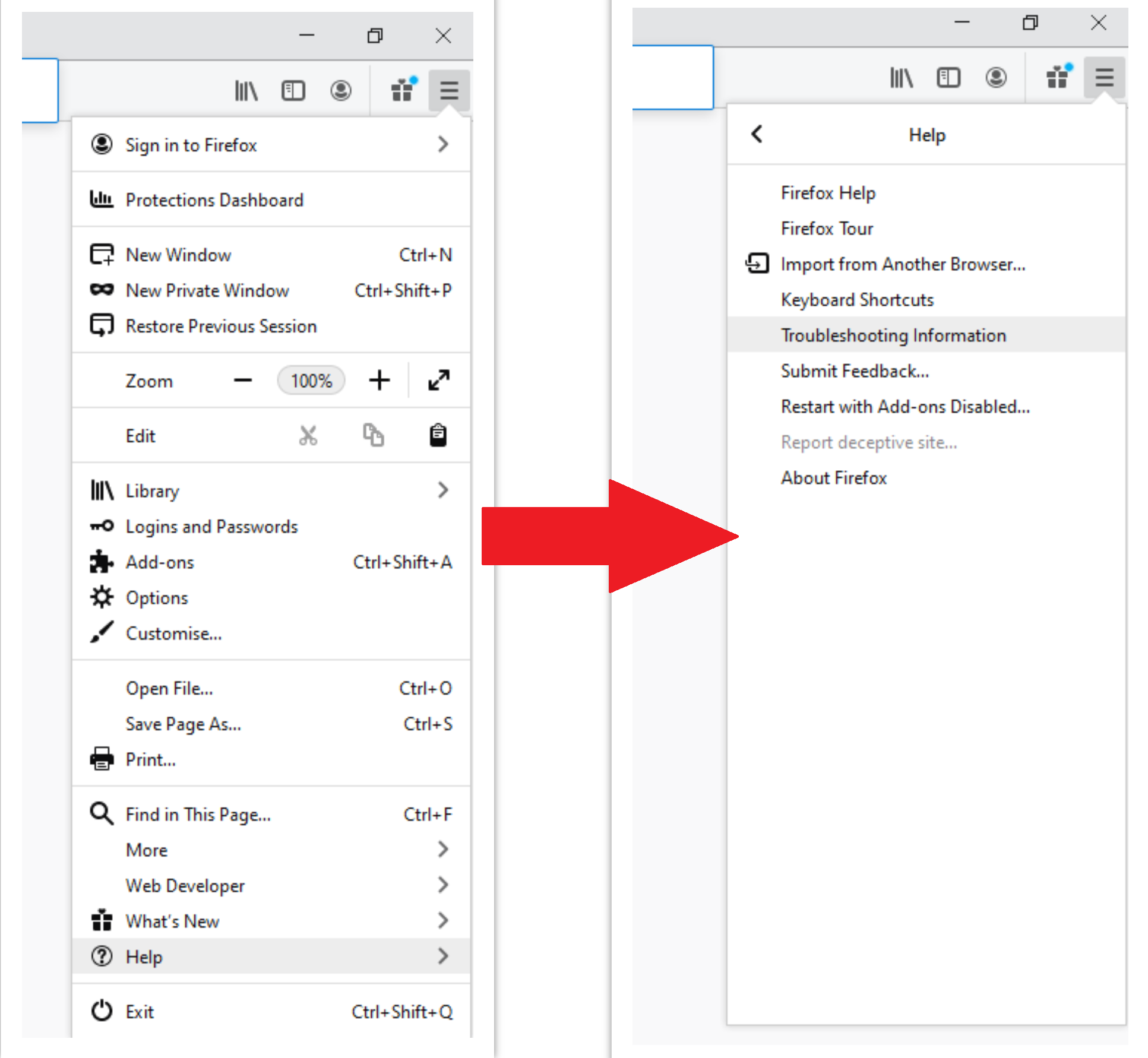
- Open Menu tab (three strips in upper right corner) and click the “Help” button. In the appeared menu choose “troubleshooting information” :
- In the next screen, find the “Refresh Firefox” option :
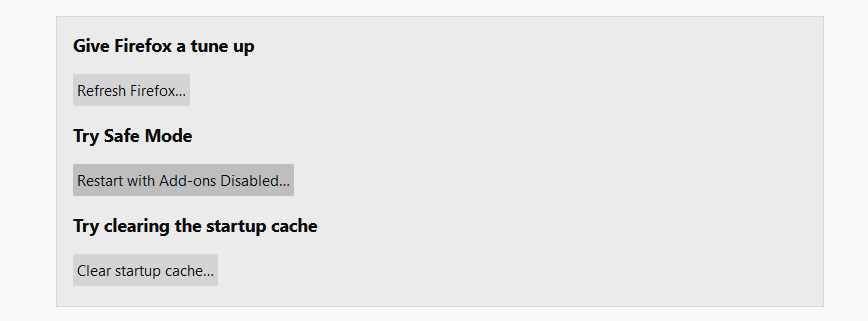
After choosing this option, you will see the next message :
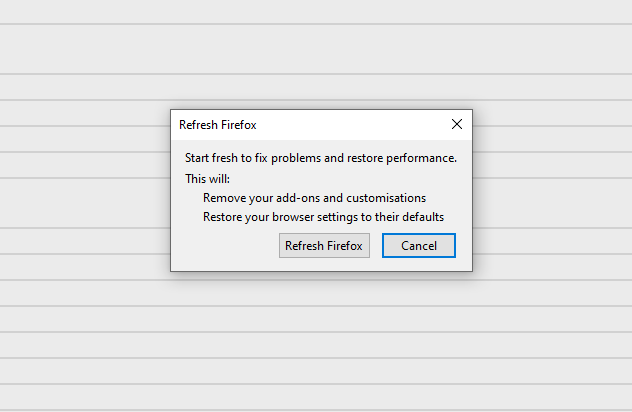
If you use Google Chrome
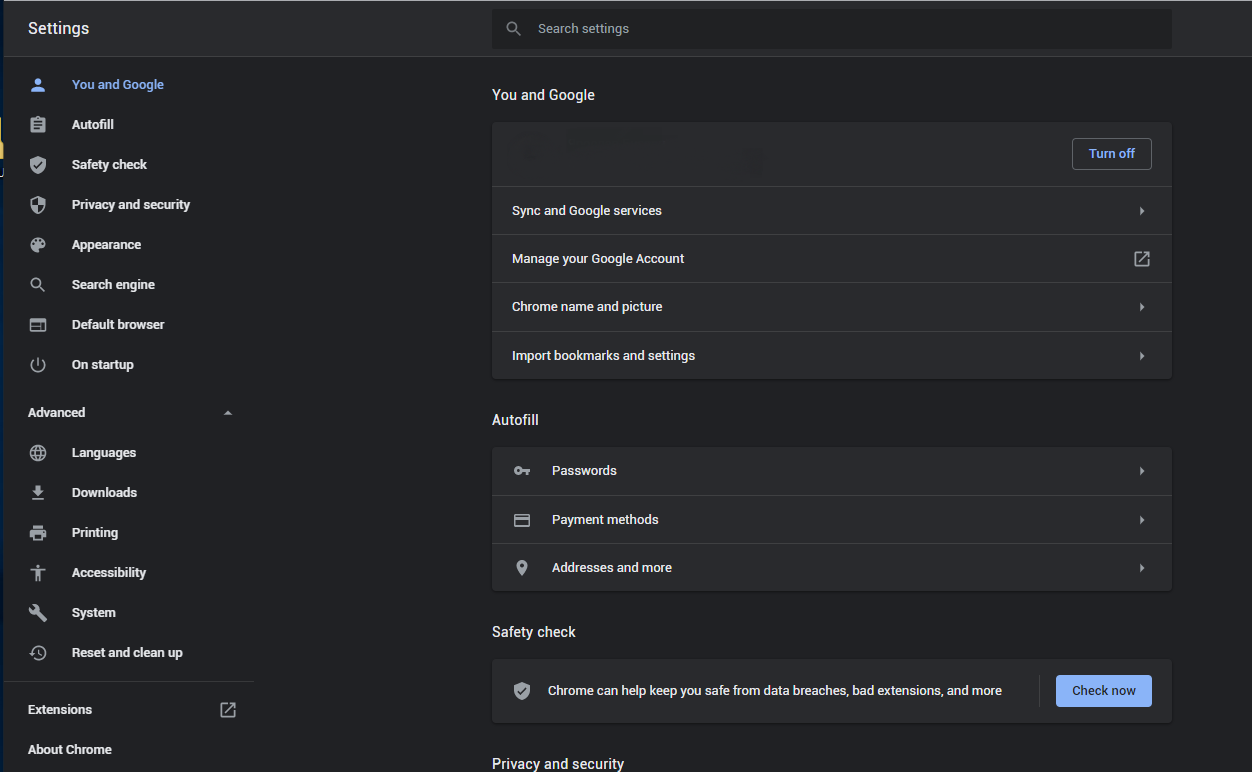
- Open Settings tab, find the “Advanced” button. In the extended tab choose the “Reset and clean up” button :
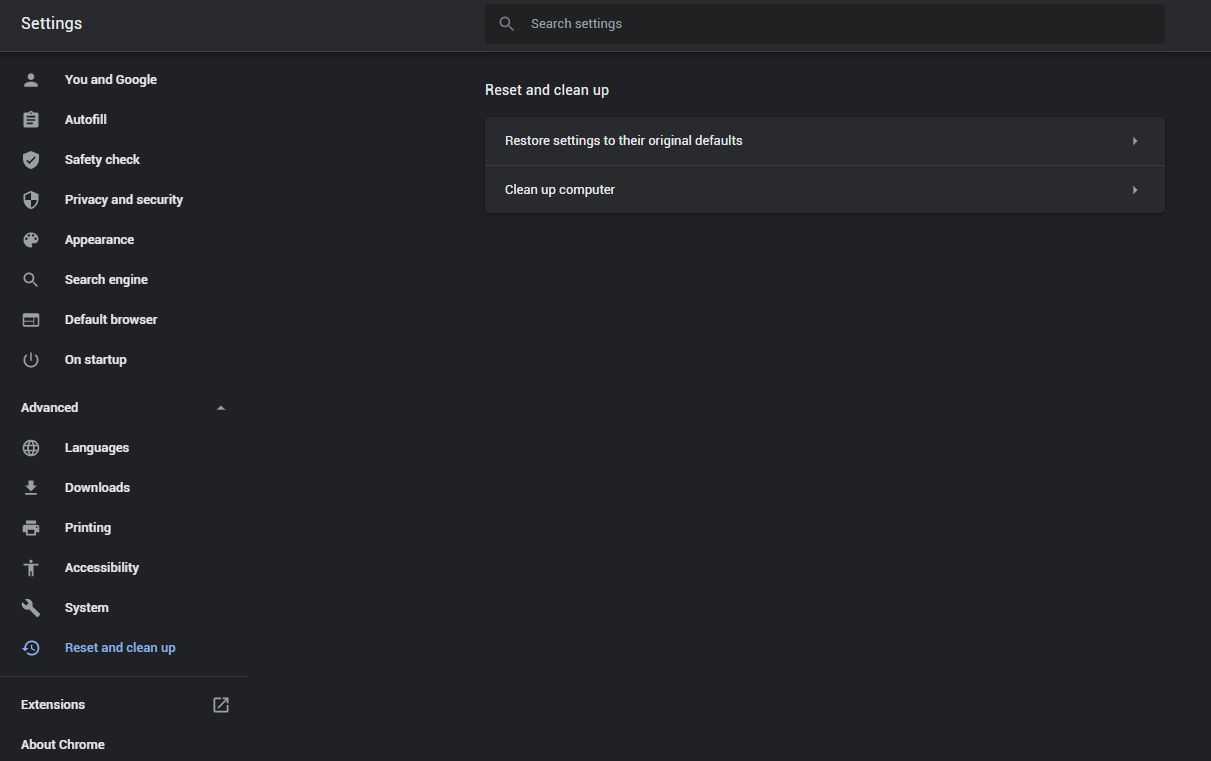
- In the appeared list, click on the “Restore settings to their original defaults”:
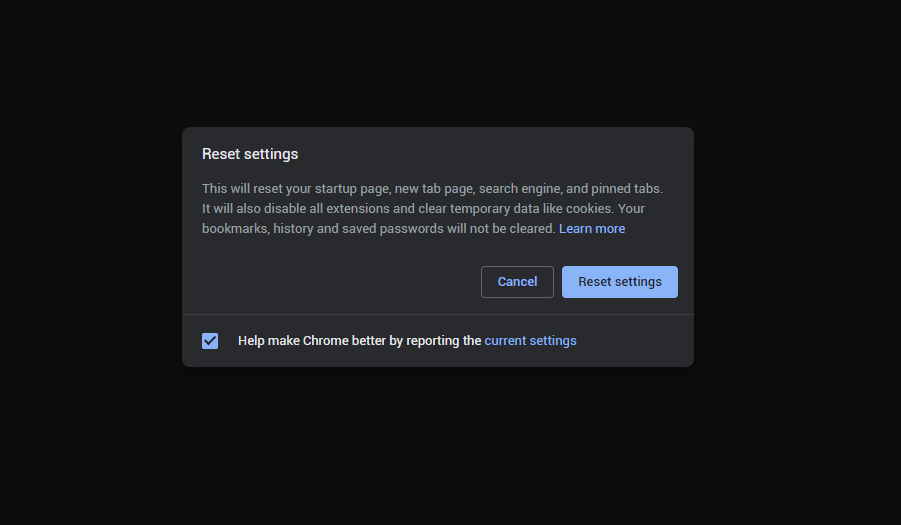
- Finally, you will see the window, where you can see all the settings which will be reset to default:
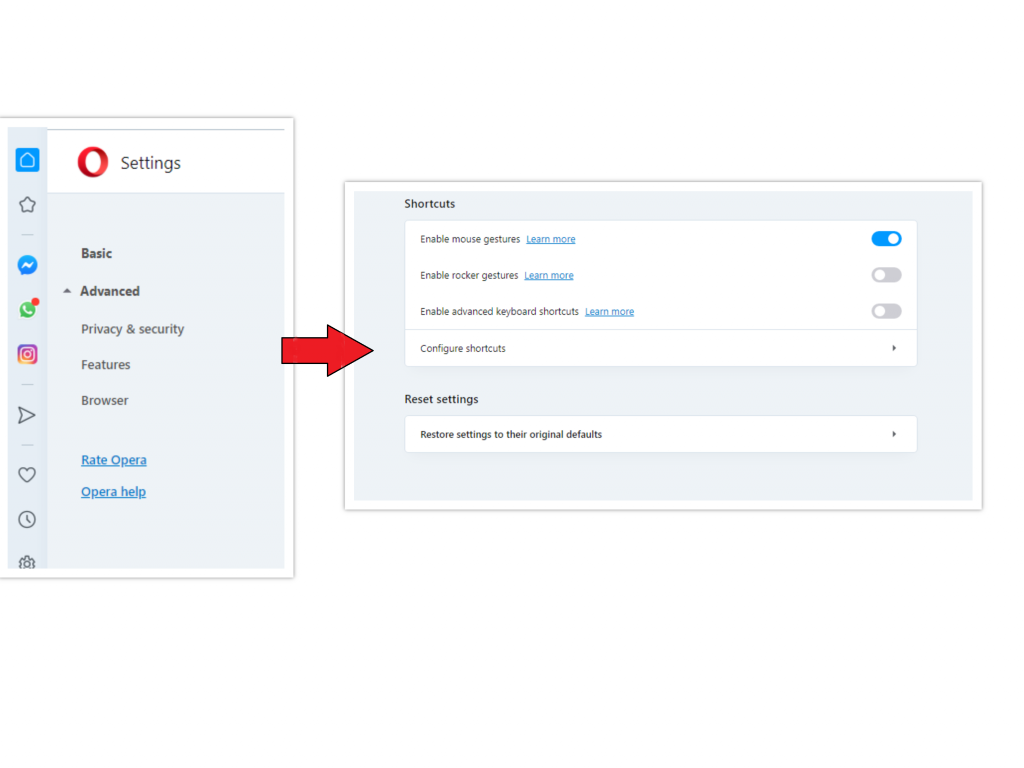
Opera can be reset in the next way
- Open Settings menu by pressing the gear icon in the toolbar (left side of the browser window), then click the “Advanced” option, and choose the “Browser” button in the drop-down list. Scroll down, to the bottom of the settings menu. Find there “Restore settings to their original defaults” option :
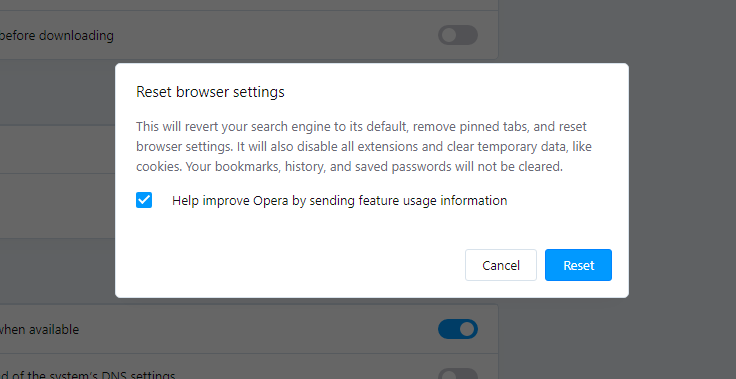
- After clicking the “Restore settings…” button, you will see the window, where all settings, which will be reset, are shown :
When the browsers are reset, you need to ensure that your system uses proper DNS configurations. Make a text file named “hosts” on your pc’s desktop, then open it and fill it with the following content1:
# Copyright (c) 1993-2006 Microsoft Corp.

#

# This is a sample HOSTS file used by Microsoft TCP/IP for Windows.

#

# This file contains the mappings of IP addresses to host names. Each

# entry should be kept on an individual line. The IP address should

# be placed in the first column followed by the corresponding host name.

# The IP address and the host name should be separated by at least one

# space.

#

# Additionally, comments (such as these) may be inserted on individual

# lines or following the machine name denoted by a '#' symbol.

#

# For example:

#

# 102.54.94.97 rhino.acme.com # source server

# 38.25.63.10 x.acme.com # x client host

# localhost name resolution is handle within DNS itself.

# 127.0.0.1 localhost

# ::1 localhost
Find the hosts.txt file in C:/Windows/System32/drivers/etc directory. Rename this file to “hosts.old.txt” (to distinguish it from the new one), and then move the file you created on the desktop to this folder. Remove the hosts.old from this folder. Now you have your hosts file as good as new.
However, there is one trouble that makes things much more difficult to restore, specifically without the anti-malware program. Most of the adware variations are altering the browser configurations. This disables access to the settings tab. So, if you try to change your browser settings after your computer was penetrated by pop-up-related malware, your browser will simply crash. Sometimes, you will see no crash, but a significant lag spike after pushing the “settings” key. Browser will stop responding for ~30 seconds, and then it will be back to the typical, till you attempt to open settings one more time.
Frequently Asked Questions
References
- Official Microsoft guide for hosts file reset.


Leave a Comment