
Emydreamsa.com operates as a deceptive webpage that you should steer clear of in any case. It tricks users into enabling push notifications in order to spam devices with disruptive ads. The website employs fake browser errors that prompt users to “Allow Notifications” to resolve the issue. Once granted, Emydreamsa.com will bombard the system with irritating pop-up ads, even when the browser is not in use.
What is Emydreamsa.com?
Emydreamsa.com is a website that uses deceptive tactics to bombard users with intrusive spam advertisements through browser push notifications. It is classified as a potentially unwanted program (PUP) and browser hijacker.
The site lures visitors into enabling push notifications through fake system alerts and warnings. For instance, it may display a fake notification claiming that your browser is “out of date,” you need to “allow notifications” to update it.
However, allowing notifications doesn’t update your browser. Instead, it grants Emydreamsa.com permission to send push notification spam to your desktop or mobile device.
| Website | Emydreamsa.com |
| Hosting | AS14618 Amazon.com, Inc. United States, Ashburn |
| IP Address | 34.195.224.242 |
| Threat Type | Scam/Fraud |
| Scam Type | Fraudulent/Scam online shop |
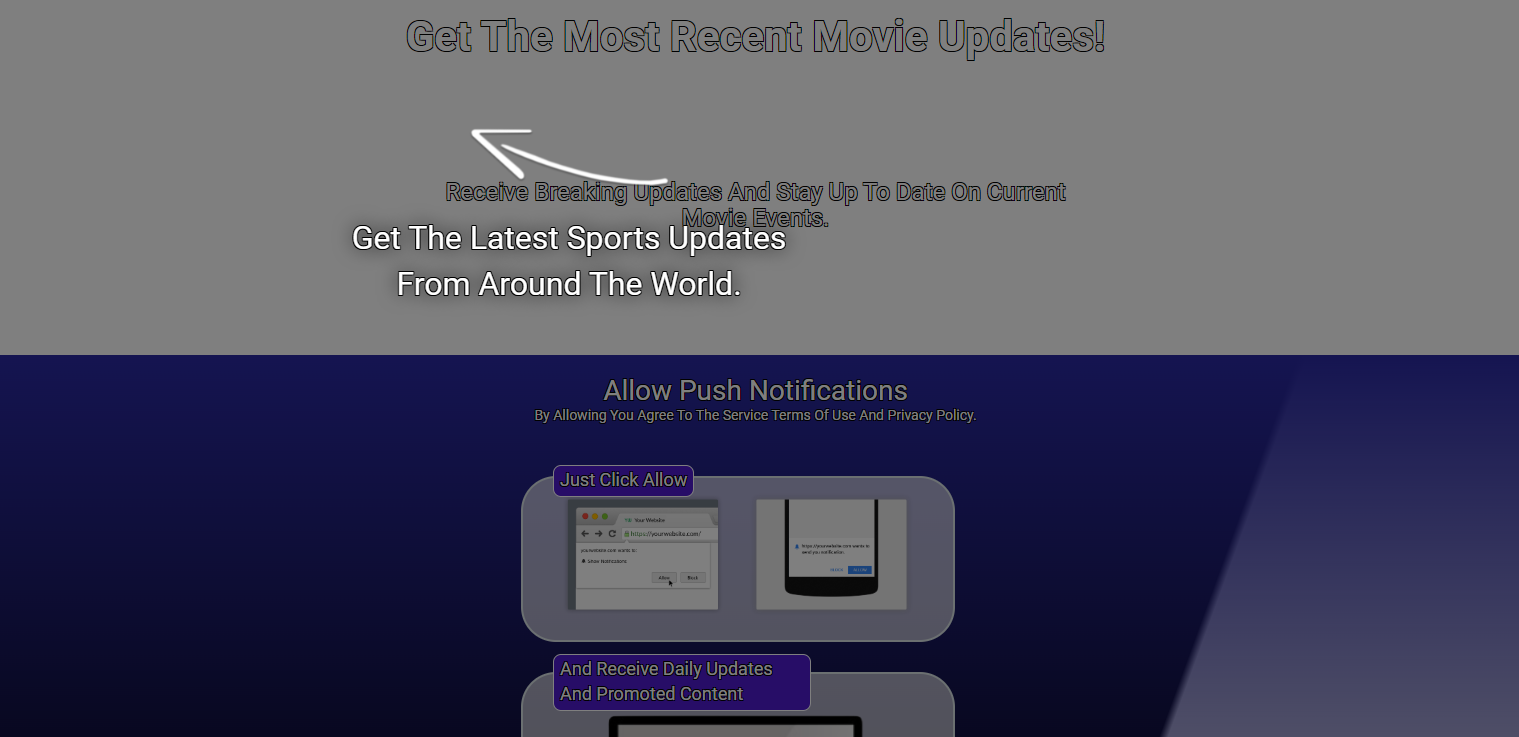
Emydreamsa.com Scam
Why do I keep seeing pop-up ads from Emydreamsa.com?
If you are constantly being bombarded with annoying pop-up ads from Emydreamsa.com on your computer or mobile phone, it is likely that you have inadvertently allowed push notifications for the website at some point.
Emydreamsa.com is known to use various tactics to send disruptive pop-up ads to users, including:
- Firstly, they display fake error prompts that urge users to update their browser and enable notifications to fix the supposed error. Secondly, notification prompts are hidden in hard-to-notice areas of the website to trick users into enabling them.
- Moreover, users may be redirected to Emydreamsa.com from another website or pop-up, which allows the site to prompt for notifications. Additionally, some free software programs bundle Emydreamsa.com software that enables notifications without consent during installation.
- Lastly, pop-ups that warn of computer infections may link to Emydreamsa.com and ask users to allow notifications to remove the so-called infection. It is important to be aware of these tactics and only enable notifications from trusted websites.
After granting notification access, the site bombards you with pop-up ads that are difficult to close. These ads open more tabs and can appear as mobile notifications.
Dangerous of Emydreamsa.com Pop-up Ads
Once enabled, Emydreamsa.com bombards your device with inappropriate pop-up ads, even when your browser is closed. The push notifications promote spammy content:
- Freemium games and apps
- Adult and dating content
- Software update scams
- Other dubious products and services
- Weight loss or brain enhancement supplements
Emydreamsa.com employs a deceitful tactic of prompting users to approve push notifications, which allows them to spam devices directly and bypass browser pop-up blockers. These pop-ups are intrusive and challenging to close, and some may use alarming language to deceive users into clicking through and installing malware.
How to Remove Malware from Your PC?
Frequently Asked Questions about the Emydreamsa.com Scam
- Contact your bank or card provider and ask about chargeback options.
- Save screenshots, receipts, tracking numbers, and emails as evidence.
- Change reused passwords and enable two-factor authentication on important accounts.
- Watch for follow-up phishing emails pretending to offer refunds or delivery updates.

