
DDoS:Win32/Nitol is a type of malware used for Distributed Denial of Service attacks. This DDoS bot can cause severe consequences like disrupting online services, causing financial loss and compromising the security of affected systems.
Nitol is a relatively simple malware that mainly operates in China. It lacks sophisticated obfuscation and is coded in Visual C++. Once executed, it self-replicates with a randomized filename in the Program Files directory and poses as a fake “Microsoft Windows Uqdatehwh Service.”
- Participate in distributed denial of service (DDoS) attacks.
- Compromise the integrity of the infected device.
- Cause financial losses.
- Lead to serious privacy breaches.
DDoS:Win32/Nitol Removal Guide
Removing malware manually can be daunting, and it’s not recommended. Malware usually creates multiple instances of itself to gain persistence, making it difficult to trace and remove all parts of the threat. Manual removal can be time-consuming and inefficient. To help you remove Win32/Nitol, I have compiled a list of the best practices for removal in the guide below.
Manual DDoS:Win32/Nitol Removal
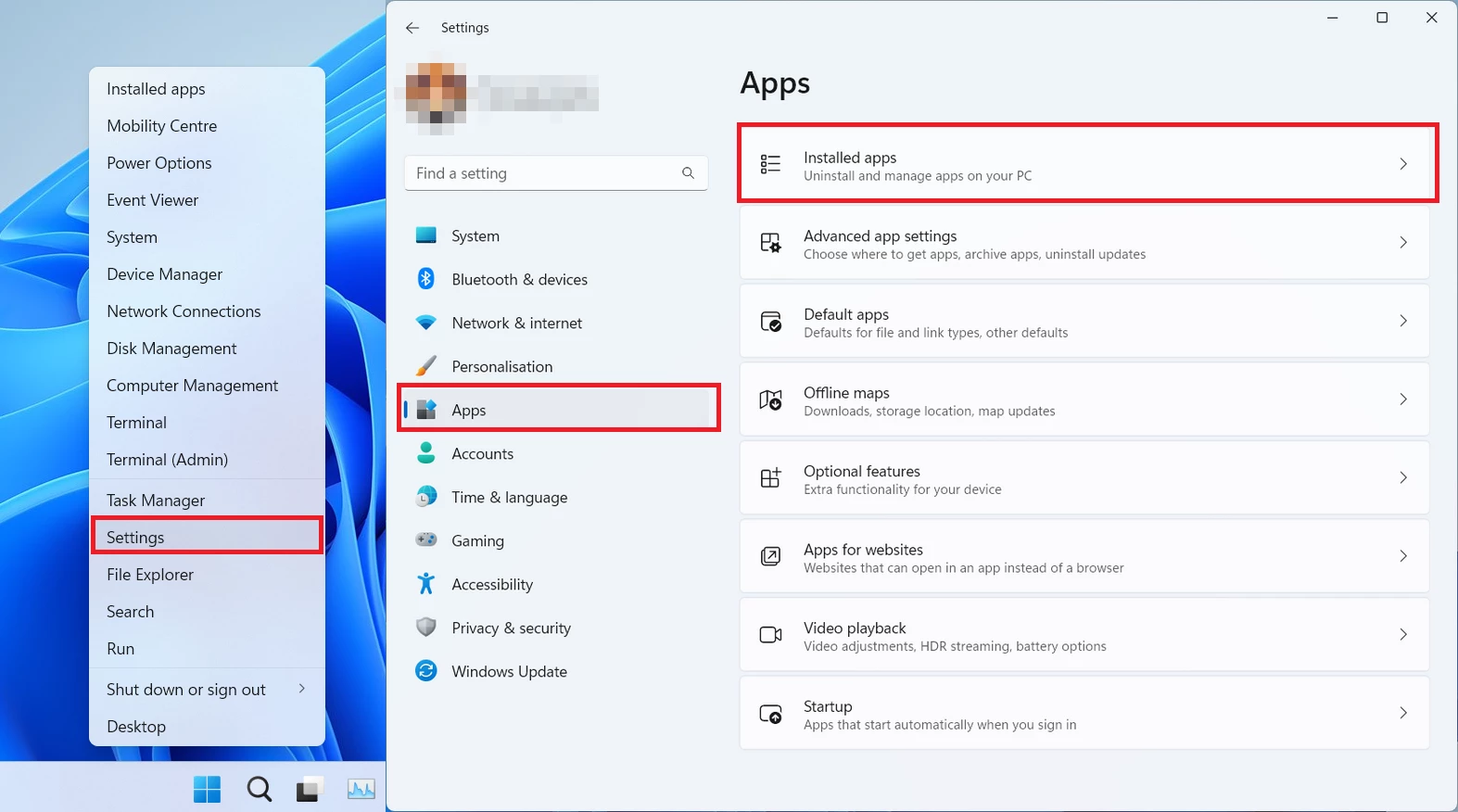
You can remove Nitol manually, through the system Settings app. Click the Windows button with the right mouse button and find Settings in the appeared list. In Settings, go to Apps → Installed Apps menu.
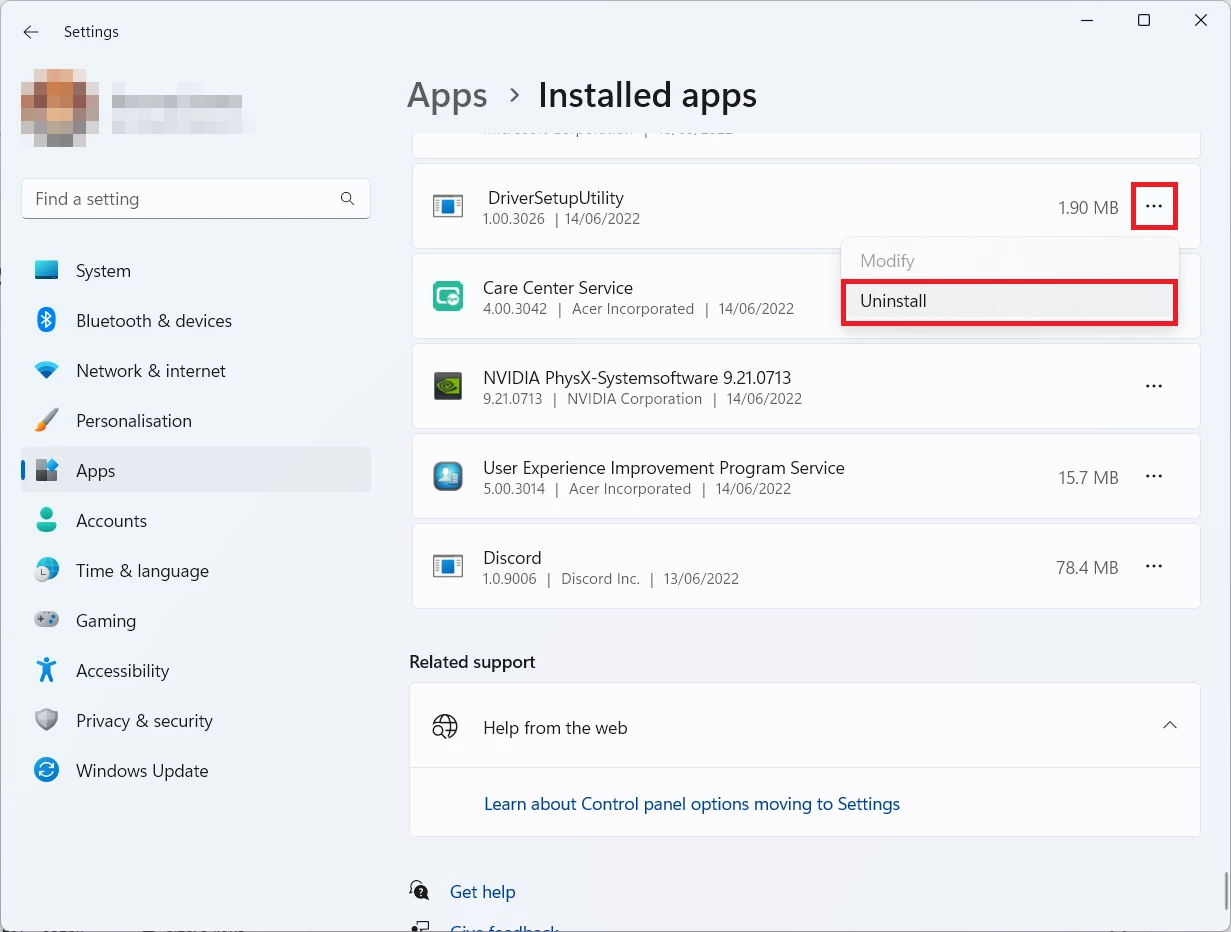
There, find the apps you do not remember installing. If you know a specific one that Avast/AVG is complaining on with the DDoS:Win32/Nitol detection, seek for them. Click the three-dot symbol to the right, and then choose “Uninstall”.


Leave a Comment